





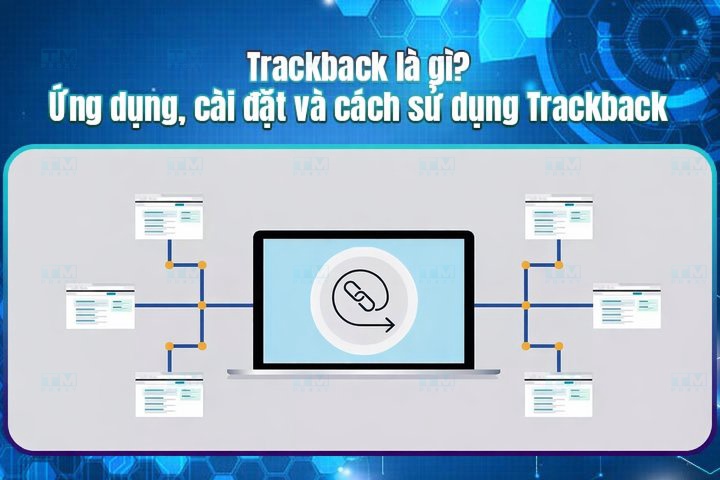
Trackback is an automatic notification technology between websites, helping create connections and increase interaction in the blogging community. This article explains its uses, pros and cons, comparison with Pingback and how to use Trackback in WordPress.
High-Speed Proxy - Ready to Try?
ALGO Proxy offers residential, datacenter & 4G proxies in 195+ countries
What is Trackback?
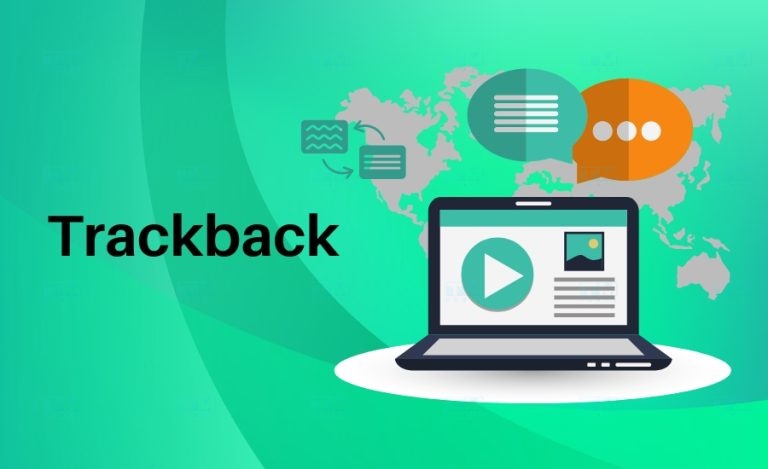
Trackback is an automatic notification method between websites. When you write a new post and link to a post on another website, Trackback automatically sends a notification to that website. This notification includes your website name, post title and the URL of the linked post.
Trackback's mechanism allows webmasters to track which websites have cited or linked to their content. This helps them understand their post's reach and creates opportunities for interaction between websites.
How it works: When a post is published containing a link to another website's post, the Trackback system sends an HTTP request to the Trackback URL of the linked post. This is similar to sending a notification, alerting the website owner that they've been mentioned in another post.
Role in the blog community: Trackback isn't just a notification tool — it plays an important role in building the blog/website community. Through Trackback, bloggers can easily share opinions, discuss and connect with each other.
Uses of Trackback
Trackback has many useful applications for creating connections between websites:
Enhancing website interaction: When a blog links to a post on another site, Trackback automatically notifies the site owner. This helps bloggers recognize each other and encourages commenting and sharing.
Creating automatic backlinks: Trackback automatically creates backlinks, beneficial for SEO as Google and search engines value quality links from multiple sources.
Tracking linked posts: Trackback lets website owners track who has cited or linked to their content, helping build better community relationships.
Building a blog community: Thanks to Trackback features, bloggers can easily create a diverse and rich community, increasing the credibility of each post.
Pros and Cons of Trackback

Pros
- Easy to use and set up: On most current website platforms, setting up Trackback is simple with minimal technical knowledge needed.
- Enhanced website interaction: Trackback facilitates sharing and commenting, increasing interaction among community members.
- Automatic backlink creation: Trackback creates automatic backlinks that can improve website rankings in search results.
- Tracking and managing linked posts: Trackback helps websites easily track and manage posts linked to their pages.
Cons
- Spam risk: Trackback can be exploited by spammers to send junk links, annoying users.
- Not an effective SEO tool: Trackback supports SEO but isn't a decisive factor in search engine rankings.
- Limited compatibility: Not all websites support Trackback technology.
Detailed Comparison: Trackback vs Pingback
Trackback and Pingback are both technologies used to notify other websites that a post has linked to them. However, there are important differences between them.
How they work:
- Trackback: Sends post information via a specific URL.
- Pingback: Sends information through post headers and content, checking whether the linked post exists before sending notification.
Features:
- Trackback: Only sends basic post information, doesn't display content excerpts.
- Pingback: Can extract and display excerpts from the linked post.
Moderation:
- Trackback: No moderation, easily exploitable by spammers.
- Pingback: Has moderation and filtering capabilities, reducing spam risk.
Security:
- Trackback: Little focus on security, easily exploitable.
- Pingback: Higher security features, better protection for websites.
Pingback is generally considered a more modern and effective solution than Trackback with superior security and presentation features.
Important Notes When Using Trackback

- Use Trackback for its intended purpose: Don't abuse it to send spam or create junk links.
- Carefully check linked websites: Avoid linking to unreliable websites or those with malicious content.
- Set up anti-spam features: Configure and use available Trackback moderation features.
- Don't overuse Trackback: Use it appropriately to maintain post quality.
- Monitor Trackbacks regularly: Promptly detect and handle spam comments.
Preventing Trackback Spam
- Disable Trackback: The simplest solution if you don't need Trackback.
- Use anti-spam plugins: Akismet, Antispam Bee, CleanTalk automatically detect and remove Trackback spam.
- Manual review: Regularly check and remove spam Trackbacks.
- Set up whitelist and blacklist: Configure allowed and blocked websites for sending Trackback.
Using Trackbacks in WordPress
WordPress is a popular platform that supports Trackback by default.
What is Laravel? Detailed Exploration of This Popular PHP Framework
Enabling Trackback in WordPress
Step 1: Enable Trackback feature. Go to Settings > Discussion and check "Allow pingbacks and trackbacks from other websites."
Step 2: Find the Trackback URL. Each post has its own Trackback URL, usually at the bottom of the content. Copy this URL to use.
Step 3: Save the post. WordPress will automatically send a trackback to the linked website if it supports the feature.
Disabling Trackback in WordPress
Go to Settings > Discussion, uncheck "Allow pingbacks and trackbacks from other websites," then click Save Changes.
Conclusion: Trackback is a useful technology for connecting websites and creating automatic backlinks, but requires strict management to avoid spam and misuse.