





TCP/IP (Transmission Control Protocol/Internet Protocol) is the foundational protocol suite for all communication activities on the Internet. This article explains in detail the 4-layer model, the roles of TCP and IP, popular protocols like HTTP/HTTPS/FTP, along with the advantages and disadvantages of TCP/IP.
High-Speed Proxy - Ready to Try?
ALGO Proxy offers residential, datacenter & 4G proxies in 195+ countries
What is TCP/IP? Functions and How TCP/IP Works
What is TCP/IP? TCP/IP (Transmission Control Protocol/Internet Protocol) is a network protocol suite used to transmit data over the Internet. It is the foundation for most communication activities on computer networks, allowing different devices around the world to connect and communicate with each other regardless of the specific network architecture.
The TCP/IP protocol suite consists of two main protocols: TCP and IP.
TCP (Transmission Control Protocol)
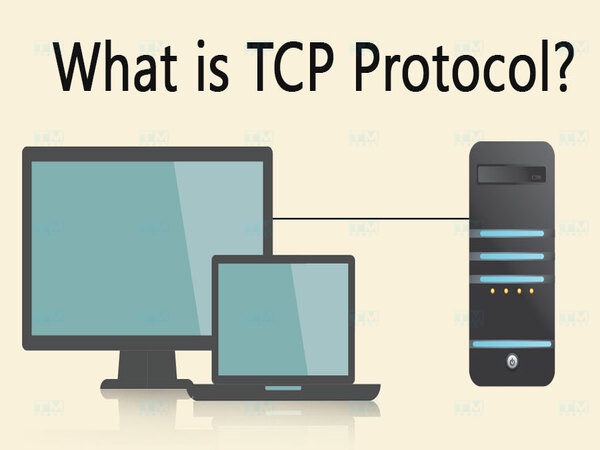
TCP is one of the core protocols of the TCP/IP suite, operating at the Transport Layer in the OSI model. The role of TCP is to ensure reliable data transmission between two devices on a network. This means TCP will:
- Divide large data into smaller packets for transmission.
- Ensure all packets reach their destination and are reassembled in the correct order.
- Check whether packets have errors or are lost during transmission, and request retransmission if needed.
- Provide flow control mechanisms to prevent network congestion. The strength of TCP is its reliability and ordered delivery. However, because of these features, TCP is slower compared to some other protocols that do not require high reliability, such as UDP (User Datagram Protocol).
IP (Internet Protocol)
IP is a protocol that operates at the Network Layer in the OSI model, responsible for routing packets from the source to the destination. Each device on the network is assigned a unique IP address, which identifies its location in the network. IP divides packets into smaller units called "datagrams" and transmits them across the network.
There are two main versions of the IP protocol:
- IPv4 (Internet Protocol version 4): Uses 32-bit addresses and is the most widely used IP version in the world.
- IPv6 (Internet Protocol version 6): Developed to replace IPv4 due to the shortage of IP addresses, IPv6 uses 128-bit addresses, providing more addresses and several advanced features.
IP does not guarantee the integrity or order of packets, nor does it control traffic flow. That is why IP is combined with TCP to ensure safe and reliable data transmission.
History and Development of TCP/IP
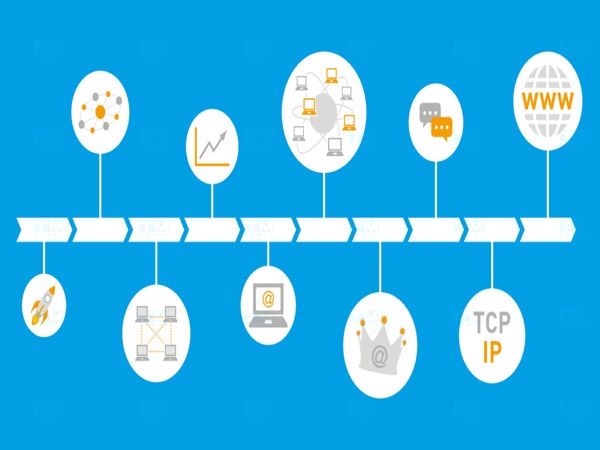
What is the history of TCP/IP? The TCP/IP protocol suite originated in the 1960s, when ARPANET — a research computer network funded by the United States Department of Defense — was developed to connect computers together. By 1970, Robert Kahn and Vinton Cerf invented the TCP/IP protocol suite, with the goal of enabling different networks to connect and transmit data easily.
Initially, TCP/IP was used within the ARPANET network, but by 1983, it had become the standard protocol for all networks under the U.S. Department of Defense. Subsequently, with the rapid growth of the internet, TCP/IP became the most widely used protocol suite globally, deployed extensively in LAN, WAN, and internet networks.
Modern versions of TCP/IP have continued to be improved to meet the growing demands for security, speed, and scalability of large networks.
How TCP/IP Works
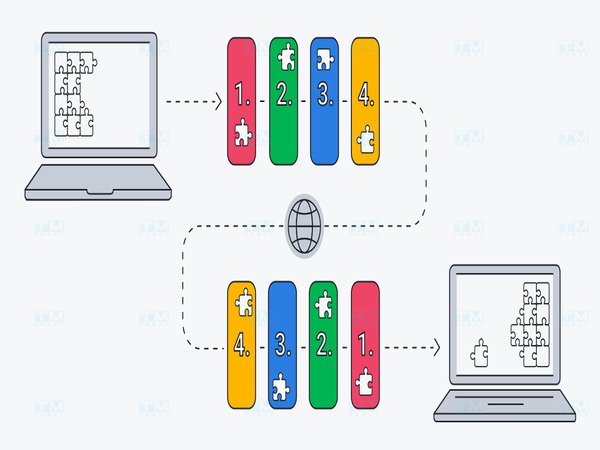
How does TCP/IP work? The operating principle of TCP/IP is based on dividing data into packets and using multiple layers to ensure that data is transmitted safely and reaches the correct destination. The TCP/IP suite consists of four main layers:
- Application Layer: The highest layer, where applications such as web browsers, email clients, and FTP operate. Application protocols like HTTP, SMTP, and FTP function at this layer.
- Transport Layer: This layer uses TCP and UDP protocols to ensure that data is transmitted correctly between computers. TCP provides reliability and reassembles packets in the correct order, while UDP does not guarantee this but is faster.
- Network Layer: This layer is responsible for routing packets from source to destination based on IP addresses. The IP protocol operates at this layer.
- Link Layer: The lowest layer of the TCP/IP suite, responsible for transmitting data over a physical network, such as Ethernet or Wi-Fi.
Each layer in the TCP/IP model has a distinct task but works together to transmit data across the network efficiently. Packets travel from the Application Layer down to lower layers at the source device, and when they arrive at the destination device, they move back up through the higher layers until they reach the Application Layer, where the data is finally used.
Functions of Each Layer in the TCP/IP Model
The TCP/IP model consists of four main layers, each with a distinct function to ensure efficient and reliable data transmission across the network. The TCP/IP model is the fundamental protocol framework used to transmit data over the Internet and other computer networks. This model consists of four main layers:
Layer 4 — Application Layer
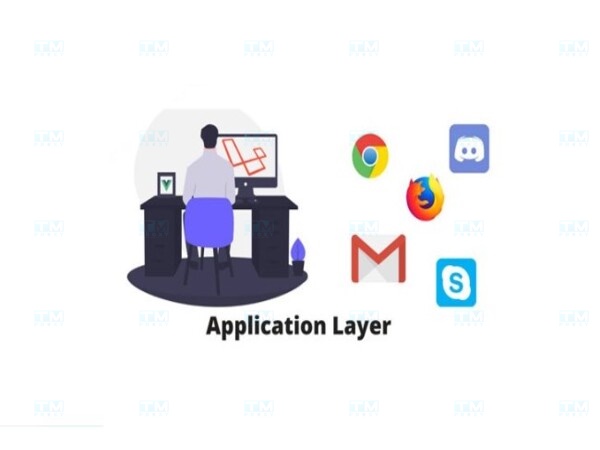
The Application Layer is the highest layer in the TCP/IP model, where network applications communicate directly with each other. Protocols operating at this layer provide services to end users and specific applications such as web (HTTP), email (SMTP, IMAP), file transfer (FTP), and domain name services (DNS).
- Function: This layer provides an interface for applications and users to communicate with the network. It processes user requests and translates them into network signals for transmission.
- Example protocols: HTTP, HTTPS, FTP, SMTP, IMAP, POP3.
The Application Layer plays a crucial role in providing an interface for users and applications to interact with the network. By using the protocols within this layer, data can be transmitted more efficiently.
Layer 3 — Transport Layer
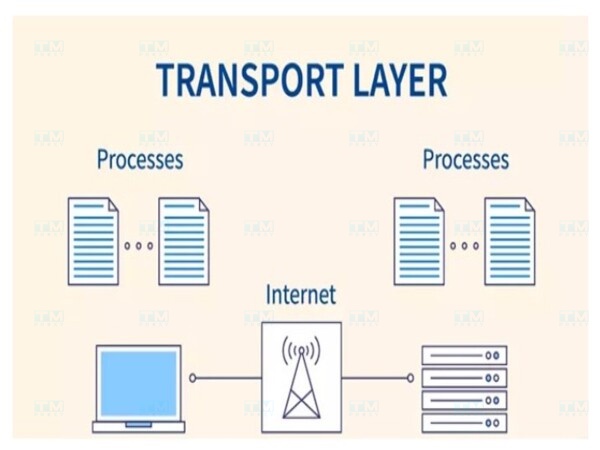
The Transport Layer is responsible for managing end-to-end data transmission between devices. It provides mechanisms to ensure that data is transmitted reliably and intact.
- Function: This layer divides data into smaller packets, checks for errors, reassembles data in the correct order, and controls the flow of data transmission between two devices.
- Example protocols: TCP (ensures reliable data transmission) and UDP (faster data transmission but without reliability guarantees).
Understanding the Transport Layer helps network engineers and developers optimize the performance of network applications and services, while ensuring that data is transmitted accurately and quickly.
Layer 2 — Internet Layer
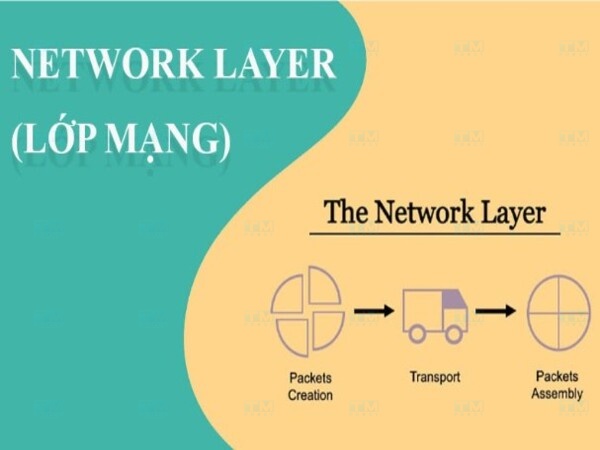
The Internet Layer, also known as the Network Layer, handles the routing of packets across different networks. It ensures that packets are routed from source to destination optimally and efficiently.
- Function: Routes packets from the source device to the destination across multiple networks based on IP addresses. This layer does not guarantee ordered delivery or reliability of packets — it is only responsible for sending them.
- Example protocols: IP (Internet Protocol), ICMP (Internet Control Message Protocol), ARP (Address Resolution Protocol).
In summary, the Internet Layer plays a crucial role in routing and transmitting packets between devices on the network. With the IP protocol at its core, this layer ensures that data is sent from source to destination efficiently, regardless of geographic distance.
Layer 1 — Physical Layer
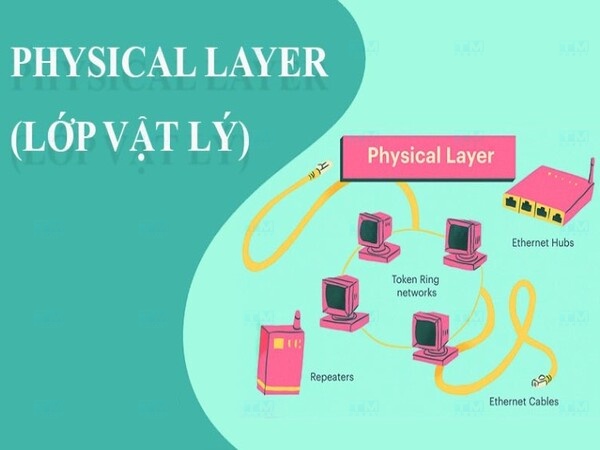
The Physical Layer is the lowest layer of the TCP/IP model, responsible for transmitting actual data over physical networks such as Ethernet cables, radio waves (WiFi), or fiber optic cables.
- Function: Converts electrical signals, radio waves, or light into digital data and vice versa. This layer defines how data is transmitted over the physical network and how signals are encoded.
- Example protocols: Ethernet, WiFi, Bluetooth. The Physical Layer ensures that signal transmission is carried out accurately and efficiently, providing the foundation for all higher layers to operate.
Advantages and Disadvantages of TCP/IP
What are the advantages and disadvantages of TCP/IP? The TCP/IP protocol is one of the most important protocols in modern networking, serving as the foundation for data transmission over the Internet. TCP/IP provides a robust and flexible communication model, allowing different devices worldwide to connect and communicate with each other. However, like any other technology, TCP/IP has its own advantages and disadvantages.
Advantages
This section delves into the specific advantages of TCP/IP, helping you understand why this protocol has become the standard for modern networking systems.
- Scalability: TCP/IP can scale from small networks to global networks like the internet, enabling different devices and networks to communicate seamlessly.
- Compatibility: The TCP/IP protocol suite supports many different operating systems and can be used on various types of devices.
- Reliability: TCP ensures reliable data transmission with error control mechanisms and retransmission of lost packets.
- Open Standard: TCP/IP is an open standard, making it easy to develop and deploy without dependence on specific software or hardware vendors.
Overall, these advantages not only help organizations optimize network performance but also improve user experience by ensuring that data is transmitted quickly and securely.
Disadvantages
Although the TCP/IP protocol offers many benefits, it also has notable disadvantages. Below are the detailed disadvantages of TCP/IP, giving you a comprehensive view of the challenges this protocol may present during deployment and use.
- Complex Management: Due to the complexity of routing and configuration, managing a large TCP/IP network can be difficult.
- Lower Performance: The TCP protocol can create latency and reduce performance when transmitting large data because it must ensure data integrity and ordering.
- Incomplete Security: TCP/IP does not have strong built-in security measures, making it vulnerable to network attacks such as sniffing, DDoS, and man-in-the-middle attacks.
Although TCP/IP provides many benefits, its disadvantages also need to be considered seriously. Understanding these disadvantages helps network administrators develop appropriate solutions and optimize network system operations.
Roles of TCP and IP Protocols
The TCP (Transmission Control Protocol) and IP (Internet Protocol) are two core components of the TCP/IP protocol suite, playing essential roles in data transmission over computer networks, especially on the internet. Below is a detailed description of the role of each protocol:
Role of TCP Protocol
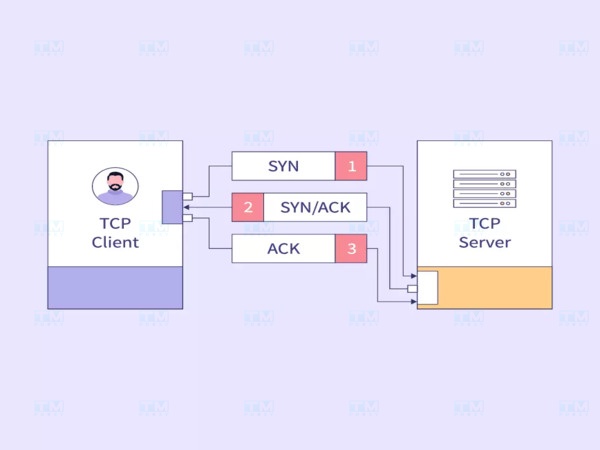
The TCP (Transmission Control Protocol) is one of the core protocols in the Internet protocol suite, playing a crucial role in ensuring that data is transmitted reliably and accurately over the network. Below are the important roles of the TCP protocol.
- Ensuring Reliability: TCP provides a reliable method of data transmission. It divides large data into small packets and transmits them over the network. TCP ensures that all packets arrive at the destination intact. If a packet is lost or encounters an issue during transmission, TCP detects it and requests retransmission.
- Packet Order Control: One of the key functions of TCP is ensuring that packets are received and reassembled in the correct order in which they were sent. This is crucial for applications like web browsers or file transfers, where data order is necessary for correct operation.
- Flow Control: TCP has the ability to control the flow of data transmission, adjusting the sending speed between two devices to avoid network congestion. When the network is overloaded, TCP automatically reduces the sending speed to maintain network performance.
- Connection-Oriented Protocol: TCP is a connection-oriented protocol, meaning it establishes a connection between two devices before beginning data transmission. This connection ensures that both parties are ready to send and receive data.
- Wide Applications: TCP is used in many critical applications requiring data integrity and reliability, such as email (SMTP), web (HTTP/HTTPS), and file transfer (FTP).
What is Blade Server? A Comprehensive Guide to Blade Servers
Role of IP Protocol

The role of IP is not only important in connecting devices but also in supporting other protocols like TCP and UDP, forming a powerful and flexible communication system. This section provides a detailed analysis of the role of the IP protocol in building and maintaining a global communication network.
- Packet Routing: IP is responsible for routing packets from source to destination on the network. Each device on the network is assigned a unique IP address that identifies its location. IP uses this information to determine the best way to forward packets across different networks.
- Address Sharing: IP provides an addressing system for devices on the network. The IP address is essential information for devices to find and communicate with each other. This is particularly important on the internet, where millions of devices need to communicate.
- Packet Fragmentation and Reassembly: When large data needs to be transmitted over the network, IP can fragment the data into smaller packets to fit the maximum size the network can handle. When they reach the destination, these packets are reassembled to recreate the original data.
- Connectionless Protocol: IP is a connectionless protocol, meaning it does not guarantee that packets will arrive safely and in the correct order. This allows IP to transmit data faster, but it also requires TCP to take on the task of ensuring reliability and ordering.
- Foundation for Other Protocols: IP is the foundation for many other protocols in the TCP/IP suite, creating a flexible and powerful system for data transmission over the network.
In summary, the TCP and IP protocols are two essential components of modern networking. TCP ensures reliable and ordered data transmission, while IP handles routing and data distribution between devices. The combination of these two protocols allows devices worldwide to communicate efficiently and securely, forming the foundation for today's internet development.
Popular TCP/IP Protocols Today
Among the TCP/IP protocols, several prominent ones have become standards for data transmission and service delivery on the Internet. These protocols not only support information transfer but also ensure security, performance, and interoperability between applications.
HyperText Transfer Protocol (HTTP)
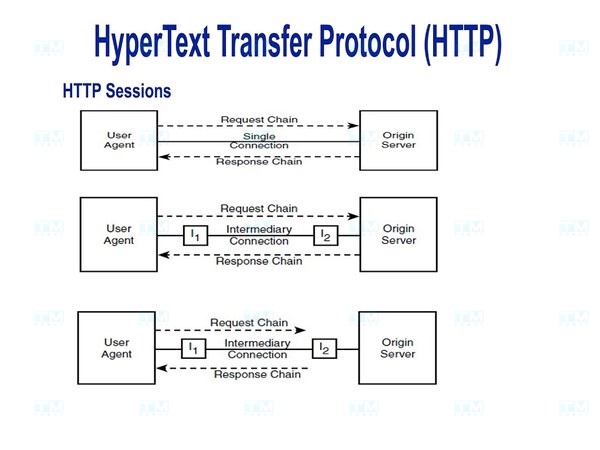
HyperText Transfer Protocol (HTTP) is a hypertext transfer protocol used to transmit information on the World Wide Web. HTTP operates on a client-server model, where the web browser (client) sends a request to the server and receives a response containing content such as text, images, or videos.
This protocol uses port 80 for communication and allows users to access web pages and online services easily. HTTP can transmit unencrypted data, which can pose security risks because information can be intercepted or tampered with during transmission. However, HTTP remains the dominant protocol for accessing information on the Internet thanks to its simplicity and efficiency.
Hypertext Transfer Protocol Secure (HTTPS)

Hypertext Transfer Protocol Secure (HTTPS) is the secure version of HTTP, providing an additional security layer for information transmitted between the browser and the server. This protocol uses SSL (Secure Sockets Layer) or TLS (Transport Layer Security) to encrypt data, protecting sensitive information such as passwords, credit card numbers, and personal information from attacks and interception.
HTTPS operates on port 443 and is widely used on websites requiring high security, such as online banking and e-commerce. Using HTTPS not only protects user information but also builds customer trust, improving user experience and website credibility. Today, HTTPS has become a mandatory standard for all websites, especially when users need to provide personal information.
File Transfer Protocol (FTP)
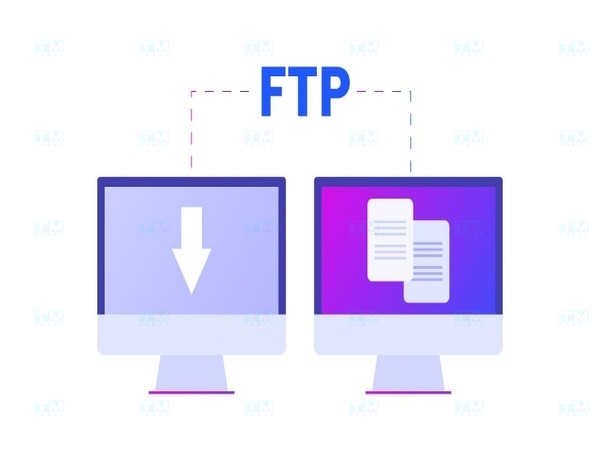
File Transfer Protocol (FTP) is a protocol used to transfer files between computers and servers over the Internet or local networks. FTP operates on a client-server model, where the client sends requests to upload or download files to/from the server. This protocol uses port 21 for control and port 20 for data transmission.
FTP supports both encrypted and unencrypted file transfers; however, the unencrypted version can pose risks when transmitting sensitive information. Therefore, many organizations have now switched to more secure versions such as FTPS (FTP Secure) or SFTP (SSH File Transfer Protocol) to ensure safety during data transmission. FTP is a useful tool for data backup, file sharing, and web content management, especially in enterprise and application development environments.
Applications of TCP/IP Protocol
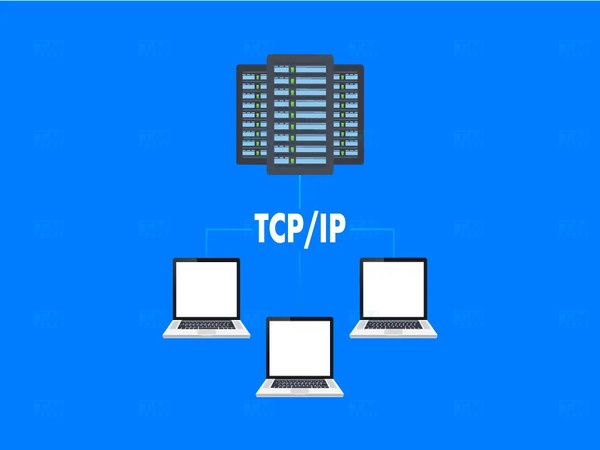
What are the applications of TCP/IP? The TCP/IP protocol is the foundation of most communication activities on the internet and computer networks. Thanks to its flexibility and efficiency, TCP/IP has become the dominant protocol suite for many different applications and services. Below are some key applications of the TCP/IP protocol:
- Data Transmission over the Internet:
- Web (HTTP/HTTPS): HTTP (HyperText Transfer Protocol) and HTTPS (HTTP Secure) use TCP/IP to transmit data between web servers and browsers. When users access a website, data (such as text, images, video) is sent via TCP/IP packets.
- Email (SMTP, IMAP, POP3): Protocols such as SMTP (Simple Mail Transfer Protocol), IMAP (Internet Message Access Protocol), and POP3 (Post Office Protocol) all rely on TCP/IP to send and receive email. SMTP uses TCP to ensure email is sent securely, while IMAP and POP3 allow users to access and manage their mailboxes.
- File Transfer: FTP (File Transfer Protocol): The FTP protocol allows users to transfer files over the network. FTP uses TCP/IP to ensure that files are transmitted accurately and securely. Users can upload and download files from the server through this protocol.
- Network Services:
- DNS (Domain Name System): The DNS protocol uses TCP/IP to translate domain names (like www.example.com) into IP addresses. This allows users to easily access websites without having to remember IP addresses.
- DHCP (Dynamic Host Configuration Protocol): The DHCP protocol automatically assigns IP addresses to devices on the network. This makes network management easier and saves time when configuring devices.
- Real-Time Communication:
- VoIP (Voice over Internet Protocol): VoIP uses TCP/IP to transmit audio over the internet, enabling voice calls without traditional phone lines. The RTP (Real-time Transport Protocol) is commonly used alongside TCP/IP to transmit audio and video.
- Video Streaming: Streaming services like YouTube, Netflix, and Twitch use TCP/IP to transmit video from servers to viewers. The RTSP (Real Time Streaming Protocol) can be used to control video playback.
- Virtual Private Network (VPN): VPN (Virtual Private Network): VPN services use TCP/IP to create a secure connection between users and internal networks. This allows users to access network resources remotely while ensuring security through data encryption.
- IoT (Internet of Things): Smart Device Connectivity: TCP/IP is the foundation for many IoT applications, allowing smart devices such as sensors, air conditioners, and home appliances to connect and communicate with each other over the internet. This creates interaction and automation among devices in a smart ecosystem.
What is Samba Server? Installation and Usage Guide for Samba Server
In summary, the TCP/IP protocol has wide applications across many fields and services, from internet data transmission, email, file transfer, to network services and IoT. Thanks to its flexibility, efficiency, and scalability, TCP/IP has become the standard protocol suite in global computer networking, playing an important role in connecting and transmitting information between devices.
{{< test-result title="TCP vs UDP Comparison" columns="Criteria | TCP | UDP" rows="Connection Type | Connection-oriented | Connectionless;Reliability | Guarantees packets arrive in order | Does not guarantee order or delivery;Error Control | Yes (retransmits errored packets) | No;Speed | Slower due to overhead | Faster;Best For | Web (HTTP), email (SMTP), FTP | Video streaming, VoIP, online gaming, DNS" />}}
Conclusion: TCP/IP is the foundational protocol suite of the Internet, enabling devices worldwide to communicate with each other. With a clear 4-layer model, TCP ensures reliable data transmission while IP handles routing — creating the most powerful and flexible communication system in use today.