






A physical server (dedicated server) is a specialized hardware device that operates independently, without sharing resources with any other server. It is a powerful solution for businesses that need high performance, strong security, and full control over their IT infrastructure.
High-Speed Proxy - Ready to Try?
ALGO Proxy offers residential, datacenter & 4G proxies in 195+ countries
What is a Physical Server?
What is a physical server? A physical server, also known as a dedicated server, is a type of server deployed on actual hardware that does not share resources with any other server. With an independent configuration, a physical server provides optimal performance, high reliability, and strong security, as all resources such as CPU, RAM, and storage are dedicated to a single user or organization.
A physical server is the ideal choice for applications that require large system resources, massive data storage, and web services with high traffic. Moreover, a physical server allows users full customization of hardware and software configurations, helping optimize performance and ensure stability for critical tasks.
Physical servers were developed to meet the growing demands for data storage, processing, and sharing in the information technology era. Personal computers cannot meet these requirements due to their low performance, poor security, and lack of design for continuous 24/7 operation, which easily leads to service interruptions.
With the development of technology and network infrastructure, physical servers have become a powerful, secure, and efficient solution, supporting complex applications and high-traffic web services to meet the ever-growing needs of businesses.
How Physical Servers Work
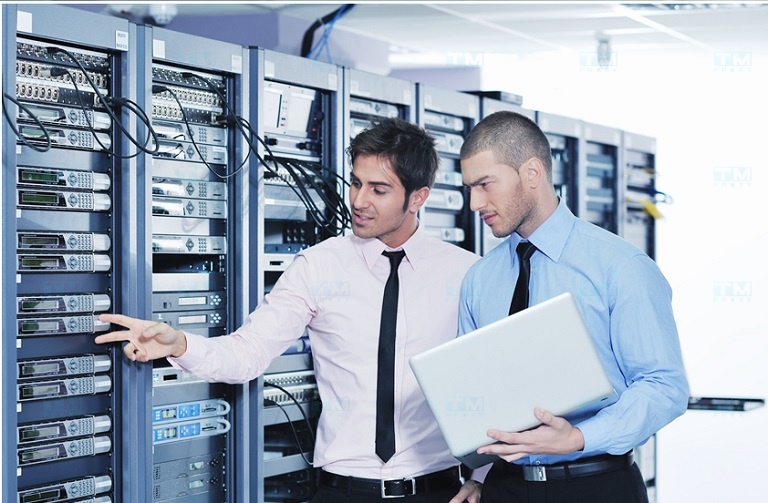
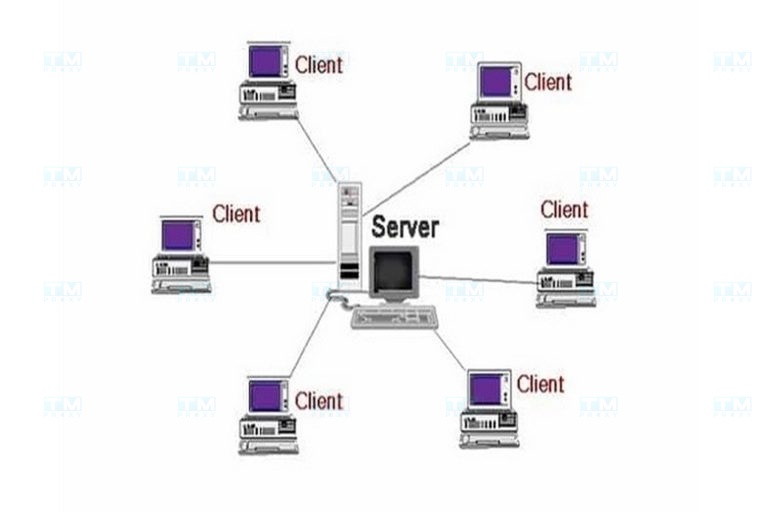
Physical servers operate based on the Client-Server model, where the Client (workstation) sends requests to the Server. After processing the data, the server sends the response back to the workstation. This model can be simply understood as a process of sending requests and receiving responses. Physical servers are designed to respond to requests from clients or other programs. In the Internet Protocol (IP) infrastructure, the way a physical server operates is similar to a Socket Listener protocol.
Physical servers are responsible for providing services and applications over the Internet, such as Database Servers, Mail Servers, Game Servers, File Servers, Print Servers, Web Servers, and many other types of servers.
Businesses commonly use this model to develop email systems or websites. Additionally, Peer-to-Peer (P2P) network models can also serve as an alternative, allowing computers to function as either a Server or a Client when needed.
Classification of Physical Server Types
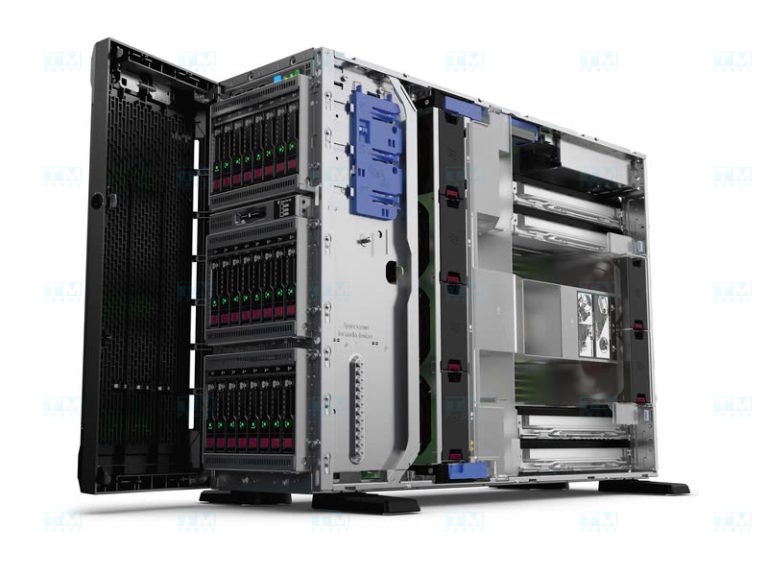
Physical servers are divided into 2 main types based on deployment location:
In-house Server
An In-house Server is a server deployed and managed directly at the premises of a business or organization. These servers are typically placed at the office or the company's data center, allowing the business to have full control and management of the system. Deploying an in-house server requires a large initial investment in hardware, infrastructure, and a team of IT personnel to operate and maintain the system.
- Benefits of In-house Servers: One of the outstanding advantages of in-house servers is comprehensive control, allowing businesses to customize hardware and software configurations according to their specific needs. This is particularly important for organizations that require high data security, as internal servers allow the implementation of security measures tailored to specific requirements. Additionally, businesses can directly monitor and manage server operations, ensuring stability and optimal performance.
- Limitations of In-house Servers: However, in-house servers also have drawbacks. The initial investment and ongoing system maintenance costs are quite high, including hardware, infrastructure, and personnel expenses. Businesses need a professional IT team for management and maintenance, which can be costly and complex. Furthermore, expanding resources when needed can be difficult due to space and hardware limitations.
Off-site Server
An Off-site Server is a server deployed and managed at external data centers, handled by professional service providers. These servers are not located at the business premises but are hosted at the provider's data centers, allowing businesses to access and use services remotely via the internet.
- Benefits of Off-site Servers: The greatest benefit of off-site servers is cost efficiency, as businesses do not need to make initial investments in hardware and infrastructure. Instead, businesses only need to pay subscription or long-term rental fees based on usage needs. Additionally, scaling resources when needed becomes easy without worrying about space and hardware. Furthermore, server management and maintenance are handled by the service provider's expert IT team, ensuring stable and efficient operations.
- Limitations of Off-site Servers: Although off-site servers offer many benefits, there are some drawbacks. Businesses do not have full direct control over the server, which may increase concerns about security and data management. Data must be transmitted over public networks, which may pose security risks, especially for organizations that need to protect sensitive data.
The performance and availability of off-site servers depend on the service provider's quality, so businesses need to choose a reputable and reliable provider.
Advantages and Disadvantages of Physical Servers
Physical servers provide maximum performance since all hardware resources are not shared with virtual machines or other users, ensuring high stability and efficiency. Below are the advantages and disadvantages of physical servers:
Advantages of Physical Servers
- High performance: Physical servers provide maximum performance since all hardware resources are not shared with virtual machines or other users. This makes physical servers the ideal choice for applications that require large system resources and continuous operation.
- Reliability and stability: Physical servers typically have higher reliability because they are not affected by external factors such as resource sharing or virtualization issues. This helps servers operate stably and continuously, suitable for critical applications.
- Security: With physical servers, data and applications are stored on separate hardware, minimizing security risks from sharing resources with other virtual servers. This is an especially important factor for organizations with high security requirements.
- Complete control: Businesses have full control and management of their physical servers, including hardware, software, data, and access rights. This helps optimize performance and effectively meet specific work requirements.
Disadvantages of Physical Servers
- High cost: Physical servers require a large initial investment in hardware, infrastructure, and an IT team for management and maintenance. This can be a challenge for small businesses or those with limited budgets.
- Complex management and maintenance: Managing and maintaining physical servers requires a professional IT team to perform tasks such as software updates, performance monitoring, and troubleshooting, which can increase complexity and costs.
- Limited scalability: When resource demands increase, expanding physical servers can be difficult due to space and hardware resource limitations. Sometimes you need to invest in new hardware upgrades, and this process can disrupt operations.
- Energy and space consumption: Physical servers consume a lot of energy and require physical space for installation and operation. This not only increases operating costs but also requires suitable infrastructure to maintain operations.
Roles and Applications of Physical Servers
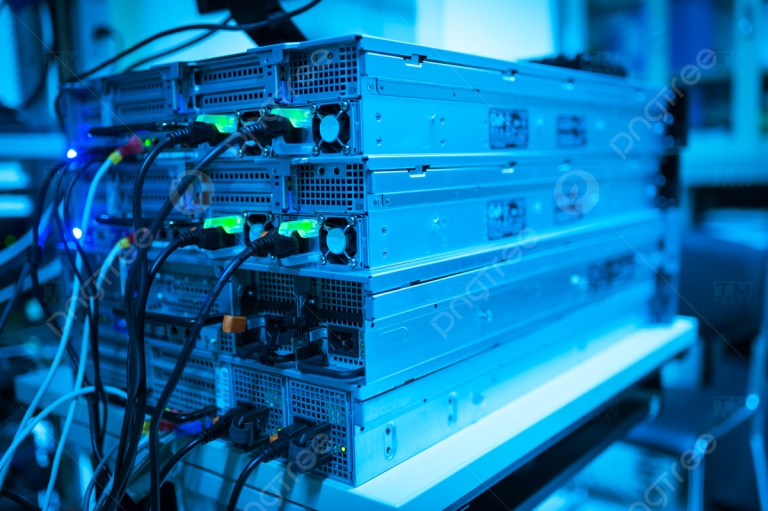
Physical servers play an important role in business and organizational operations, including the following functions:
- Data storage: Servers provide storage space for important organizational data, from personal files to large-scale databases.
- Data processing: With components like CPU and RAM, servers perform complex computing tasks and process requests, helping applications and services operate efficiently and quickly.
- Application/service delivery: Servers serve as the platform for deploying essential applications and services such as websites, email, business applications, and many other services.
- Security and resource management: Physical servers are responsible for ensuring system security and managing hardware resources, helping maintain stability and protect important data.
- Integration and connectivity: Servers serve as the central connection point, supporting integration with other systems and connecting with external devices and data sources.
As we can see, physical servers not only perform data storage and processing tasks but also take on many other important roles, contributing to the flexibility and efficiency of IT infrastructure in businesses.
Criteria for Choosing a Physical Server
Choosing the right physical server plays a decisive role in the operational efficiency and security of the system. Therefore, businesses need to carefully consider the following factors when selecting a physical server:
Usage Requirements
- Clearly define the purpose of using a physical server, including requirements such as data storage, running web applications, games, email, etc.
- Assess the volume of data to be stored and forecast future growth.
- Determine the number of concurrent users and processing performance requirements.
- Plan for the software and applications to be installed on the server.
Performance and Resources
- Choose a powerful processor (CPU) suitable for the workload and requirements for core count and clock speed (GHz) for applications running on the server.
- Ensure sufficient memory (RAM) to handle high-performance tasks and applications, while considering the ability to upgrade RAM in the future.
- Decide between HDD and SSD drives. SSDs have faster read/write speeds and are suitable for applications requiring high performance. Choose storage capacity that matches your storage needs.
Budget
- Determine the budget for purchasing, operating, and maintaining a physical server.
- Consider costs for hardware, software, operating systems, storage drives, power supply, networking, and maintenance services.
- Compare prices from different providers to select the most cost-effective solution.
Scalability
- Choose a server that can be easily scaled when usage demands increase.
- Consider the ability to upgrade components such as CPU, RAM, storage drives, and other parts in the future.
- Ensure the server has enough PCIe slots and RAM slots for upgrades when needed.
- Check the space and ventilation capacity of the system to support additional hardware installation.
What is HeidiSQL? Guide to using and installing HeidiSQL effectively
Reliability
- Choose a server from a reputable provider with quality products and good warranty services.
- The server should have stable hardware configuration with few issues.
- Ensure the server is placed in an environment with an effective cooling system, preventing overheating and ensuring continuous operation.
- A backup power supply (UPS) is needed to protect the server from operational interruptions due to power outages.
Security
- Choose a server with strong security features such as firewalls, antivirus software, intrusion detection systems, and data encryption.
- Ensure regular software and operating system updates to patch security vulnerabilities.
- Implement physical security measures, such as access control and camera monitoring, to protect the server.
Technical Support
- Choose a server provider with fast and quality technical support services.
- Ensure you can contact the technical support department when issues arise.
- Consult IT experts for advice on choosing a server that fits your needs.
Provider Evaluation
- Choose a provider with a good reputation and experience in the server supply field.
- Research feedback from customers who have used the service to evaluate the provider's service quality.
- Choosing the right physical server depends not only on technical factors but also on budget considerations and long-term alignment with the business's development goals.
When Should Businesses Invest in a Physical Server? When Should They Rent?
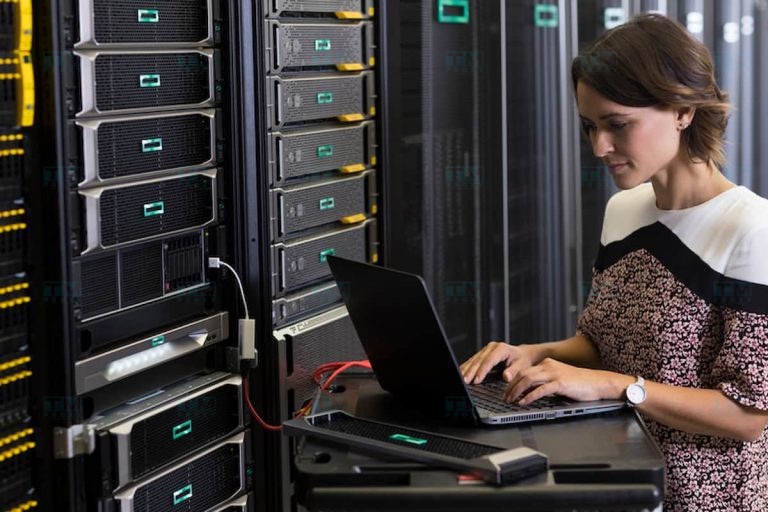
Depending on usage needs, budget, and management capabilities, businesses can choose between investing in or renting a physical server. Below are the factors to consider for each option:
Investing in a Physical Server
Investing in a physical server brings many benefits to businesses, including:
- Full system control: Businesses can manage both hardware and software independently, ensuring high security and customization capabilities.
- Custom configuration: The server can be configured according to usage needs, optimizing performance and meeting specific requirements.
- Upgrade capability: Businesses can easily upgrade hardware when needed to accommodate future growth.
- High security: Businesses can establish their own security measures, minimizing the risk of cyberattacks.
However, investing in a physical server also has some limitations:
- High investment cost: Businesses need to spend a large amount on purchasing, installing, and maintaining the server.
- Specialized IT team: A team of experienced IT professionals is needed to manage and operate the system.
When Should You Invest in a Physical Server?
Businesses should invest in a server when:
- Storing large volumes of data: A server is needed to run critical applications and ensure high security.
- Strong financial capability: The business has sufficient budget to cover investment and server operation costs.
- System management capability: The business has enough resources to independently manage and operate the server system.
Enterprise Server Operation Models
Depending on the structure and usage needs, businesses can apply the following server deployment models:
Client-Server Model
This is the most popular model today, where the Server acts as the central hub providing services and resources to Clients.
- Advantages:
- Centralized management, easy access control and security.
- High stability because resources are managed by a powerful server.
- Easy data backup and recovery since data is stored centrally on the server.
- Cost savings on initial hardware investment since only low-configuration workstations are needed.
- Disadvantages:
- When the server encounters issues, the entire system stops working, causing major impact.
- High investment cost for the server, especially with large-scale systems.
- Centralized processing pressure on the server, easily causing bottlenecks when traffic increases.
- System upgrades and expansion are more complex and costly due to dependence on server hardware.
Peer-to-Peer (P2P) Model
In this model, all computers play equal roles, serving as both servers and workstations.
Advantages: Easy to deploy with low cost, utilizing idle resources from machines. Disadvantages: Difficult centralized control, potential risks of data leaks and viruses.
Hybrid Model
The hybrid model combines the advantages of both models above, consisting of a central server and multiple peer workstations.
Advantages: Flexible, more cost-effective than a pure client-server model. Disadvantages: Complex deployment, requiring strict configuration and management.
Comparison Between Physical Servers and Cloud Servers
Although physical servers offer many significant benefits, investing in purchasing, operating, and maintaining hardware can be very expensive. Therefore, many businesses have switched to using Cloud Servers to save costs and enhance flexibility.
With Cloud Servers, resource scaling can be done quickly and easily within minutes without disrupting system operations. This helps ensure continuous stability for business applications and websites. Due to this flexibility and convenience, Cloud Servers are increasingly being chosen by businesses to replace traditional physical servers.
Cloud Server is a term referring to servers based on cloud computing platforms, allowing businesses to store, access, and manage data via the Internet. This model helps optimize resource usage and provides flexible scalability according to actual needs.
Choosing between a physical server and a Cloud Server depends on the business's usage needs, budget, and management capabilities. Businesses should carefully evaluate factors such as scalability, flexibility, and long-term costs before making a decision.
What is 500 Internal Server Error? Effective troubleshooting methods
Should You Use a Physical Server?
Despite the strong trend toward digitalization and cloud computing, physical servers still play an indispensable role in the IT infrastructure of many organizations. Reasons to use a physical server:
- Ensuring data privacy and security with full hardware control.
- Meeting legal regulations for storing sensitive data domestically.
- Higher performance and reliability than cloud services in certain cases.
- Flexibly supporting specialized applications, customizing configurations as needed.
Organizations with strict security, compliance, or high-performance requirements cannot overlook physical servers. Industries such as finance, healthcare, government, and defense often choose to use physical servers.
Common Questions About Physical Servers
During the process of learning about and deploying physical servers, you may encounter the following questions:
Should You Rent a Physical Server in Vietnam or Abroad?
Renting a server in Vietnam is a reasonable choice when:
- Target users are mainly Vietnamese: If your application or service primarily serves domestic users, renting a server in Vietnam helps reduce latency and improve connection speed, providing a better user experience.
- Need to comply with local legal regulations: If you need to ensure compliance with Vietnamese data security regulations and standards, storing data domestically will help you easily meet these legal requirements.
- Need technical support and customer service in Vietnamese: When you need technical support and customer service in the Vietnam time zone with the ability to communicate in Vietnamese, choosing a domestic provider is much more convenient.
- Low data transmission costs: If you need to frequently back up or transmit data, storing data in Vietnam will help reduce costs and time related to international data transmission.
- Limited budget: If your budget is limited or the cost of renting international servers is too high, renting a domestic server will help save significant costs.
Renting a Server Abroad is a Suitable Choice When
- Need high performance and infrastructure quality: If you require servers with superior performance, advanced technology infrastructure, and high reliability, international data centers typically provide higher quality services with modern technologies.
- Need flexible scalability: If your resource needs may change significantly or you need flexible scalability, international data centers can easily provide resources and scaling features to meet rapidly growing demands.
- International server rental costs are lower: In many cases, international server rental costs may be lower due to lower operating costs or competition among providers. If your budget is limited, this could be a cost-saving option.
- Planning to serve global users: If you serve users in multiple countries and need to ensure stable access speeds for global users, renting servers from international data centers with presence in various regions will enhance performance and user experience.
- Need special features and services: If you need special features or services that domestic providers cannot offer, renting international servers can provide the specific solutions or technologies you need.
Should You Rent or Buy a Physical Server?
The decision between renting or buying a physical server depends on many factors, including usage needs, budget, and business goals.
When you should rent a server:
- Limited budget or need high flexibility: If your budget is limited or you need flexible resource scalability, renting a server is a reasonable choice.
- Don't want to manage hardware: If you don't want to worry about hardware maintenance and management, renting a server will help reduce this burden.
- Temporary or frequently changing needs: If your server usage needs change frequently or you only need to use it for a specific period, renting a server offers greater flexibility.
When you should buy a server:
- Have a large initial investment budget: If your business has sufficient budget to invest in hardware and infrastructure, and plans to use the server long-term, buying a server will save costs in the long run.
- Need maximum control: If you need full control, with hardware and software customization to meet specific requirements, buying a server will better serve this need.
- Have a professional IT team: If your business has a strong IT team capable of managing and maintaining servers, owning and managing a server is a reasonable choice.
In summary, choosing to rent or buy a server depends on factors such as budget, flexibility needs, and the business's infrastructure management capabilities.
Conclusion: Physical servers remain an irreplaceable solution for businesses that need maximum performance, absolute security, and full control over infrastructure. However, with the cloud computing trend, businesses should consider combining both physical servers and Cloud Servers to optimize costs and operational efficiency.