






Telnet (Teletype Network) is a network protocol that allows connecting to and controlling remote computers via TCP/IP. This article explains how it works, compares it with SSH, provides a guide for installing it on Windows, and covers 10 essential Telnet commands.
High-Speed Proxy - Ready to Try?
ALGO Proxy offers residential, datacenter & 4G proxies in 195+ countries
Overview of Telnet
When searching for information in the field of computer networking, we often come across the concept of Telnet. This is an indispensable term in remote network device management. To fully grasp the deeper meaning of Telnet, we need to clearly analyze two fundamental concepts related to it: Telnet and Telnet server.
What is Telnet?

What is Telnet? Telnet stands for "Teletype Network" and is a network protocol that allows users to establish a connection to a remote server over a TCP/IP network. Simply put, Telnet allows users to control a remote computer as if they were sitting directly in front of it. The operating principle of Telnet is straightforward: the client sends commands to the server and receives responses from the server. This makes Telnet a useful tool for system administrators, especially for configuring and managing network devices.
Users can connect to various types of devices such as routers, switches, or web servers by entering the IP address or domain name of the server. From there, they can perform operations such as checking the operating status of devices, changing configurations, or troubleshooting network-related issues.
What is a Telnet Server?
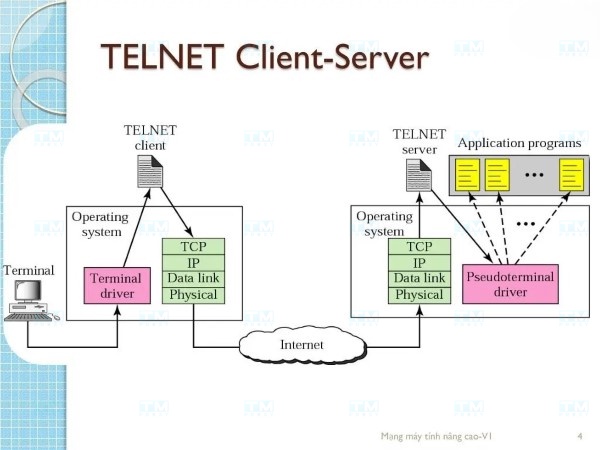
A Telnet server is software or a service running on a host machine that accepts connections from Telnet clients. When a user wants to connect to a server via Telnet, the connection request is sent to the Telnet server on port 23, the default port for Telnet. When the server receives the request, it processes it and responds to the client with a confirmation message, then opens a new session between the client and the server.
Telnet servers are commonly used on Linux/Unix operating systems but can also run on Windows. Administrators can configure the Telnet server to control access rights and ensure safety during connections. However, using a Telnet server also carries certain risks, particularly regarding security.
History of Telnet
What is the history of Telnet? To better understand what Telnet is, we need to examine its development history. Telnet is not merely a protocol; it is also a symbol of progress in networking technology.
The Origins of Telnet
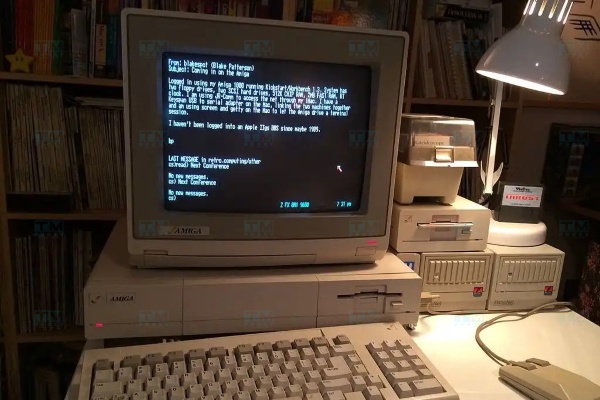
Telnet was developed in the 1960s at the Massachusetts Institute of Technology (MIT). Initially, Telnet was designed as a method of communication between computers on ARPANET, the predecessor of the modern Internet. During this period, computer systems typically had only a simple user interface, and interacting with remote computers was extremely difficult. Telnet solved this problem by providing an easy protocol for connecting and communicating between computers.
The Golden Age of Telnet
In the early years of the Internet, Telnet became widely popular and served as the primary tool for managing network devices. Users could easily access servers and execute commands without needing to be physically near the device. Along with the growth of the Internet, Telnet became an indispensable part of many applications and services.
What is Windows VPS? Understanding the Basics of Windows Virtual Server Services
Transformation and Challenges
Although Telnet contributed greatly to the development of computer networking, it also faced many challenges. In particular, transmitting data in plain text made Telnet an attractive target for cyberattacks. For this reason, more secure protocols like SSH were developed to replace Telnet in modern network environments.
Basic Structure of Telnet
Once you understand what Telnet is, the next important step is to master its structure. Telnet is not just a tool but also a protocol with its own structure and operating principles.
Core Components of Telnet
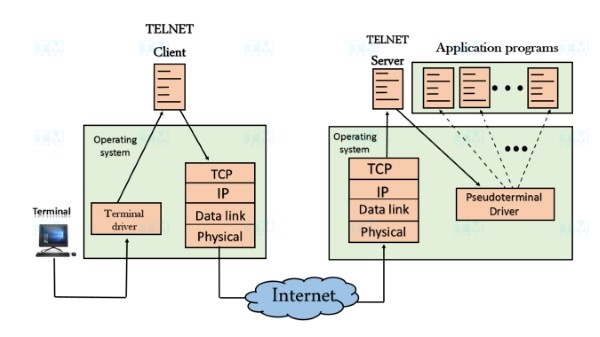
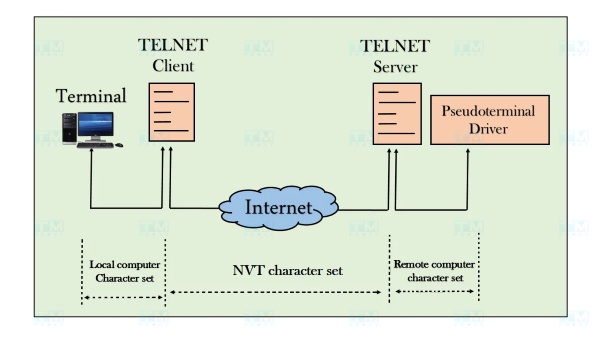
The structure of Telnet consists of two main components: the Telnet client and the Telnet server. The Telnet client is the application that users use to connect to the Telnet server. On your computer, you can use the command line or a Telnet application to establish a connection.
Conversely, the Telnet server is software running on the host machine that accepts and processes connection requests from clients. The server sends responses back to the client based on the commands that the client sends.
Client-Server Communication Protocol
The Telnet protocol operates on the Client-Server model. When a user enters a command on the client, the command is sent to the server over a network connection. The server receives the command, processes it, and returns the result to the client.
This occurs through the use of port 23 (the default port for Telnet), where the client sends a connection request and the server listens for requests. After the connection is established, the client receives a prompt from the server, where the user can enter commands.
Establishing a Session
Once a session is established, the user can enter any command supported by the server. For example, if you connect to a router, you can execute commands like "show ip interface brief" to check the status of network interfaces.
Throughout the session, all commands and data are transmitted without encryption, which is the primary reason Telnet becomes a target for cyberattacks.
Key Features of Telnet
Beyond its remote connection capability, Telnet also possesses many other unique features that help users easily manage and access remote devices.

Remote Connectivity
One of the most prominent features of Telnet is the ability to remotely connect to various types of devices. System administrators can manage and configure network devices without needing to be physically present at the device. This saves time and effort in system management.
Ease of Use
Telnet is designed with a simple command-line interface, making it easy for users to interact. With just basic command knowledge, users can quickly perform necessary operations without extensive learning.
Built into Most Operating Systems
Most modern operating systems come with a built-in Telnet client, meaning users do not need to install additional software. This makes Telnet an easy and convenient choice for remote management.
The Role of Telnet in Computer Networks
In the context of computer networking, Telnet plays an important role in managing and accessing remote devices. It not only saves time but also provides a simple method for administrators to perform necessary tasks.
Network Device Management
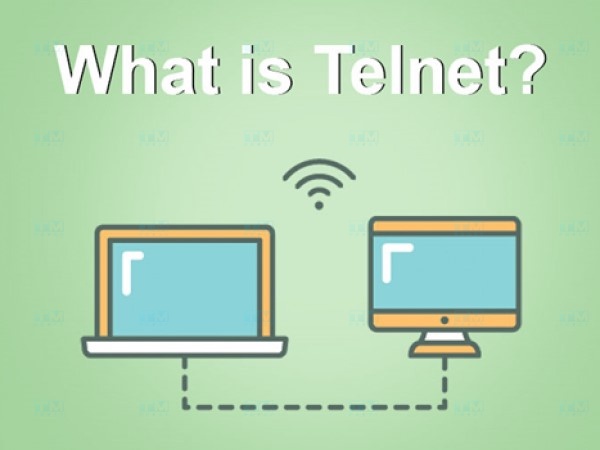
Telnet is commonly used to manage and configure network devices such as routers, switches, and firewalls. Administrators can remotely access these devices to perform tasks such as changing configurations, checking operational status, or troubleshooting network issues.
Testing and Debugging Network Applications
Beyond device management, Telnet is also very useful for testing and debugging network applications. Users can use Telnet to check whether a network port is open, as well as connect to network services like HTTP or SMTP to ensure they are functioning properly.
Accessing Remote Resources
With Telnet, users can easily access data and remote resources without needing to travel to the physical location of the device. This not only optimizes the workflow but also provides flexibility for users.
What Devices Commonly Use Telnet?
Telnet can be used on many different types of devices. To maximize the capabilities of Telnet, we need to understand the devices that frequently use this protocol.
Router
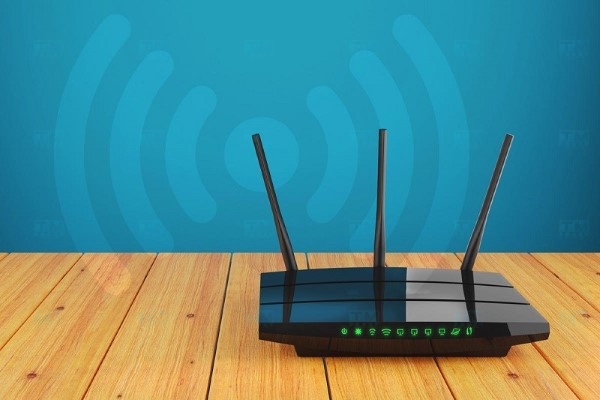
Routers are one of the network devices that frequently use Telnet. Administrators can connect to a router to perform tasks such as configuring IP settings, checking connection status, or changing security settings.
Switch
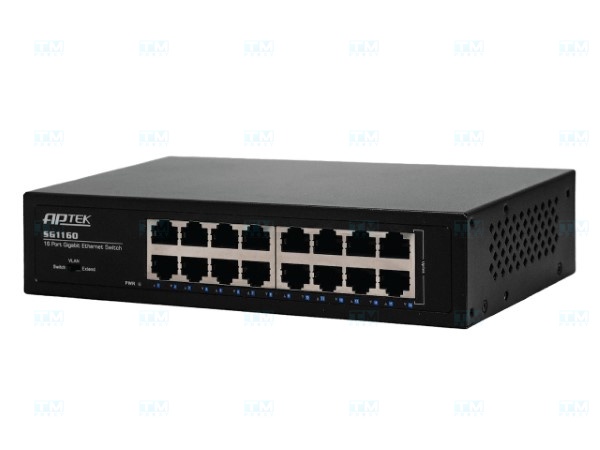
Similar to routers, switches can also be managed through Telnet. Users can access a switch to check its operational status, configure VLANs, or troubleshoot network-related issues.
Server

Many servers, especially those running Linux/Unix operating systems, also support Telnet. Administrators can remotely connect to perform management tasks such as creating, editing, or deleting files, as well as managing user accounts.
How Telnet Works
How does Telnet work? To truly understand how Telnet operates, we need to clearly understand the connection formation process and how information is exchanged between client and server.
Establishing a Connection
The Telnet process begins with establishing a connection between the client and server. When a user enters a connection command, the client sends a request to the server via port 23. The server receives the request and issues a confirmation response.
Data Exchange
After the connection is successfully established, the client and server begin the data exchange process. Each command entered by the user on the client is sent to the server for processing. When the server completes processing the command, it sends the result back to the client.
Disconnecting
This process continues until the user decides to disconnect. To do this, they can enter the close or exit command. Telnet will end the session and disconnect the client from the server.
Uses of Telnet
Telnet is not merely a tool for remote connections but also has many other useful applications in system management and monitoring.

Checking Network Status
Users can use Telnet to perform simple checks on the availability of network services. For example, you can check whether a port is open by connecting to that port through Telnet. This is very useful when you need to troubleshoot network connectivity issues.
File Management
Telnet also allows users to access and manage files on the server. You can execute commands to create, delete, or edit files without needing to be physically present at the server.
Training and Education
Telnet is an excellent tool for training and education in the field of computer networking. Students and trainees can use Telnet to practice network protocol concepts and better understand how devices interact within a network.
Security Issues Related to Telnet
Although Telnet has contributed greatly to the development of computer networking, it is not free from serious security issues.
Unencrypted Data Transmission
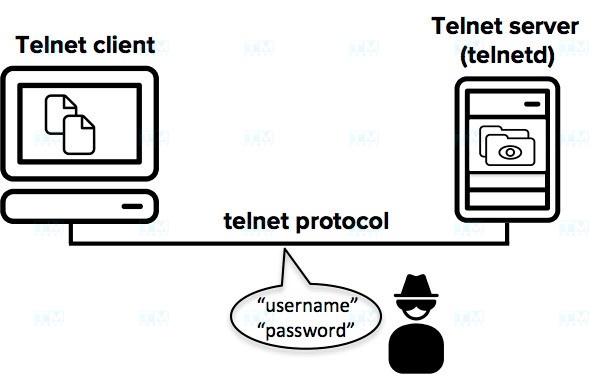
One of the biggest issues with Telnet is that data is transmitted in plain text. This means that anyone with access to the network transmission path can eavesdrop and collect sensitive information such as usernames, passwords, and other data.
Vulnerable to Remote Attacks
Due to the lack of strong security measures, Telnet is very susceptible to remote attacks. Hacking into Telnet sessions can allow attackers to access the server and steal important data.
Replacement with More Secure Solutions
Due to these security issues, Telnet has gradually become an unsafe choice in modern network environments. Alternative solutions like SSH have been developed to provide a higher level of security and protect data during transmission.
The Relationship Between Telnet and the Development of SSH
SSH (Secure Shell) was created as a response to the security issues of Telnet. The development of SSH was based on the essential need for securing information during remote connections.
What is SSH?
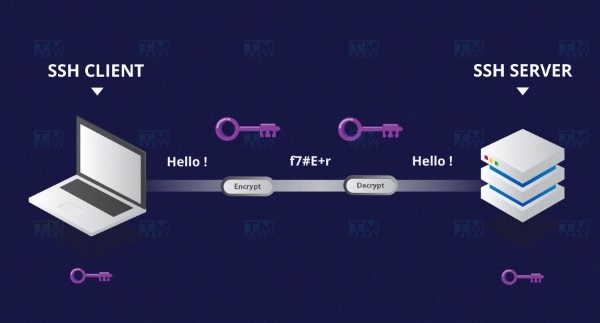
SSH is a network protocol that contains significant improvements over Telnet. SSH provides a remote connection method with encryption, helping protect data during transmission. Thanks to SSH, users can be assured that their sensitive information will not be stolen or intercepted.
The Transition from Telnet to SSH
The advent of SSH created a major shift in the network administration community. Many administrators quickly transitioned to using SSH instead of Telnet, especially when working with critical devices and sensitive data.
The Future of Telnet
Although Telnet still exists and has certain applications, with the increasing trend toward security, the demand for Telnet is gradually declining. SSH has become the new standard for remote connections, and Telnet is only used in specific situations that do not require a high level of security.
Comparison Between Telnet and SSH
When examining what Telnet is, a comparison between Telnet and SSH is essential. Below are the main differences between these two protocols.
Data Encryption
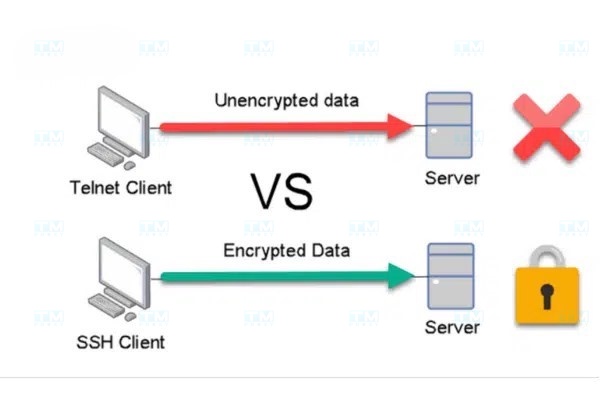
The biggest difference between Telnet and SSH is the ability to encrypt data. Telnet does not encrypt data, while SSH encrypts all information transmitted between the client and server. This helps protect data from eavesdropping and remote attacks.
Security
In terms of security, SSH is far superior to Telnet. With SSH, users can be assured that their sensitive information will be protected during transmission. Telnet, on the other hand, is easily attacked and exploited by hackers.
Graphical Interface Support
Telnet only supports a command-line interface, while SSH can be used with GUI (Graphical User Interface) applications like PuTTY. This makes remote management much easier, especially for those who are not familiar with command lines.
Encrypting Telnet with Telnet/s
Telnet/s is an incremental improvement of Telnet aimed at providing a higher level of security. However, Telnet/s is not as widely used as SSH.
Why is Telnet/s Needed?
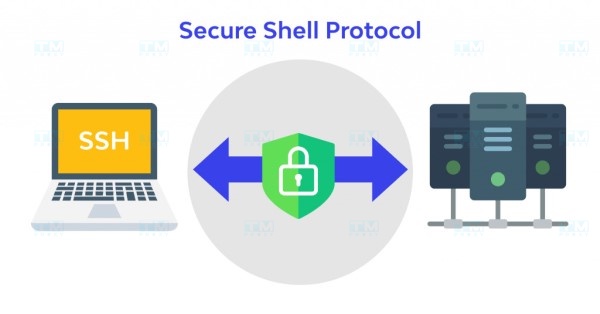
Telnet/s was developed to meet the security needs during data transmission. Although not as popular as SSH, Telnet/s can still be a solution for organizations or individuals who need to use Telnet but want to enhance security.
What is GitHub? A Comprehensive A-Z Guide to Getting Started
How Telnet/s Works
Telnet/s uses SSL/TLS to encrypt data during transmission. This helps ensure that all sensitive information will not be intercepted. However, integrating Telnet/s into existing systems can be challenging and is not always straightforward.
Current Status of Telnet/s
Although Telnet/s can offer certain benefits, it still cannot compete with SSH. Therefore, many organizations have decided to switch entirely to SSH.
Alternatives to Telnet
Given the serious security issues that Telnet faces, many alternative solutions have emerged. These solutions not only provide remote connection capabilities but also ensure data safety.
SSH (Secure Shell)
SSH is the most popular replacement for Telnet. With the ability to encrypt information and authenticate users, SSH provides a safe and efficient solution for remote management.
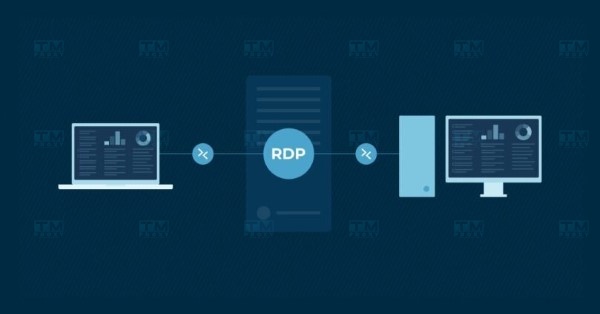
RDP (Remote Desktop Protocol)
RDP is a protocol that allows users to control a remote computer through a graphical interface. RDP uses encryption to protect data during transmission and is a good choice for those who need to control a remote computer.
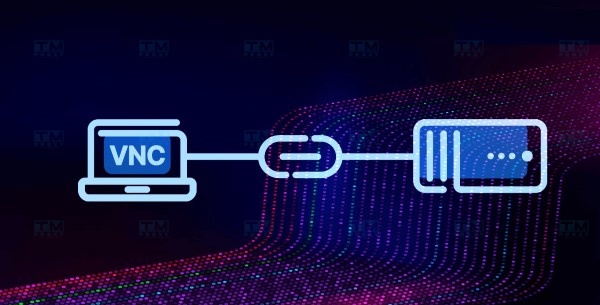
VNC (Virtual Network Computing)
VNC allows controlling a remote computer through a graphical interface. Although not as secure as SSH, VNC still ensures that users can control a remote computer easily and intuitively.
HTTPS

For websites and web applications, HTTPS is a safer solution than Telnet. HTTPS uses SSL/TLS encryption to protect data during transmission between the browser and the server.
Does Telnet Support a Graphical Interface?
One of the frequently asked questions about Telnet is whether it supports a graphical interface. For the most part, Telnet only supports a command-line interface.
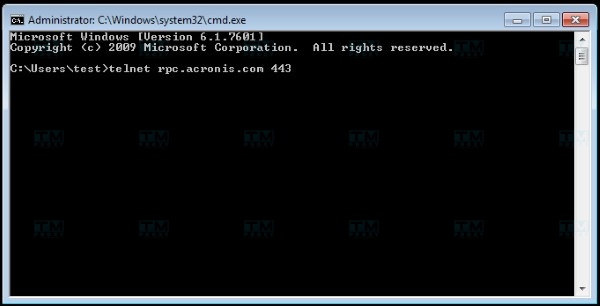
Command-Line Interface
Telnet provides a simple command-line interface where users can enter commands to perform tasks. With this interface, users can easily interact with the server as long as they are familiar with the necessary commands.
Limitations in Usage
One of the limitations of using Telnet is the lack of a graphical interface. This can cause difficulties for many users, especially those who are not familiar with command-line commands. In the modern context, many users desire a more intuitive interface for managing devices and services remotely.
Alternative Options
As mentioned, there are many alternatives to Telnet, such as SSH, RDP, and VNC, all of which support graphical interfaces. These solutions not only provide a higher level of security but also deliver a better user experience.
10 Essential Telnet Commands You Should Know
Below are some Telnet commands you should know to use Telnet effectively:
Connection Command
- telnet [IP address or domain name]: Connect to a remote server. Check Connection Command
- open [IP address or domain name] [port]: Open a connection to the server at a specific IP address or domain name, with an optional port. Logout Command
- exit: Disconnect and exit the Telnet session. Status Check Command
- status: Display the current connection status. Configuration Command
- set: Configure Telnet client parameters. File Transfer Command
- send: Send files from the client to the server. Logging Command
- log: Record activities during the session. Session Check Command
- who: Display a list of users currently connected to the server. Password Change Command
- passwd: Change the user password. Help Command
- help: Display a list of available commands and usage instructions.
Detailed Telnet Installation Guide
Installing Telnet is quite simple and can be done on multiple platforms. Below is a detailed guide for each operating system.
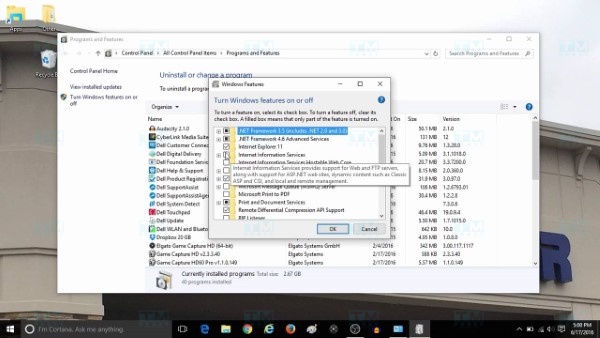
Installing Telnet via Windows Features
On Windows, you can install Telnet through Windows Features.
- Open Control Panel.
- Select "Programs and Features".
- Click "Turn Windows features on or off".
- Find and check "Telnet Client".
- Click OK to install.
Installing Telnet from the Run Dialog
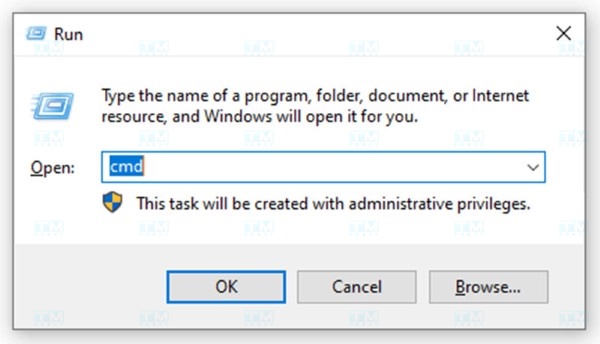
Besides installing through Windows Features, you can also quickly install Telnet through the Run dialog.
- Press Windows + R to open the Run dialog.
- Type pkgmgr /iu:"TelnetClient" and press Enter.
- Wait for the installation to complete.
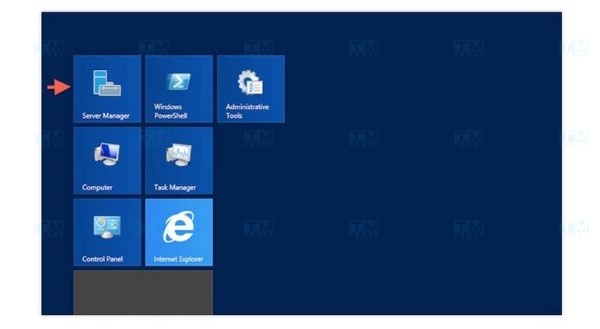
Installing Telnet on Windows Server
Installing Telnet on Windows Server
If you are using Windows Server, you can also install Telnet in a similar way to regular Windows.
- Open Server Manager.
- Select "Manage" -> "Add Roles and Features".
- In the Wizard, select "Features".
- Find "Telnet Client" and select install.
{{< test-result title="So sanh cac giao thuc ket noi tu xa" headers="Tieu chi|Telnet|SSH|RDP|VNC" row1="Port mac dinh|23|22|3389|5900" row2="Ma hoa|Khong|Co (AES, ChaCha20)|Co (TLS)|Tuy chon" row3="Giao dien|Dong lenh|Dong lenh|Do hoa|Do hoa" row4="Xac thuc|Username/Password|Key pair, Password, MFA|NLA, Password|Password" row5="He dieu hanh|Moi OS|Moi OS|Windows (chinh)|Moi OS" row6="Bao mat|Thap|Cao|Cao|Trung binh" />}}
Conclusion: Telnet is a historically significant network protocol that allows connecting to and controlling remote computers via port 23. However, because it does not encrypt data, Telnet has been replaced by SSH in most production environments. Understanding Telnet helps you master networking fundamentals and choose the appropriate protocol.