





VPS (Virtual Private Server) is a virtual server created from a physical server through virtualization technology, operating independently with dedicated CPU, RAM, and storage resources. It is a web hosting solution that balances cost and performance, suitable for both individuals and businesses.
High-Speed Proxy - Ready to Try?
ALGO Proxy offers residential, datacenter & 4G proxies in 195+ countries
What is VPS?
VPS (Virtual Private Server) is a virtual server created by partitioning a physical server into multiple smaller virtual servers. These virtual servers operate independently and have features similar to a Dedicated Server. VPS works by sharing resources from the original physical server. To better understand VPS, you should first grasp the concept of a Server.
Unlike using individual servers, VPS is developed through virtualization technology, not through regular hosting management software. The number of VPS instances on a server system is usually much fewer than the number of hosting accounts, which helps ensure greater stability and higher resource utilization. Notably, a single VPS can host and manage hundreds of different hosting accounts.
With a Dedicated Server, one physical server serves only a single website, while VPS can handle multiple websites simultaneously and process greater amounts of traffic. This helps businesses save costs while still ensuring superior operational efficiency.
VPS is an ideal choice for those who want to optimize costs while still needing the high performance and flexibility of a dedicated server.
Key Specifications to Know When Renting a VPS
When deciding to rent a VPS, you need to understand the important specifications to choose the right configuration.
Server RAM
RAM (Random Access Memory) is the temporary memory of a computer, used to store running programs and data. The amount of RAM determines how many processes the VPS can handle simultaneously. The more RAM a VPS has, the faster its processing speed, especially for heavy tasks like image and video processing. Current VPS packages typically offer RAM ranging from 1GB (low configuration) to 16GB or 32GB (high configuration), meeting diverse usage needs from individuals to businesses.
VPS SWAP
Swap (also known as virtual memory) is a portion of hard drive space used to supplement physical RAM capacity. When RAM becomes overloaded, the operating system temporarily moves less-used processes to Swap to free up RAM. This allows the VPS to handle more workload than the actual RAM capacity allows.
However, data access on Swap is much slower than RAM because read/write speeds on hard drives are lower than RAM. Therefore, Swap is typically only used as a temporary backup solution and cannot fully replace physical RAM.
Disk Storage
The hard drive capacity of a VPS indicates its maximum storage capability, similar to a personal computer's hard drive. Additionally, you should pay attention to the storage technology used by the provider. There are currently two main types of hard drives:
HDD (Hard Disk Drive): Traditional mechanical hard drives that use spinning magnetic disks to read/write data. HDD offers large capacity at a low price but has slower speeds and is more prone to failure. SSD (Solid State Drive): Solid-state drives that use flash memory chips for data storage. SSD offers very fast read/write speeds, is durable and stable, and is especially suitable for applications requiring high speed such as databases and high-performance VPS. However, SSD prices are significantly higher than HDD of the same capacity.
CPU Cores
CPU is the central processing unit of a computer, responsible for most calculations and processing in the system. The number of CPU cores indicates the multitasking capability of the VPS. If your website has many tasks that need simultaneous processing, such as e-commerce transactions or video streaming, you will need a VPS with more CPU cores to ensure stability and page loading speed.
Another CPU specification is clock speed, measured in GHz, which indicates the processing speed of each CPU core. Generally, server-grade CPU lines like Intel Xeon deliver stronger performance compared to personal computer CPUs.
Bandwidth
The bandwidth of a VPS refers to the maximum amount of data it can transfer through the network connection within a given period (usually one month). Bandwidth directly affects page loading speed and the website's load-bearing capacity. Typically, low-configuration VPS packages have limited bandwidth to save costs, while premium VPS packages often come with unmetered bandwidth to serve large websites. Bandwidth providers typically offer minimum speeds of 10 to 20 Mbps.
VPS Uptime
Uptime is the total continuous operating time of a VPS within a given period, usually measured as a percentage. Higher uptime means your website can operate stably for longer without interruption. Most providers commit to a minimum uptime level for their VPS, ranging from 99.9% to 99.95%. For example, if a VPS commits to 99.9% uptime, your website would experience a maximum of 8.76 hours of downtime per year.
VPS uptime depends on many factors such as:
- Stability of the physical server and network connections
- High availability and fault tolerance of hardware components
- System security, ability to defend against DDoS attacks, malware, etc.
- Effectiveness of monitoring processes, error detection, and system recovery
VPS Operating Systems
The Operating System (OS) is the software that manages all hardware and software resources in a computer system. Choosing an OS that suits your usage needs and the applications deployed on your VPS is extremely important. Currently, most providers support three of the most popular OS platforms:
Linux: Distributions like CentOS, Ubuntu, Debian, etc. are the top choice for web servers due to their stability, security, and free cost. Windows Server: Suitable for specialized applications developed on the Windows platform such as MS SQL Server, ASP.NET, remote desktop, etc. Mac OS: Primarily for developers building applications on Apple's platform.

Which Operating System Should You Choose for VPS?
The operating system is a crucial factor that determines the performance and compatibility of your VPS. Let's explore the popular operating system choices.
Popular Linux Operating Systems
With advantages in stability, security, and cost, Linux operating systems dominate the VPS market.
What is Debian (Linux)? Debian is a distribution of the open-source Linux operating system, built on the Linux kernel and software components from the GNU project. Debian is a popular, free, and reliable operating system, notable for its APT (Advanced Packaging Tool) package management system.
Debian is known for its strict policies on software package quality, testing, and release processes. However, Debian does not come pre-installed with some popular applications like Microsoft Word and Excel, instead using alternatives like Corel's WordPerfect and similar desktop software.

Strengths of Debian:
Comprehensive installer: The Debian Installer allows users to customize most installation options according to their needs. Free release: Debian is completely free. For proprietary software, you only need to add contrib and non-free to the end of each line in the /etc/apt/sources.list file, then run the apt-get update command. Multi-architecture support: Debian officially supports many different hardware architectures, from amd64 (Intel 64-bit), arm64 to PowerPC. Easy transitions: Debian provides special packages that make transitioning between versions or environments as smooth as a regular upgrade process. Largest software repository: Debian has over 40,000 software packages, more than any other Linux distribution. Balance between innovation and stability: Debian has three main environments: Stable, Testing, and Unstable. The Stable environment ensures high reliability, while Testing and Unstable provide the latest software for those who want to experience cutting-edge features. Superior stability: The Debian Policy Manual is considered the most comprehensive guide, ensuring software packages strictly meet all quality and reliability standards.
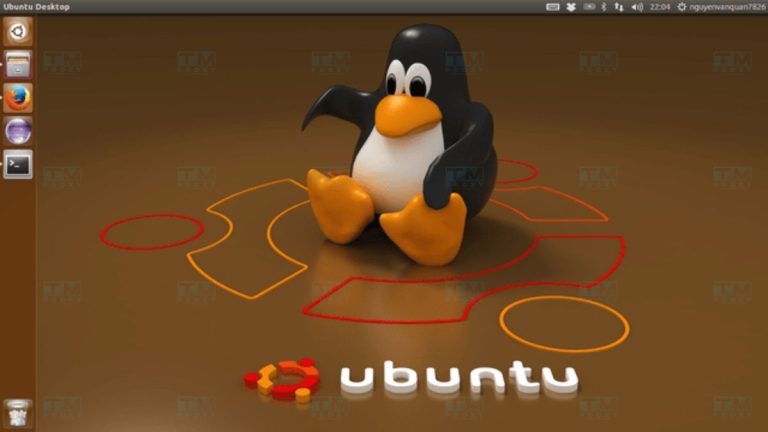
What is Ubuntu (Linux)? Ubuntu is a distribution of the open-source Linux operating system, developed based on Debian's architecture. Ubuntu is designed to provide a stable, user-friendly, and regularly updated operating system. It integrates many features, software packages, and tools to help users carry out projects from basic to complex.
This operating system stands out with its easy customization, friendly interface, and top-tier security features. Notably, the Ubuntu Software Center provides over 40,000 applications, making it easy for users to find and install suitable software.
Why Ubuntu is Popular:
- Large user community: Ubuntu is one of the most popular Linux operating systems, with a large user community and strong contributions from developers worldwide.
- Beginner-friendly: If you are new to Linux, Ubuntu is the ideal choice thanks to its easy-to-use interface, rich free documentation, and regular updates.
- Flexibility and stability: Ubuntu suits many usage needs, from personal to enterprise. The server version of Ubuntu supports millions of different applications, effectively meeting the requirements of large and complex systems.
- Easy installation and customization: The Ubuntu installation process is very simple, accompanied by tools that help users easily customize according to their needs.
The choice for beginners and experts:
- Beginners: Ubuntu is the best choice due to its ease of use and large support community.
- Professional users: If you have an experienced technical team, CentOS is also a suitable choice thanks to its high stability and security.
Ubuntu is the perfect operating system for both beginners and professional users thanks to its combination of convenience, security capabilities, and strong community support.
CentOS (Linux) Operating System
CentOS (Community Enterprise Operating System) is an open-source distribution of the Linux operating system, developed based on Red Hat Enterprise Linux (RHEL). Launched in 2004 and supported by the user community, CentOS provides an ideal environment for programming and software development thanks to its stability, security, and easy customization.
Since it fully inherits from RHEL, CentOS provides multiple security levels suitable for businesses, making it a popular choice in server and enterprise system environments.
CentOS and Ubuntu are two powerful Linux distributions widely used by large numbers of users worldwide. However, each operating system has its own advantages:
CentOS:
- Ideal for businesses thanks to high security capabilities.
- In-depth and experienced support community.
- Supports cPanel, a powerful hosting management tool that Ubuntu does not provide.
Ubuntu:
- Fast and frequent updates.
- More user-friendly interface, suitable for beginners.
- However, new versions of Ubuntu sometimes have bugs or have not been thoroughly tested, forcing users to use older versions for stability.
CentOS stands out with its security, stability, and strong support, especially suitable for business environments that require high reliability.
Fedora (Linux) Operating System
Fedora, also known as Fedora Core, is a Linux distribution based on RPM Package Manager. This operating system is developed by the community through the Fedora Project and receives support from Red Hat, one of the world's leading open-source technology providers. Fedora encourages collaboration and innovation in the field of free software. Users can use Fedora as a replacement for or in combination with other operating systems like Microsoft Windows or Mac OS X.
Advantages of Fedora:
- Completely free: As an open-source operating system, Fedora allows all users worldwide to download and use it at no cost.
- Multi-functional: Fedora provides root access, allowing you to perform all operations such as deleting files, modifying the system, or assigning file ownership.
- Modern interface: Fedora pioneered the GNOME 3 interface, delivering an intuitive and optimized experience.
- Web programming support: It is an ideal environment for developers working with languages like Java, PHP, and many other programming tools.
- Impressive performance: As the testing version of Red Hat, Fedora always ensures speed and smoothness.
- Continuous updates: New technologies such as file systems, virtualization techniques, and improved features are often tested on Fedora before being integrated into Red Hat.
- High availability: Fedora supports convenient features like automatic printer driver installation and language packs in the latest versions.
Like many other Linux distributions, Fedora also has some limitations:
- Software limitations: Fedora does not come with built-in MP3 and MP4 codec support and does not support many games or graphics cards.
- Requires fine-tuning: Although users can use Fedora library packages to add features, this is still an inconvenience, especially for new users.
Fedora is an excellent choice for users who love open-source technology, especially developers and users who want to experience new technologies. However, users should consider software limitations before choosing Fedora as their primary operating system.
What is Windows Server?
Windows Server is a server operating system developed by Microsoft Corporation. This operating system is designed to support sharing services with multiple users while providing powerful management and control tools for databases and enterprise networks.
Key features of Windows Server:
- Active Directory: Automatically manages user data. Provides efficient security and resource distribution. Easily interacts with other directories.
- Server Manager: A utility tool for managing server roles. Supports configuration on both local and remote machines.
- Cloud Support: Seamlessly integrates with cloud technologies, especially tools like Docker. Enhances capabilities for working with Software-Defined Networking (SDN).
- Nano Server: A reduced version of Windows Server that is up to 20 times smaller than Windows Server 2016 and 93% smaller than the full version. Enhances security by minimizing attack vectors.
- Hyper-V: Protects data inside virtual machines (VMs) with strong encryption, reducing the risk of intrusion.
- Network Controller: A comprehensive management tool for switches, subnets, and devices in both physical and virtual networks.
Which Operating System Should You Use for VPS?
If you use WordPress or PHP-based websites, Linux operating systems will be the optimal choice. Among them, CentOS and Ubuntu are the two most popular operating systems.
- CentOS and Ubuntu are popular thanks to their large user communities, making it easy to find guides and support.
- Compared to Fedora or Debian, CentOS and Ubuntu are generally considered easier to use in common server environments.
Consider choosing an operating system based on your needs and the support you can easily access.
Which Control Panel to Choose for VPS?
Below are some free and paid Control Panels you can consider, depending on your usage needs:
Paid Control Panels for VPS
The paid applications below are Webserver Control Panels designed specifically for VPS or Dedicated Servers. They provide tools to configure webservers, create small hosting packages, and even support hosting businesses.
When choosing to use these Control Panels on a VPS, you need to pay an additional fee, typically ranging from $8 to $15/month.
cPanel cPanel hosting is a hosting service running on Linux with cPanel pre-installed. Although it has both pros and cons, in most cases cPanel works very efficiently, making it an excellent choice for those looking for a hosting control panel solution. Pricing: Ranges from $15 to $45/month, depending on the number of accounts you register.
Pros
- Easy to learn and use
- Saves time and money
- Tested and proven effective over time
- Has an automatic installer
- Plenty of online guides and documentation
Cons
- Features: Some features may be unnecessary for basic users
- Bugs: Can lead to changes in important settings that users do not realize
- Integration: Some hosting services only support older versions of cPanel
- Cost: Higher pricing, as cPanel is not commonly included in free hosting packages
DirectAdmin
DirectAdmin (DA) is hosting management software that runs on multiple Linux operating systems. It is a lightweight, resource-efficient, and easier-to-use alternative to cPanel with fewer features. Notably, DirectAdmin is much cheaper than cPanel, so many hosting providers include DirectAdmin for free when you use their VPS.
Pricing: $29/month - Unlimited accounts
Pros
- Speed: DirectAdmin is optimized for speed, enabling fast operations through the interface.
- Lightweight: This software uses very few system resources, suitable for many server configurations.
- Stability: DirectAdmin is very stable and works well over long periods without encountering the minor bugs common in other free control panels.
- Role-based management: DirectAdmin has 3 management levels: Admins, Resellers, and Users, making it easy to assign permissions and manage customers or users as needed. However, you need to understand these permission levels well to avoid difficulties in management.
- Cost: DirectAdmin's license is more affordable than cPanel and some other control panels, helping users save money.
Cons
- Interface: DirectAdmin's interface is quite simple and not visually appealing.
- Unicode compatibility: DirectAdmin has poor compatibility with Unicode character sets, sometimes leading to font errors.
- Difficult for beginners: DirectAdmin targets in-depth administration, so it may be difficult for beginners to use.
Parallels Plesk (Plesk Control Panel)
Parallels Plesk is a hosting administration tool that supports both Windows and Linux operating systems. It is a control panel software developed by Plesk, providing a comprehensive solution for server management including web services, email, databases, domain names, and many other features.
Pricing: $9.60 - $25/month, depending on the number of domains and features
Pros
- Dual OS support: Plesk can operate flexibly on both Windows and Linux, allowing easy use across multiple platforms.
- Stable software system: Plesk provides useful, stable, and reliable software for hosting management.
- Full feature integration: Plesk fully supports the services needed to run a website, including website management, email, databases, and domain names.
- User-friendly interface: Plesk has an easy-to-use interface suitable for both beginners and experienced administrators.
- Integrated web design features: This is the only hosting management software that integrates web design features, a SaaS storefront interface, and a billing system, bringing convenience and efficiency to users.
- Easy service management: Allows setting up multiple hosts based on pre-configured service packages and supports creating multiple FTP accounts with a flexible web structure.
Cons
- Slow access speed: Because it uses port 8443 and HTTPS connections, accessing the homepage and Control Panel can be slow and sometimes problematic.
- Difficulty in user management: Managing root and reseller accounts in Plesk can be challenging for users.
- Data transfer issues: MySQL users do not have a User_db prefix, making server transfers or data backups prone to data loss or confusion.
- Limited upgrade capability: Plesk does not support easy upgrades or updates, which can cause difficulties when applying patches or new improvements.
Feature Comparison of Plesk, cPanel, and DirectAdmin
| Criteria | DirectAdmin | cPanel | Plesk |
|---|---|---|---|
| OS Support | Linux | Linux | Windows & Linux |
| Resource Usage | Fast and lightweight | Moderate | High |
| Security | Medium | High | Medium |
| Administration | Via command line | Via interface | Via interface |
| Multi-server cluster | No | Yes | Yes |
Free Control Panels for VPS
To install and use the control panels below effectively, you should install a completely fresh operating system with no prior applications before installing the control panel. This ensures a clean environment for installation and use.
ISPConfig
ISPConfig is a notable VPS management control panel that, despite being released a long time ago, still maintains the trust of its user community. It is especially popular for its stable operation, minimal bugs, and support for virtualization, allowing VPS creation and consolidating multiple servers into a single control panel for easy management.

Compatible operating systems:
- RHEL/CentOS 5 - 7
- Debian 5 - 7
- Ubuntu 8 - 14.04
- OpenSuse 11 - 13
Main functions:
Virtual server management and creation.
- Supports 4 account types: Admin, Reseller, User, Email Manager.
- Manages multiple servers from a single control panel.
Technologies used:
- Apache and NGINX
- Postfix
- DoveCot
- MySQL
- PureFTPD
Sentora
Sentora is the successor to zPanel, a well-known control panel in the past. After selling zPanel to HostWinds, the original developers created Sentora, delivering a new product with a superior interface and features, along with wide compatibility.
Compatible operating systems:
- CentOS 6, CentOS 7
- Ubuntu 12.04, Ubuntu 14.04
Main functions:
- Designed to create many small hosting packages, easy to manage and distribute to customers.
- Manages access rights and feature limits for each user.
- Supports API to connect with external services, such as billing management tools like WHMCS.
- Supports paid modules to extend features.
- Provides the ability to create Reseller accounts, allowing creation of multiple hosting packages without requiring Admin privileges.
- The control panel interface is easily customizable to suit needs.
Technologies used:
- Apache Webserver - The most popular webserver.
- PHP - Required to run WordPress and other PHP scripts.
- ProFTP - Used to create FTP servers.
- MySQL/MariaDB - SQL database management system.
- Postfix - Email Server configuration.
- phpMyAdmin - Database management.
- DoveCot - IMAP server creation.
VestaCP
VestaCP is a simple but well worth exploring control panel. It supports NGINX, delivering superior performance compared to Apache. In VestaCP's configuration, NGINX only serves as a reverse proxy for Apache to handle static files. With easy installation, VestaCP is a suitable choice for those who want to self-install a control panel for their VPS.
Compatible operating systems:
- RHEL/CentOS 5 and 6
- Debian 7
- Ubuntu 12.04 to 14.04
Main functions:
- Easily create multiple different hosting packages.
- Simple and easy-to-use interface.
- Built-in WHMCS integration for billing management.
- Automatic updates to the latest version.
- Integrated system monitoring and antivirus protection.
Technologies used:
- Apache Webserver
- NGINX
- PHP
- MySQL
- DoveCot
- Exim
- VsFTPD
- Webalizer
- RoundCube
- Backup/Restore
CWP Control Panel
CWP provides many functions similar to Sentora; however, it does not support creating reseller accounts. Nevertheless, the CWP dashboard allows you to comprehensively configure the server, as most important settings are available in the control panel. CWP also supports Varnish Cache, helping optimize performance without reconfiguration, and works especially well with WordPress.

Compatible operating systems:
- RHEL/CentOS 6.x
- CloudLinux 6.x
Main functions:
- Control panel integrates most important settings.
- Supports firewall management directly in the control panel.
- Allows creation of multiple different hosting packages.
- Monitor server configuration and application information directly in the control panel.
Technologies used:
- Apache with suPHP, suExec, and mod_security for enhanced security.
- Varnish Cache for optimized access speed.
- MySQL
- CSF Firewall
- TeamSpeak 3
- Tomcat 8 server management
- ProFTP
- Quick data recovery from cPanel.
Webuzo If you are not satisfied with the pre-built configuration of standard control panels but still want a management interface for applications on your server, Webuzo is an excellent choice. It is a control panel that allows you to install and configure application packages according to your needs.
Webuzo supports installing all the applications you need, and with the integrated Softaculous feature, you can easily install thousands of open-source scripts through the "One-Click Install" feature. However, the free version has some limitations for popular open-source applications like WordPress, but the upgrade cost is not too high and you can try a free 30-day trial.
Compatible operating systems:
- RHEL/CentOS 5 and 6
- Ubuntu 12.04 and 14.04
Main functions:
- Quick installation of essential applications like LAMP, LEMP.
- Supports a library of thousands of different applications.
- Easy configuration, with many important applications having direct configuration support in the control panel.
- Direct server configuration in the control panel.
- Server performance monitoring.
- Create multiple users like a hosting package.
- Technology used: Softaculous for automatic installation of open-source scripts.
VirtualMin
VirtualMin is a highly rated control panel thanks to its combination of rich features and ease of use. With just a few simple command lines, you will have a control panel with Apache as the webserver and the necessary features for server management.
Main functions:
- User management and host creation.
- Resource usage management and limitation.
- Supports automatic data backup and recovery.
- View and manage server and network settings.
- User-friendly interface with mobile device support.
Technologies used:
- Apache
- MySQL
- Postfix
- And several other technologies specialized for building webservers.
Types of VPS Available on the Market
Depending on the virtualization technology used and the level of management, providers can offer different types of VPS.
Managed VPS
Managed VPS is a VPS service with comprehensive support from the provider in managing and operating the VPS. This means users do not have to install the operating system or software themselves, monitor or troubleshoot issues, as all of that is handled by the provider. Of course, the cost of a managed VPS is higher than other types since the provider must maintain a team of administrators.
Unmanaged VPS
In contrast to managed VPS, an unmanaged VPS means users are responsible for installing, updating, maintaining software, and handling issues with the VPS themselves. In return, the cost of renting an unmanaged VPS is significantly lower than a managed VPS. Unmanaged VPS is suitable for those with experience in Linux/Windows VPS administration.
KVM VPS
KVM (Kernel-based Virtual Machine) is a virtualization technology built into the Linux kernel, allowing a physical server (host machine) to run multiple independent virtual machines (guest machines). Each KVM virtual machine has its own hardware resources such as RAM, CPU, and disk allocated directly from the server hardware through a hypervisor layer. As a result, the performance of a KVM VPS is nearly equivalent to a physical server (bare metal). KVM VPS offers high flexibility as users can customize everything from the operating system, software, to hardware resources of the VPS.
OpenVZ VPS
OpenVZ is an operating system-level virtualization technology that works based on a modified Linux kernel to isolate resources between VPS instances. Unlike KVM, which creates a "full virtual machine," OpenVZ only creates "containers" that share a common operating system kernel. Each container operates as an independent server with its own root user, IP, memory, and processes. OpenVZ VPS offers higher performance, density, and security compared to VPS based on full virtualization technology like KVM.
However, OpenVZ is less flexible because users are forced to use the shared operating system on the server (usually CentOS or RHEL). Additionally, OpenVZ containers cannot directly access hardware, so some applications requiring admin privileges like Docker will not work.
Cloud VPS
Cloud VPS (also known as Cloud Server) is a combination of traditional VPS virtualization technology and cloud computing. Unlike regular VPS that only uses resources from a single physical server, Cloud VPS allows flexible combination of resources from multiple physical servers in a data center through the virtualization layer. When demand increases, users can easily scale Cloud VPS resources many times over with virtually no downtime, something traditional VPS cannot achieve.
Advantages and Disadvantages of VPS
VPS has the following advantages:
- Independent administration rights: Although less expensive than Dedicated Hosting, VPS still provides users with independent administration rights and resources nearly equivalent to a dedicated server.
- Reasonable cost: VPS helps save significant costs compared to renting a dedicated server. By maximizing server resources, VPS reduces the number of unnecessary physical servers. VPS is especially suitable for experimental projects that do not require a physical server.
- Independent resource usage: A VPS operates as a separate server with dedicated resources, including CPU, RAM, HDD storage, IP address, and operating system. This allows users to use resources independently without sharing with other users, limiting the impact from other VPS accounts.
- High security: VPS has higher security than Shared Hosting. Because it operates independently, VPS is not affected by other VPS accounts on the same server. If one account is attacked, other virtual machines on the system remain protected.
- Easy upgrades: VPS allows users to manage root access and quickly reinstall the operating system. You can upgrade VPS resources flexibly without needing to restart the system, customizing the virtual machine configuration to suit your usage needs.
What is Laravel? A Detailed Exploration of This Popular PHP Framework
However, VPS also has some disadvantages compared to physical servers:
- Administration skills required: Like Dedicated Hosting, VPS requires you to have knowledge and server administration skills. If you cannot manage it yourself, you will need to hire administration services from a hosting provider.
- Performance: The stability of a virtual machine can be affected by the physical server's activity. The limited resources of the physical server must be shared among many customers, and not all resources are typically allocated to virtual machines. Some resources are always kept free to avoid overloading when too many VPS instances are on the same server node. If too many virtual machines are active on a physical server, resources can be exceeded, causing overloading or insufficient resources for upgrades. This can cause your virtual machine to freeze and disrupt your website operations.
- Cost: Although VPS costs less than a Dedicated Server, it is more expensive than Shared Hosting. While VPS provides higher speed and flexibility, you need good system administration skills to fully leverage the benefits of a virtual machine.
When Should You Use a VPS?
Virtual Private Server (VPS) is a flexible and efficient solution for many different needs. If you are wondering when to rent a VPS, let's explore the common applications of VPS below.
Website Hosting
VPS is commonly used for website hosting, especially for websites with moderate to high traffic. VPS provides dedicated resources and easy adjustability, helping optimize website performance.
For large businesses, data is a valuable asset and using traditional storage methods like hard drives or discs may not meet the demands. VPS can be used as a data storage server (files, images, videos, etc.), ensuring safety and security while allowing data access and sharing from anywhere via the Internet.
Game and Software Development
Software developers, especially game developers, are common VPS users. They need virtual environments for programming, testing, and hosting applications.
Since experimental projects often require many resources and need multiple independent systems, VPS is the optimal solution instead of using shared hosting that cannot meet requirements or building expensive dedicated servers.
Data Backup and Storage
VPS is an ideal solution for data backup and storage thanks to its flexibility and scalability. You can easily configure and manage storage space according to your needs, ensuring important data is always backed up and safely protected.
VPS provides an independent environment, helping you set up separate security measures such as data encryption and access control, protecting your information better.
Mail Server, VPN, and Proxy
VPS is also well-suited as an enterprise mail server. For medium and large businesses, a dedicated mail server is an effective solution for managing internal email, assigning employee permissions, and securing information.
Additionally, VPS can be used to deploy and manage VPN (Virtual Private Network) or Proxy systems. With VPN, VPS provides a solid foundation for protecting personal information and ensuring secure connections when accessing the internet remotely. You can easily configure VPN protocols like OpenVPN or WireGuard and set up security policies as needed.
With proxy, VPS allows deploying proxy servers to control and manage internet traffic, improve security, speed up access, or browse anonymously.
Is Cloud Server a Perfect Replacement for VPS?
Based on cloud computing technology, Cloud Server can be considered an "enhanced version" of traditional VPS. In addition to the basic features of VPS, Cloud Server has the following advantages:
Easy Administration
Thanks to centralized resource management from multiple servers, Cloud Server can easily automate management and maintenance using tools like Ansible, Puppet, etc. Additionally, open APIs allow users to automatically control Cloud Server through scripts.
High Stability
With Cloud Server, hardware and software components are deployed in a cloud computing format, so if one physical server encounters an issue, other servers automatically take over its role, ensuring the user's service is not interrupted. Major Cloud Server providers like Amazon AWS, Google Cloud Platform, DigitalOcean typically commit to uptime levels of up to 99.99%.
High Safety and Security
Cloud Server providers typically deploy high-standard and comprehensive security solutions for the entire system, including firewalls, data encryption, periodic backups, 24/7 monitoring, DDoS attack protection, etc. This minimizes the risk of data loss and downtime for users.
Easy Upgrades and Provisioning
Users can easily upgrade or downgrade Cloud Server resource configurations (such as CPU, RAM, storage) with just a few clicks on the management interface or through APIs, with virtually no system restart required. Provisioning a new Cloud Server also typically takes only a few minutes compared to several hours with traditional VPS.
Cloud Server is more suitable than traditional VPS for building applications with high availability that need automatic scaling to handle large volumes of traffic. However, the initial cost for Cloud Server is usually significantly higher than traditional VPS. Additionally, a full Cloud Server system requires high technical expertise to design and operate.

Popular Types of VPS Services Available Today
Virtual Private Server (VPS) comes in many different service types, each suited to different needs and capabilities. Below are three popular VPS types:
Managed VPS
Managed VPS is a virtual server service that includes administration support from the provider, including installation, configuration, system optimization, maintenance, and technical support. This is an ideal choice for those without administration skills or businesses lacking a technical team.
With Managed VPS, you can focus on developing your work without worrying about server management. Here are the pros and cons of this service:
- Pros: Saves time, no system administration expertise needed, system is continuously monitored and updated, VPS performance is optimized.
- Cons: Higher cost, and you need to share server administration rights with the service provider.
Unmanaged VPS
Unmanaged VPS is a service that allows users to rent a virtual server and take full responsibility for installation, configuration, and system maintenance without support from the provider. This is a choice for those who want high flexibility and control over their system.
- Pros: Saves costs compared to Managed VPS, provides greater control for users, allows system customization to specific needs.
- Cons: Requires more time and skills to manage the system, users must install and configure the system on their own without support.
Semi-managed VPS
Semi-managed VPS is a hybrid between Managed VPS and Unmanaged VPS. This service provides partial support such as installation and maintenance, but users still need to manage most other tasks themselves.
Although it does not provide complete administration like Managed VPS, Semi-managed VPS helps reduce the effort users spend on server management.
- Pros: Reasonable pricing, flexible system customization without the restrictions of Managed VPS, provides basic installation and technical support, includes basic security features such as system checks, patching, and firewall setup.
- Cons: Limited support compared to Managed VPS, higher cost than Unmanaged VPS, requires users to have certain technical skills, does not guarantee absolute security. Users must ensure the safety of their own system.
Things to Know Before Buying VPS
Before spending money on a VPS, you should note the following important considerations to make the wisest choice.
- Clearly define your needs: Thoroughly survey the applications you plan to deploy to choose the right configuration and avoid waste.
- Consider scalability: Prepare expansion plans for when demand increases, such as moving to cloud, upgrading configurations, etc.
- Choose a reputable provider: Based on criteria such as infrastructure, technical capabilities, security policies, customer service quality, etc.
- Explore additional services: Some providers offer value-added services such as periodic backups, software installation, performance optimization, etc.
- Pay attention to security: In addition to the provider's security standards, you also need to equip yourself with security knowledge and plans for your VPS.
Conclusion: VPS is a flexible web hosting solution that balances cost and performance, suitable for individuals and businesses that need dedicated resources without investing in a physical server. Choosing the right VPS type (Managed, Unmanaged, Cloud) and appropriate configuration will help optimize performance and operating costs.