






Proxies are essential for professional TikTok marketing: managing multiple accounts, reaching international markets, and protecting digital assets. This article provides a detailed guide on choosing proxies, setup, and effective TikTok account farming.
TikTok + Proxy: Why You Can't Do Without
High-Speed Proxy - Ready to Try?
ALGO Proxy offers residential, datacenter & 4G proxies in 195+ countries
1 billion monthly active users. Average 95 minutes/day on the app. TikTok isn't just an entertainment platform — it's the most powerful marketing channel right now.
But TikTok is also one of the hardest platforms to "play" if you're serious about marketing. TikTok's automated detection system is extremely sophisticated: it tracks IP addresses, device fingerprints, usage behavior, and many other signals.
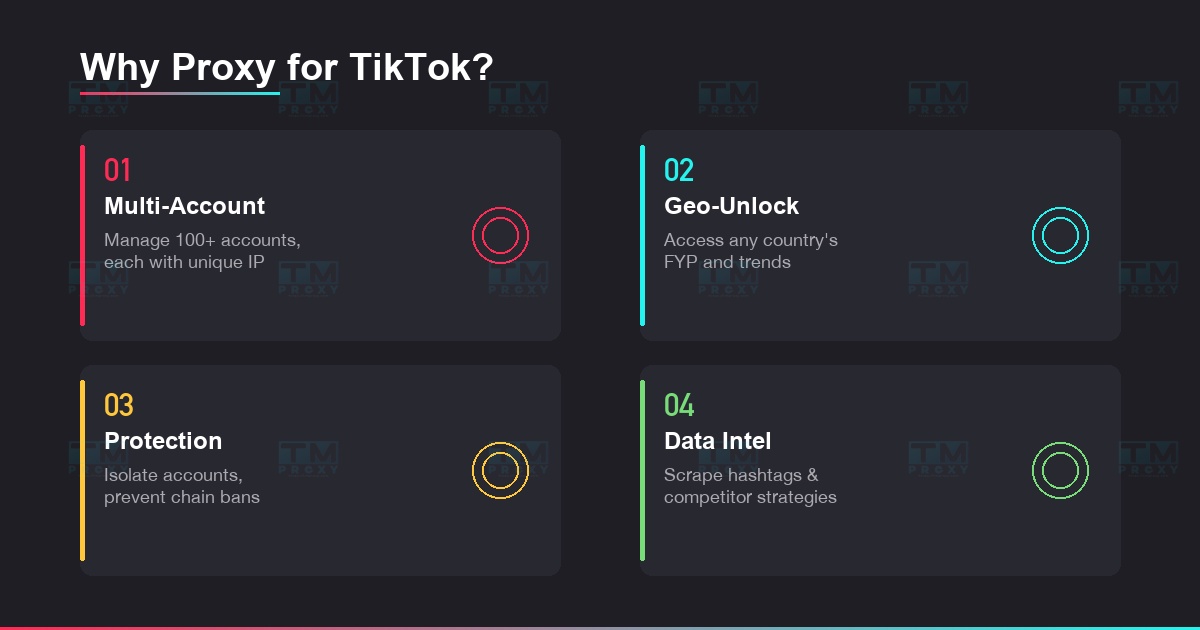
What does a proxy solve for you?
- Manage 10, 50, even 100+ accounts where each account looks like it's on a separate device
- Unlock content in any country — US trends, Japan trends, Korean trends right on your screen
- Protect your main account — when 1 account gets banned, others aren't affected
- Collect TikTok data — trending hashtags, influencer info, competitor strategies
Which Proxy Type for TikTok?
TikTok is primarily a mobile platform. This directly affects which proxy type you should choose:
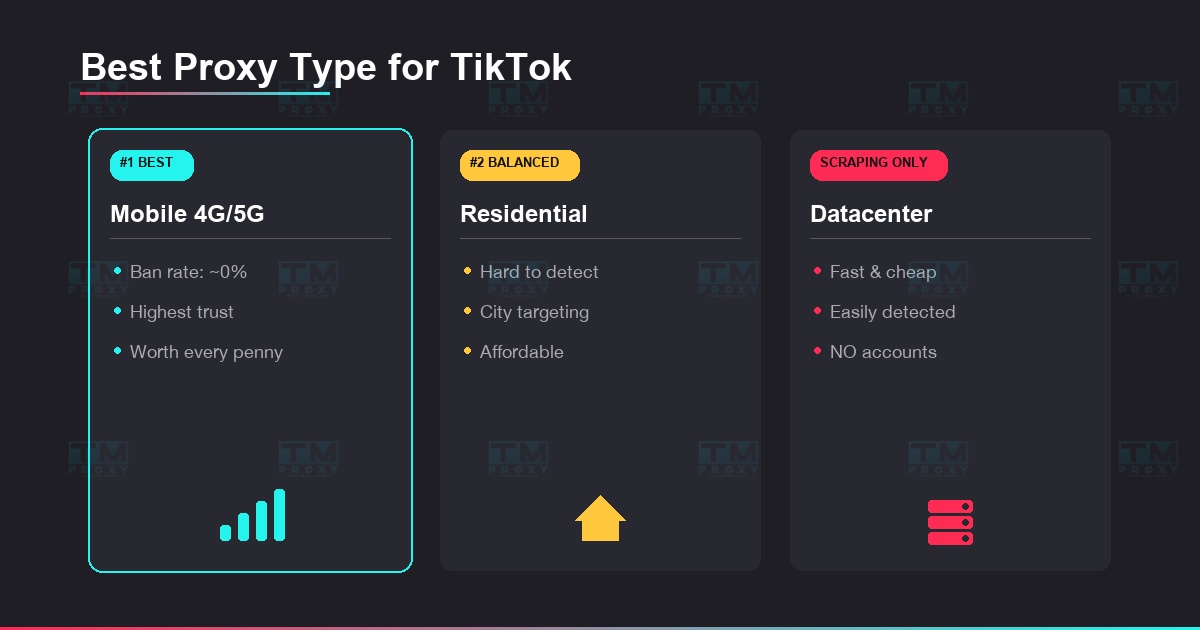
Mobile Proxy (4G/5G) — Best for TikTok
This is the #1 choice because TikTok recognizes mobile IPs as the most "natural." Millions of real TikTok users also use mobile IPs, so traffic from mobile proxies blends in perfectly. Detection rate is near 0%. Most expensive but worth every penny for important accounts.
Residential Proxy — The Balanced Choice
Real IPs from ISPs, hard to detect. Supports IP selection by country and city — crucial when targeting specific markets. More affordable than mobile proxy, suitable for managing many accounts.
Datacenter Proxy — Scraping Only
Fast speed, low price, but DO NOT use for TikTok account management. TikTok detects datacenter IPs very easily. Only suitable for scraping public data (hashtags, view counts) without logging in.
| Proxy Type | Detection Rate | 30-Day Survival Rate | Avg Reach/Video | Notes |
|---|---|---|---|---|
| Datacenter | 75% | 15% | 50-200 views | Do not use for accounts |
| Residential | 8% | 82% | 500-2K views | Best value |
| Mobile 4G | ~0% | 97% | 1K-10K views | Best results, highest cost |
Mobile proxy achieved the best reach (1K-10K views/video) with near-zero detection rate. Residential proxy offers the best cost-effectiveness balance.
Setup Guide from A to Z
Prepare Your Tools
You need 3 things: (1) Quality proxies, (2) Anti-detect browser, (3) SIM/email for each account.
Popular anti-detect browsers: GoLogin, Multilogin, or AdsPower. These create separate browser profiles with unique fingerprints for each account — making TikTok think each account is on a different device.
Configure Proxy
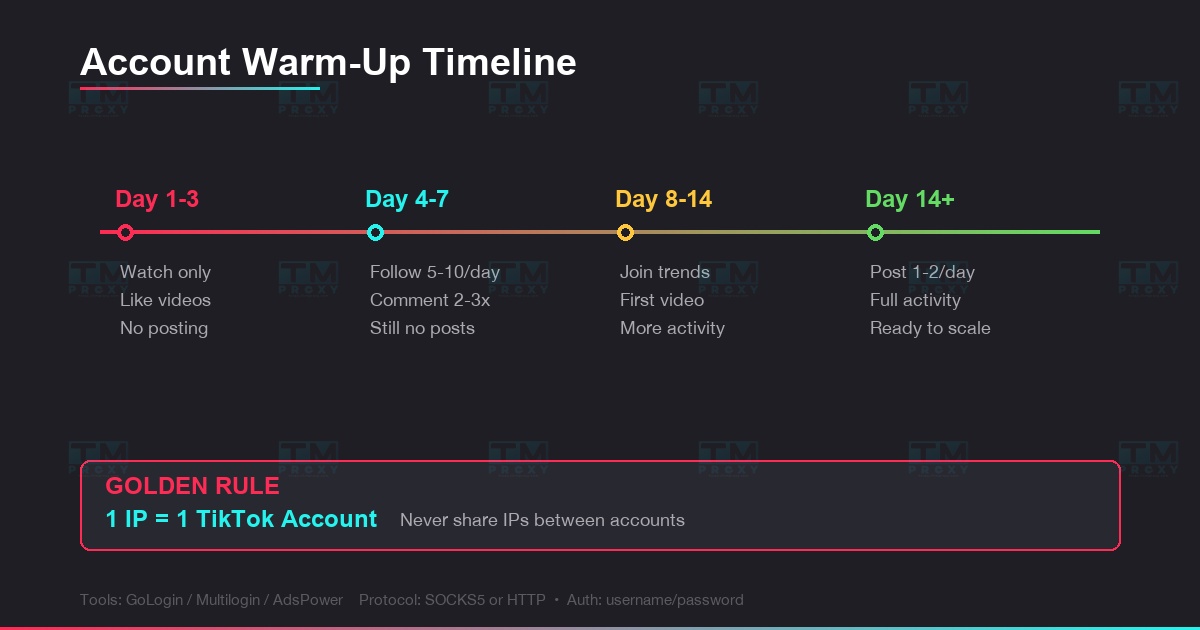
Each browser profile → assign 1 unique proxy IP. Golden rule: 1 IP = 1 TikTok account. Never share IPs between accounts.
Configuration in anti-detect browser:
- Protocol: SOCKS5 or HTTP
- Host: proxy address from TMProxy
- Port: assigned port
- Auth: username/password
Warm Up Accounts
This is the most important step that many people skip:
- Days 1-3: Only browse videos, like, watch full videos. No comments, no follows, no posting.
- Days 4-7: Start following 5-10 accounts/day, comment 2-3 times. Still no posting.
- Days 8-14: Follow more, join trends, comment more. Post first video on day 10+.
- After 2 weeks: Account has "matured," can start posting regularly 1-2 videos/day.
Managing Dozens of Accounts: Do's & Don'ts
Battle-tested experience from major marketing agencies:
DO:
- Maintain the same IP for each account throughout (sticky session)
- Post content on a fixed schedule — 1-2 videos/day/account
- Each account has its own niche, avatar, and bio
- Monitor engagement rate daily — sudden drops = signs of shadow ban
- Use proxies in the same country as your target audience
DON'T:
- Log into 2+ TikTok accounts from the same IP
- Copy identical content between accounts
- Mass follow/unfollow (max 30 follows/day for new accounts)
- Change proxy IP mid-way for an active account
- Use free proxies or proxies already used for other accounts
Multi-Country TikTok Marketing with Proxies
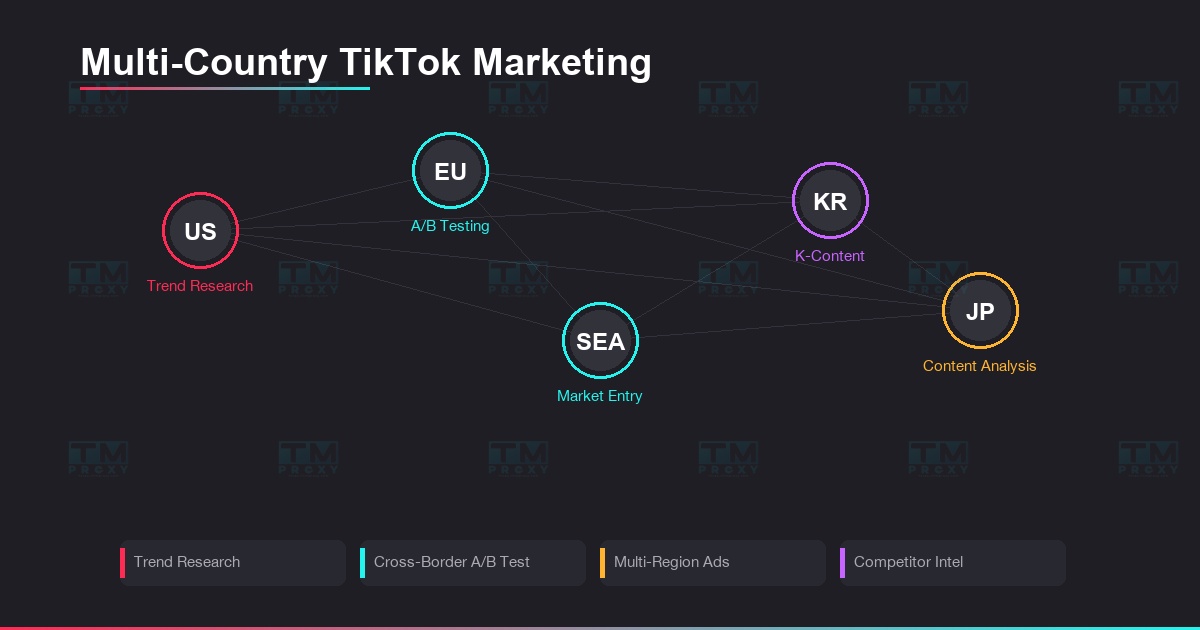
Proxies don't just help manage accounts — they open up a global marketing strategy:
Country-specific trend research: Use a US proxy to see the FYP (For You Page) in the US. Use a Japan proxy to understand Japanese trends. Each country has completely different content trends.
Cross-border A/B testing: Post the same video in 3 different markets, compare engagement. Discover potential markets that competitors haven't tapped.
Multi-region TikTok Ads: Manage multiple ad accounts across the US, EU, SEA from one location. Each account uses a proxy in its target country.
Global competitor analysis: Track content strategy, posting times, hashtag strategy of competitors in each market.
TMProxy for TikTok
TMProxy is trusted by thousands of TikTokers and agencies:
- Mobile Proxy 4G/5G — ideal for TikTok, ban rate near 0%
- Residential Proxy across 100+ countries — targeting down to city level
- Sticky Sessions from hours to days — consistent IP for each account
- Compatible with GoLogin, Multilogin, AdsPower, Dolphin Anty
Conclusion: TikTok marketing without proxies is like running a marathon with only one pair of shoes — limited and risky. Proxies give you the freedom to manage multiple accounts, reach every market, and protect your "digital assets" on this 1-billion-user platform.