






SOCKS5 proxy operates at a lower level than HTTP proxy, supporting all protocols including TCP and UDP. This article provides a detailed comparison of HTTP vs SOCKS5, analyzes pros and cons, popular use cases, and guides you through SOCKS5 proxy configuration.
SOCKS5 — The "Swiss Army Knife" of Proxy Protocols
High-Speed Proxy - Ready to Try?
ALGO Proxy offers residential, datacenter & 4G proxies in 195+ countries
Most people hear "proxy" and think of HTTP proxy — the kind that only works with web browsers. But what if you need a proxy for online gaming, torrents, video calls, or any other application? HTTP proxy can't help.
That's when SOCKS5 takes the stage.
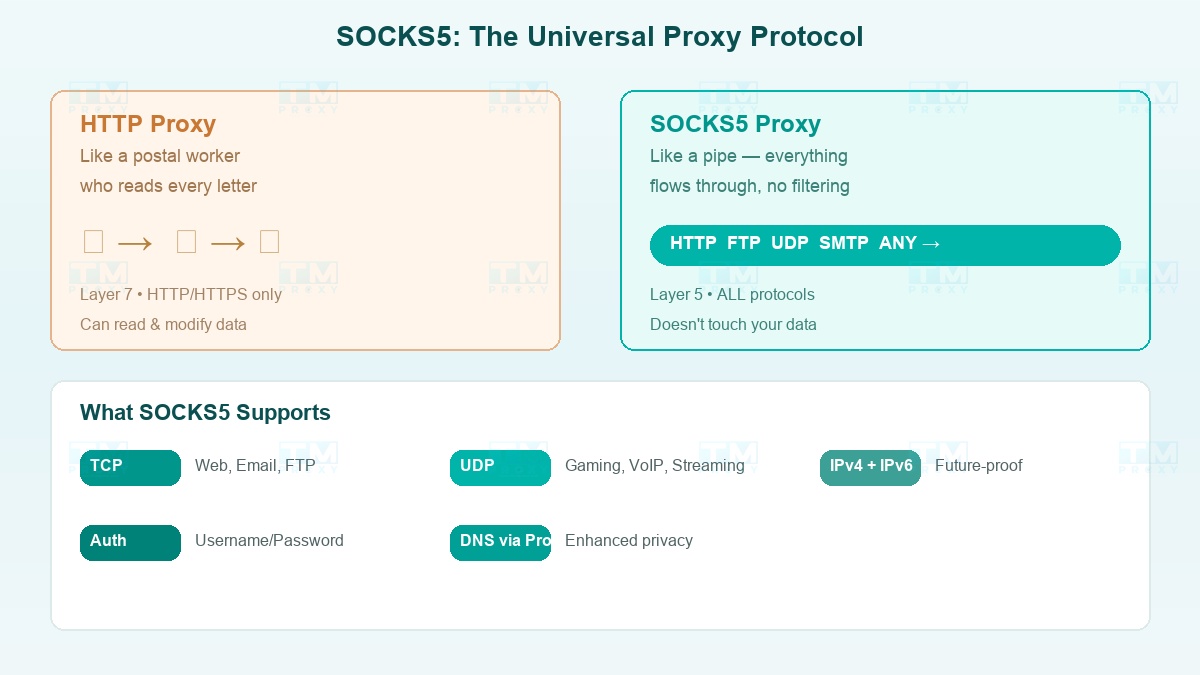
SOCKS5 (Socket Secure version 5) operates at the session layer (Layer 5) in the OSI model — lower than HTTP proxy (Layer 7). This means SOCKS5 doesn't care what protocol you're using: HTTP, FTP, SMTP, UDP, or anything else. It simply forwards all data packets through the tunnel without reading or modifying the content.
In short: HTTP proxy is like a postal worker who reads every letter before sending it. SOCKS5 is like a pipe — everything goes through, no discrimination.
HTTP vs SOCKS5: Visual Comparison
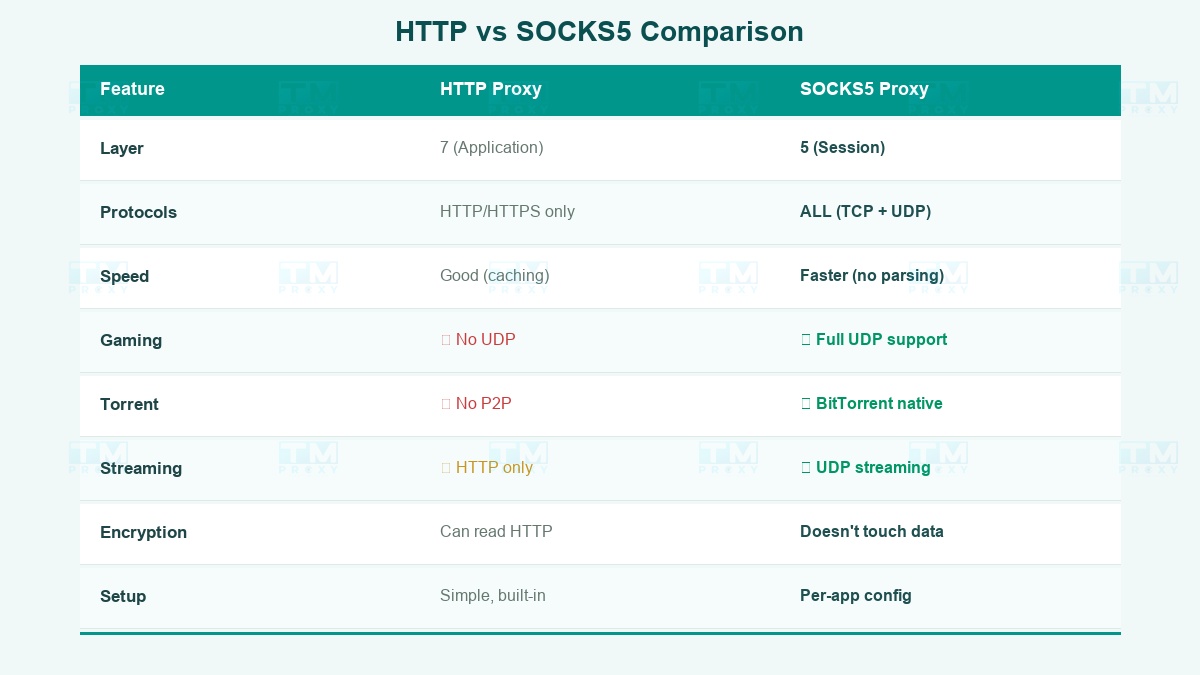
| HTTP Proxy | SOCKS5 Proxy | |
|---|---|---|
| Operating Layer | Layer 7 (Application) | Layer 5 (Session) |
| Protocol Support | HTTP/HTTPS only | All (TCP + UDP) |
| Speed | Good thanks to caching | Faster — no data parsing |
| Security | Can read HTTP data | Doesn't touch data |
| Gaming | No UDP support | Full support |
| Torrent | No P2P support | BitTorrent over UDP |
| Streaming | HTTP streams only | Smoother UDP streaming |
| Web scraping | Good, has cache | Also good |
| Configuration | Simple, built-in | Requires per-app setup |
| Proxy Type | Download Speed | Latency | Packet Loss | Notes |
|---|---|---|---|---|
| HTTP Proxy | 420 Mbps | 12ms | 0% | Has cache, optimized for web |
| SOCKS5 (TCP) | 465 Mbps | 8ms | 0% | Faster, no header parsing |
| SOCKS5 (UDP) | 480 Mbps | 5ms | 0.1% | Fastest, ideal for gaming |
| Direct (no proxy) | 495 Mbps | 3ms | 0% | Baseline |
SOCKS5 UDP achieved near-direct speeds (480 vs 495 Mbps), while HTTP proxy was slower due to header parsing overhead. However, HTTP proxy has a caching advantage for repeated web scraping.
When to choose HTTP proxy? If you only need proxy for web browsing, scraping, or accessing websites — HTTP proxy is simple and sufficient.
When to choose SOCKS5? When you need proxy for anything beyond the web: gaming, torrents, email, VoIP, desktop apps, or when you want maximum speed without the overhead of HTTP header parsing.
Most Popular SOCKS5 Use Cases
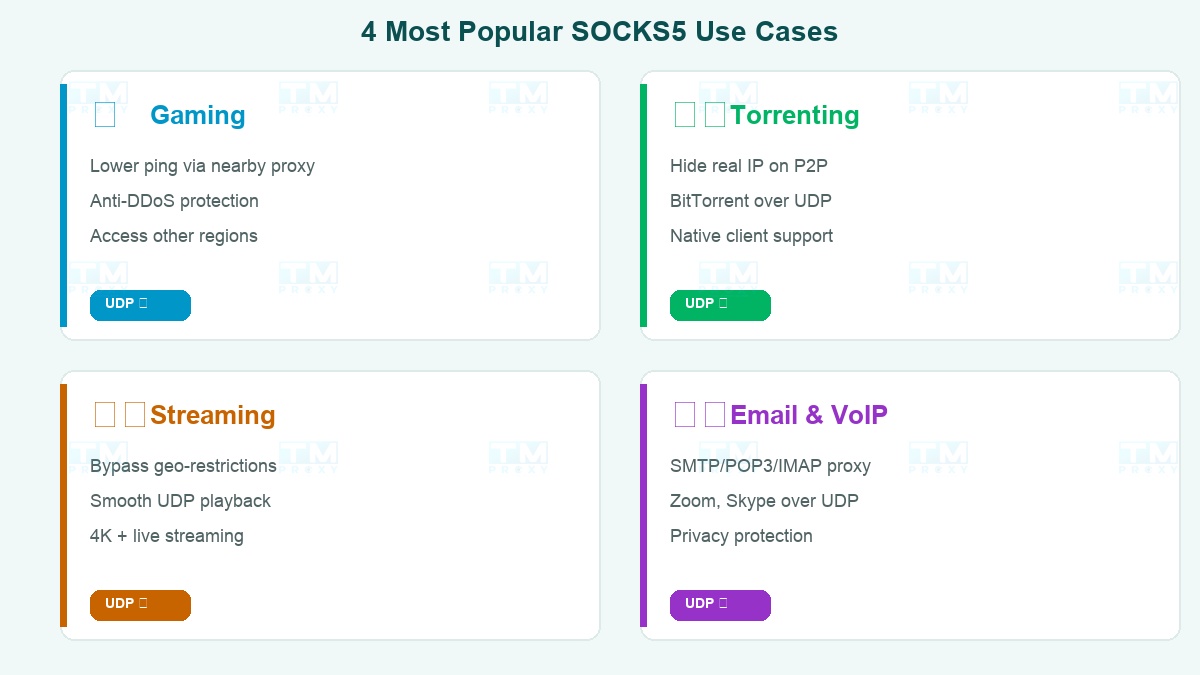
Gaming — Lower Ping, Anti-DDoS
Online games use UDP — a protocol HTTP proxy doesn't support. SOCKS5 is the only option if you want a proxy for gaming.
Benefits: Connecting through a proxy near the game server significantly reduces ping. Hiding your real IP prevents DDoS during competitive play. Access game servers in other regions (play Korean, Japanese games from anywhere).
Torrenting — Anonymous Downloads
BitTorrent protocol runs over UDP. A SOCKS5 proxy hides your real IP when downloading torrents, protecting privacy without affecting speed. Most popular torrent clients (qBittorrent, Deluge, Vuze) support SOCKS5 natively.
Streaming — Bypass Geo-Restrictions
Want to watch US Netflix, Japanese Disney+, or BBC iPlayer UK? A SOCKS5 proxy in the corresponding country helps you bypass geo-restrictions. UDP streaming support = less buffering than HTTP proxy.
Email & VoIP — Secure Communications
SOCKS5 supports SMTP, POP3, IMAP — send/receive email through proxy to protect privacy. VoIP and video calls (Zoom, Skype) run on UDP — only SOCKS5 proxy supports them.
Limitations to Know Before Using SOCKS5
SOCKS5 is powerful but not perfect:
No Data Encryption
SOCKS5 only forwards, doesn't encrypt. Data passing through can still be read by ISPs or man-in-the-middle attackers. Solution: Combine with SSH tunnel (ssh -D 1080 user@server) or use applications with their own encryption (HTTPS websites, encrypted email).
No Content Caching
HTTP proxy can cache responses → faster repeated access. SOCKS5 doesn't have this capability. For web scraping that hits the same URLs repeatedly, HTTP proxy is more efficient.
More Complex Configuration
Not every application supports SOCKS5 by default. You may need additional tools like proxychains (Linux) or manual configuration.
Potentially Higher Cost
Quality SOCKS5 proxies are often more expensive than HTTP proxies from the same provider. Reason: more complex infrastructure, UDP support requires more resources.
How to Configure SOCKS5 Proxy
On Firefox Browser
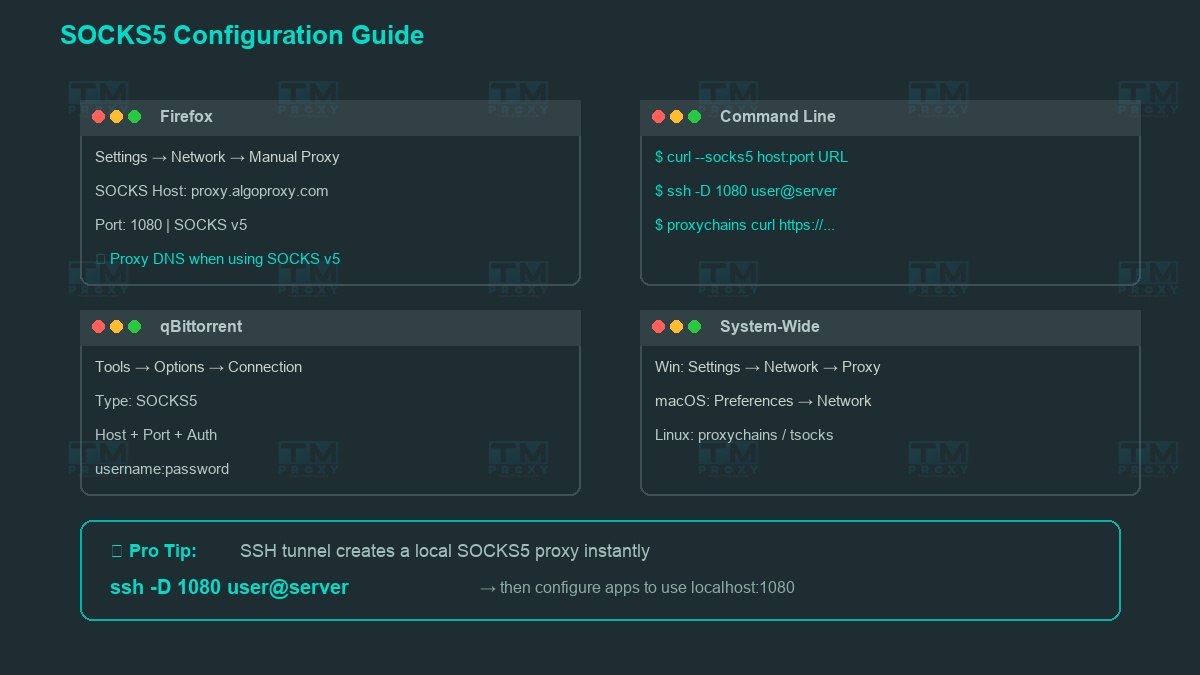
Firefox is the only browser that supports SOCKS5 natively without an extension:
Settings → Network Settings → Manual proxy configuration → SOCKS Host: proxy.tmproxy.com → Port: 1080 → Select SOCKS v5 → Check "Proxy DNS when using SOCKS v5"
On Torrent Client (qBittorrent)
Tools → Options → Connection → Proxy Server → Type: SOCKS5 → Host & Port → Authentication: username/password
On Command Line
Using curl: curl --socks5 host:port URL
Create SOCKS5 proxy via SSH tunnel: ssh -D 1080 user@server
Run any command through SOCKS5 with proxychains (Linux): proxychains curl https://example.com
System-Wide
- Windows: Settings → Network & Internet → Proxy (limited support, app-level recommended)
- macOS: System Preferences → Network → Advanced → Proxies → SOCKS Proxy
- Linux: Use proxychains or tsocks for system-wide SOCKS5
TMProxy — Full SOCKS5 Support
TMProxy provides SOCKS5 proxies with optimized infrastructure:
- TCP + UDP support — full coverage for gaming, torrenting, streaming
- Authentication — username/password, high security
- Residential + Datacenter + Mobile — all support SOCKS5
- 99.9% Uptime — stable connection, no interruptions
- 100+ countries — choose location as needed
Conclusion: HTTP proxy for the web, SOCKS5 proxy for everything else. If you need a proxy that goes far beyond the browser — gaming, torrents, streaming, email — then SOCKS5 is the answer. Not as complicated as you think, and the benefits are clear.