






Your crawler runs perfectly on your machine, but after a few hundred requests you start hitting 429, 403, or CAPTCHA errors? The problem is almost always the IP address, not your code. This guide explains what a proxy for crawling data is and how to use proxies to crawl at scale without getting blocked.
What Is a Data Crawling Proxy — and Why Do Crawlers Need One?
High-Speed Proxy - Ready to Try?
ALGO Proxy offers residential, datacenter & 4G proxies in 195+ countries
A data crawling proxy acts as an intermediary between your crawler and the target website — each request goes through a different IP address instead of your real one. The destination site only sees the proxy's IP, so it cannot tie all the traffic back to a single source.
When you crawl data (product prices, listings, search results, market data…), you must send a large number of requests in a short period of time. If every request originates from one IP, the website will:
- Detect abnormal behavior (too many requests per minute).
- Apply rate limiting (HTTP 429 errors).
- Ban your IP (403 errors) or serve you a CAPTCHA.
Proxies — especially rotating proxies — distribute requests across many IPs so that each one carries only a light load and looks like a genuine user.
Crawling Without Proxies — Why Do You Get Blocked?
Understanding the blocking mechanisms is the first step to crawling correctly. Four common barriers when crawling from a single IP:
- Per-IP rate limiting: Websites count requests per IP; exceed the threshold and they return 429 or throttle you.
- IP banning: Once bot activity is detected, the IP is placed on a temporary or permanent blacklist.
- CAPTCHA / challenge pages: Cloudflare, reCAPTCHA, and similar tools trigger when automation is suspected.
- Geo-blocking: Some data is only served correctly to IPs from a specific country or region.
Which Type of Proxy Is Best for Data Crawling?
There is no single "right" proxy for every scenario — choose based on how heavily the target site is protected:
| Proxy Type | Advantages | Limitations | Best For |
|---|---|---|---|
| Datacenter | Very fast, low cost | Easy to fingerprint | Low-protection sites, public APIs |
| Residential | Real IPs, hard to block | Variable speed | Sites with strong anti-bot |
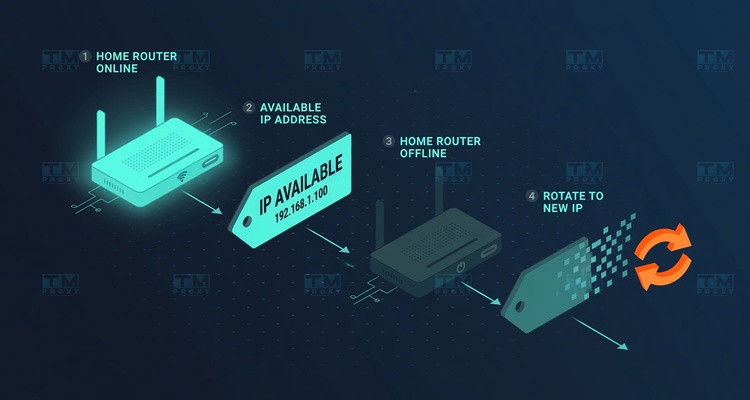
| Rotating Residential | Fresh IP per request | Session management needed | Large-scale crawling |
| Mobile 4G | Highest anonymity | Higher cost | Highly sensitive targets |
For most serious crawling projects, rotating residential proxies strike the best balance between success rate and cost.
How to Crawl Data With Proxies Without Getting Blocked
Choosing the right proxy is only half the battle. The other half is behaving like a real human user:
- Rotate IPs per request or per request batch so no single IP exceeds its threshold.
- Add random delays between requests (a few hundred milliseconds to a few seconds) to avoid a perfectly metronomic pattern.
- Set valid User-Agent headers and rotate them so you do not expose a single fixed client fingerprint.
- Limit concurrent threads to a sensible level per IP.
- Respect robots.txt and only crawl publicly available data.
- Match the correct geographic location when data is region-dependent.
A minimal Python requests example using a proxy:
import requests

proxies = {
    "http":  "http://user:pass@ip:port",
    "https": "http://user:pass@ip:port",
}
r = requests.get("https://example.com/products", proxies=proxies, timeout=20)
print(r.status_code, len(r.text))
Large-Scale Data Crawling With a Rotating Proxy + API
When you are crawling tens of thousands to millions of pages, you need to fetch a new IP automatically rather than configuring proxies by hand. TMProxy provides an API to pull a fresh proxy directly inside your crawler code:
import requests

# Fetch a new proxy from TMProxy
resp = requests.post(
    "https://tmproxy.com/api/proxy/get-new-proxy",
    json={"api_key": "YOUR_API_KEY", "id_location": 0, "id_isp": 0},
    timeout=20,
).json()

https_proxy = resp["data"]["https"]   # format: ip:port
# ... use https_proxy for the next crawl session
The response also returns socks5, username, password, timeout, and next_request (the minimum wait time before you can rotate to a new IP) — everything you need to build a safe IP-rotation loop inside your crawler.
| Configuration | Success Rate | Blocked / CAPTCHA |
|---|---|---|
| Single fixed IP | Low | Very frequent |
| Rotating datacenter pool | Moderate | Moderate (large sites) |
| Rotating residential pool (TMProxy) | High | Very rare |
A rotating residential pool delivers the highest success rate on sites with anti-bot protection.
Common Mistakes When Crawling Data
TMProxy — The Data Crawling Proxy Solution in Vietnam
To crawl data reliably, you need a large, clean IP pool and an API for automatic rotation. TMProxy is built exactly for this:
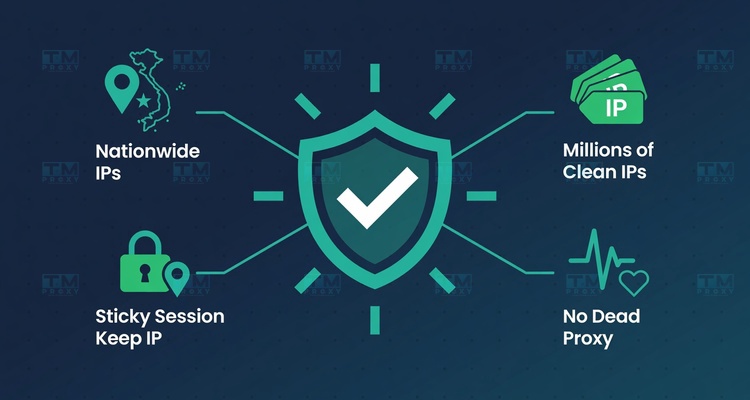
- Millions of real residential IPs covering all 63 provinces — hard to fingerprint during crawling.
- Rotating proxy + API (
get-new-proxy,get-current-proxy) for direct integration into any crawler. - Supports HTTP/HTTPS and SOCKS5, compatible with every popular crawling library.
- Province- and ISP-level targeting for region-dependent data collection.
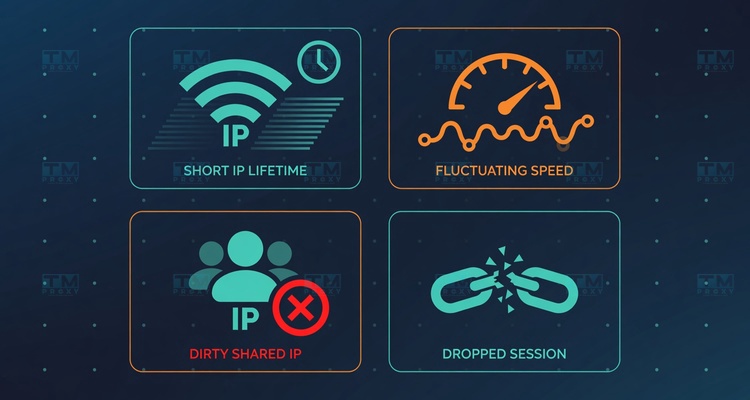
- Commitment to zero dead proxies and 24/7 technical support.
Conclusion: A proxy for crawling data is the deciding factor between a crawler that runs reliably and one that gets blocked after a few hundred requests. Choose the right proxy type (prioritize rotating residential), crawl with human-like behavior, and use the API to rotate IPs automatically — that is the formula for large-scale data crawling without getting blocked.