





A Dedicated Server is a premium hosting solution where all the resources of a physical server are exclusively allocated to a single customer. This article provides a detailed analysis of its pros and cons, a comparison with VPS/Shared Hosting, and guidance on choosing the right provider.
High-Speed Proxy - Ready to Try?
ALGO Proxy offers residential, datacenter & 4G proxies in 195+ countries
What is a Dedicated Server?
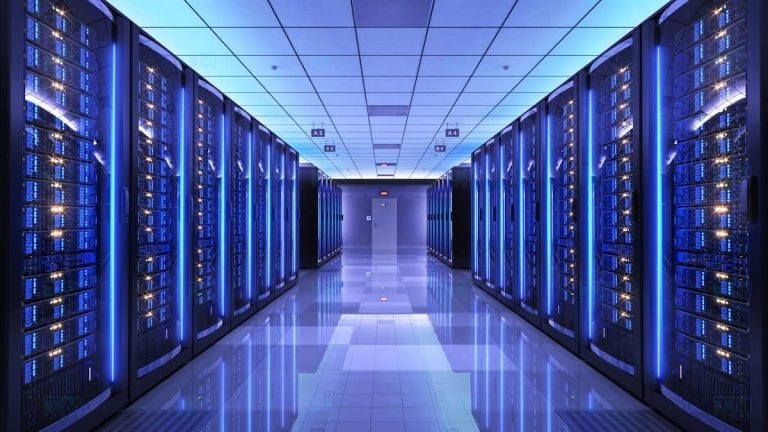
A Dedicated Server, also known as a dedicated hosting server, is a premium hosting solution where all the resources of a physical server are exclusively allocated to a single customer. This means you have full control over the hardware configuration, operating system, and software on that server.
When using a Dedicated Server, you don't have to share resources with anyone else. All processing power, memory, storage space, and bandwidth belong entirely to you. This delivers high performance, optimal security, and maximum customization for your applications and websites.
A Dedicated Server operates on the principle of "one server, one customer." The server is typically housed in the hosting provider's data center and connected to the internet through high-speed connections. You can access and manage the server remotely through protocols such as SSH (Secure Shell) or RDP (Remote Desktop Protocol).
With a Dedicated Server, you can install any operating system you want, from various versions of Windows Server to Linux distributions like CentOS, Ubuntu, or Debian. This allows you to customize the hosting environment to best suit the specific needs of your project.
Key Features of a Dedicated Server
What is a Dedicated Server? It is a type of server that offers many outstanding features, suitable for businesses and applications that require high performance. Here are the main characteristics:
- High Performance: A Dedicated Server provides fully dedicated resources, delivering superior performance compared to other hosting solutions. This is crucial for applications that require fast processing and instant response times.
- Optimal Security: How does a Dedicated Server minimize security risks? Because you don't share resources with other users, you can deploy customized security measures tailored to your specific needs.
- Flexible Customization: With a Dedicated Server, you have full control over hardware and software, allowing you to optimize the hosting environment for your specific applications.
- High Stability: Using a Dedicated Server ensures your system is minimally affected by the activities of other websites, maintaining high uptime — a critical factor for businesses that demand reliability.
- Scalability: Easily upgrade resources when needed, from RAM and storage to CPU, meeting growth demands promptly.
- Dedicated IP: A Dedicated Server can support multiple dedicated IP addresses. This benefits SEO and allows you to install separate SSL certificates.
- Professional Technical Support: Providers typically offer 24/7 support, ensuring you always receive assistance when needed.
- Bandwidth Management: You can manage bandwidth effectively, ensuring that critical applications always receive priority network resources.
- Application Compatibility: A Dedicated Server can run all types of applications, from complex websites to databases and enterprise applications.
- Safe Testing Environment: A Dedicated Server provides a safe development and testing environment before going live.
Who Should Use a Dedicated Server?
What is a Dedicated Server and who should use it? It is a solution suitable for many types of customers, especially in the following cases:
- Large Enterprises: Companies with high traffic volumes or that need to process many transactions and store large amounts of data often choose Dedicated Servers. A Dedicated Server can meet the performance and reliability needs of large-scale operations because all resources are exclusively allocated to a single user.
- E-commerce Websites: These websites require fast loading speeds and secure order processing. A Dedicated Server provides the processing power needed to ensure a smooth shopping experience.
- Technology Companies: They need a flexible environment for developing and deploying applications. A Dedicated Server allows full customization of the hosting environment, making it an ideal choice for technology companies.
- High-Traffic Websites: Sites such as news portals or social networks need a robust system to handle large traffic volumes without compromising performance.
- Businesses Requiring Security Compliance: Companies in the finance and healthcare sectors have strict security requirements, and a Dedicated Server provides a highly secure environment that meets standards like HIPAA and PCI DSS.
- Game Servers: With the need for high performance and low latency, a Dedicated Server ensures a smooth gaming experience for users.
- Hosting Companies: Hosting service providers often use Dedicated Servers to manage and distribute resources to their customers.
- Research and Educational Organizations: Dedicated Servers provide the computing power needed to process big data or run complex simulations.
- Software Development Companies: They need a stable environment for developing, testing, and deploying software, and a Dedicated Server is the ideal solution for this process.
- Businesses with Strict Compliance Requirements: With a Dedicated Server, businesses have full control over security and data management, making it easy to comply with industry regulations.
What Is Cloud Hosting? Everything You Need to Know About Cloud Hosting

Pros and Cons of a Dedicated Server
What is a Dedicated Server and what are its advantages and disadvantages? Like any technology solution, a Dedicated Server has both strengths and limitations. Here is a detailed analysis:
Pros
- Superior Performance: What makes a Dedicated Server deliver superior performance? With all server resources dedicated exclusively to you, it ensures fast and stable processing speeds. This is especially important for resource-intensive applications or those with high traffic.
- High Security: Not sharing a server with other users minimizes security risks. You can implement robust and customized security measures tailored to your needs. A Dedicated Server provides optimal security thanks to its resource independence and high level of control.
- Flexible Customization: A Dedicated Server allows full control over hardware configuration, operating system, and software, helping you optimize the hosting environment for your specific applications.
- High Stability: Since it is not affected by other websites, a Dedicated Server ensures high uptime, which many businesses require for stability and reliability.
- Scalability: Easily upgrade resources when needed, such as RAM, storage capacity, or CPU, to meet your business's growth demands.
- Dedicated IP: Each Dedicated Server typically has its own IP address, which benefits SEO and security, allowing you to install separate SSL certificates.
- Professional Technical Support: Providers typically offer 24/7 support services, ensuring you receive timely assistance when needed.
- Full Control: You have root or administrator access, allowing you to install any software you need.
- Regulatory Compliance: A Dedicated Server makes it easy to comply with security and data management regulations thanks to its high level of control.
- Unlimited Bandwidth: Many Dedicated Server providers offer unlimited or very high bandwidth, ensuring flexibility for your growth needs.
Cons
- High Cost: Compared to solutions like Shared Hosting or VPS, a Dedicated Server has significantly higher costs. This can be a barrier for small businesses or startups with limited budgets.
- High Technical Requirements: A Dedicated Server requires users to have server administration knowledge and skills. If a business lacks a professional IT team, managing a Dedicated Server becomes a major challenge.
- Maintenance Responsibility: Users need to manage and maintain the server themselves, including software updates, security management, and handling technical issues that arise.
- Long Setup Time: Setting up and configuring a Dedicated Server can take more time than other solutions. Depending on configuration complexity, setup time can range from several hours to several days.
- Resource Waste: If the full capacity of a Dedicated Server is not utilized, businesses may waste resources. This is likely to happen when resource demands are inconsistent.
- Complex Management: To manage a Dedicated Server effectively, users need to dedicate significant time and effort to monitoring performance, managing security, and performing regular maintenance tasks.
- Difficulty in Migration: Switching between Dedicated Server providers can be complex and time-consuming. Migrating data and configurations from one server to another can be a difficult and costly process.
- Need for a Contingency Plan: If the server experiences a hardware failure, your entire website or application could be disrupted. Therefore, users need to have a contingency plan and perform regular data backups.
- Long-Term Commitment: Many providers require long-term commitments, typically one year or more. This may not be suitable for businesses with flexible or short-term usage needs.
- Potentially Overkill: For small businesses or websites with low traffic, a Dedicated Server can be an excessive and cost-inefficient solution.
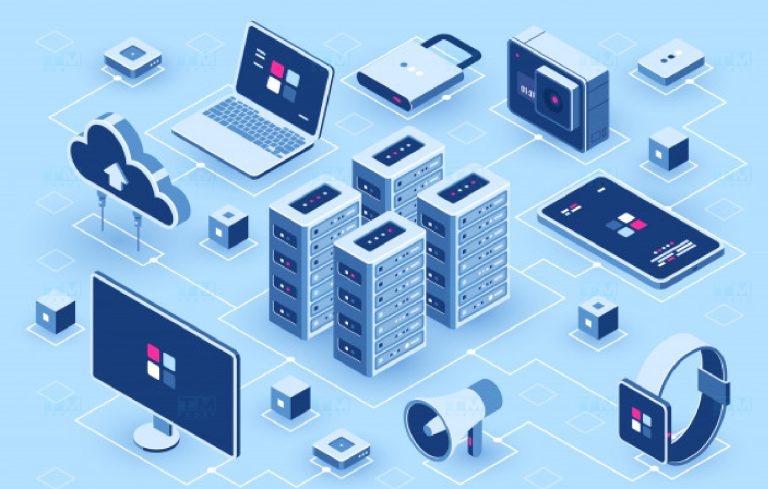
Comparison of Hosting Types: Shared, VPS, and Dedicated
To better understand Dedicated Servers, let's compare them with other popular hosting types:
| Criteria | Shared Hosting | VPS | Dedicated Server |
|---|---|---|---|
| Resources | Shared among multiple users | Dedicated resources via virtualization | Entire physical server exclusively allocated |
| Performance | Lowest, slow page loading | Better than Shared, more stable | Highest, most stable |
| Control | Limited, provider-managed | Root access, configurable | Full control over hardware and software |
| Security | High risk due to sharing | Virtual isolation, safer | Highest, fully isolated |
| Scalability | Limited | Flexible CPU/RAM additions | Physical hardware upgrades, clustering |
| Cost | A few USD to tens of USD/month | Tens to hundreds of USD/month | Hundreds to thousands of USD/month |
| Suitable for | Blogs, small websites | Medium-traffic websites | High-traffic websites, large enterprises |
Important Considerations When Using a Dedicated Server
When using a Dedicated Server, there are several points that require special attention:
Hardware Configuration
Hardware configuration plays a decisive role in the performance of a Dedicated Server:
- CPU: Choose the type and number of CPUs that match your application's processing needs. Consider the balance between clock speed and number of CPU cores. For multi-threaded applications, prioritize more cores.
- RAM: Ensure sufficient RAM for the applications and services running on the server. Consider the needs of the operating system, databases, and other applications. Allocate extra RAM for future growth.
- Storage: Consider the trade-off between speed (SSD) and storage capacity (HDD) based on your needs. Consider using RAID to increase performance and reliability. Calculate the capacity needed for the operating system, applications, and data.
- Network Card: Choose a network card with high bandwidth to ensure fast connectivity. Consider using multiple network cards for load balancing or redundancy.
- Power Supply: Ensure the power supply is strong enough to power all components. Consider using a redundant power supply for higher reliability.
Internet Connection and Bandwidth
Connection quality and bandwidth directly affect user experience:
- Bandwidth: Ensure sufficient bandwidth for expected traffic. Consider using unlimited bandwidth if possible. Monitor bandwidth usage to avoid exceeding limits and incurring additional costs.
- Uptime: Check the provider's uptime commitment (typically 99.9% or higher). Review the provider's compensation policies in case of downtime. Evaluate the provider's uptime history through customer reviews and independent reports.
- Redundant Connections: Consider using multiple ISPs to ensure continuous connectivity. Learn about redundant connection options like satellite or 4G/5G connections. Ensure there is an automatic failover mechanism between connections if one is disrupted.
- Connection Quality: Check the latency and packet loss rate of the connection. Consider the geographic location of the data center relative to your primary customer base.
- DDoS Protection: Learn about the provider's DDoS protection measures. Consider investing in additional DDoS protection solutions if necessary.
Customer Support Services
Professional technical support is a critical factor when choosing a Dedicated Server provider:
- 24/7 Support: Choose a provider with 24/7 technical support services. Ensure support is available through multiple channels such as phone, email, and live chat.
- Support Methods: Check the available support channels (phone, email, live chat). Consider the ability to reach senior engineers directly in case of emergencies.
- Response Time: Learn about the provider's average response time. Review the SLAs (Service Level Agreements) for response and resolution times.
- Support Quality: Read reviews from other customers about the quality of support services. Check the experience and expertise of the technical support team.
- Management Services: Consider managed service options if you don't have an in-house IT team. Learn about the scope of management services, including updates, security, and backups.

Dedicated Server Maintenance Procedures
Regular maintenance helps maintain optimal performance for a Dedicated Server. Here is the basic procedure:
Server Data Inspection
Data inspection ensures information integrity and safety:
- Data Backup:
- Perform a full backup of all important data before maintenance.
- Verify the integrity of backups by performing test restores.
- Store backups in a safe location, preferably off-site.
- Integrity Checks:
- Ensure no data is corrupted or lost.
- Use data integrity verification tools such as checksums or file integrity monitoring tools.
- Check log files to detect any signs of data issues.
- Database Optimization:
- Perform operations like defragmentation and reindexing to improve performance.
- Delete old or unnecessary data to free up storage space.
- Optimize queries and indexes to improve database response times.
Software Review and Updates
Regular software updates help protect the server from security vulnerabilities:
- Version Checks:
- Identify software that needs updating.
- Check for the latest security patches for all running software.
- Create a prioritized update list based on patch criticality.
- Operating System Updates:
- Apply the latest security patches and updates for the operating system.
- Check the compatibility of updates with existing software.
- Perform updates in a test environment before applying them to production.
- Application Updates:
- Upgrade applications and services running on the server.
- Carefully read the release notes and changelog for each update.
- Perform backups before updating and have a rollback plan if necessary.
- Compatibility Checks:
- Ensure updates do not cause conflicts with existing applications.
- Perform comprehensive testing after each update to ensure everything functions normally.
- Update system documentation to reflect the changes made.
Hardware Inspection and Maintenance
Hardware maintenance ensures the server operates stably over the long term:
- Hardware Health Checks:
- Use diagnostic tools to check the health of hardware components.
- Review error reports from BIOS or BMC (Baseboard Management Controller).
- Monitor the temperature and performance of CPU, RAM, and storage drives.
- Hardware Cleaning:
- Clean dust from hardware components if physical access is available.
- Inspect and clean the cooling system, including fans and heatsinks.
- Ensure all cable connections are secure and undamaged.
- Storage Drive Checks:
- Perform SMART (Self-Monitoring, Analysis and Reporting Technology) checks on all storage drives.
- Look for bad sectors and take corrective action if needed.
- Consider replacing aging drives or those showing signs of failure.
- Power Supply Checks:
- Ensure a stable and sufficient power supply.
- Check the UPS (Uninterruptible Power Supply) if available and replace batteries if needed.
- Firmware Updates:
- Check and update firmware for hardware components such as BIOS, RAID controller, and NIC.
- Ensure compliance with the manufacturer's firmware update guidelines.
Security Monitoring Throughout the Maintenance Process
Security is the top priority during Dedicated Server maintenance:
- Log File Inspection: Review system and application log files to detect abnormal activities. Use log analysis tools to automatically detect suspicious patterns.
- Security Measure Updates: Check and update firewall configurations. Update IDS/IPS (Intrusion Detection/Prevention System) rules. Ensure password policies and access permissions are properly enforced.
- Virus and Malware Scanning: Perform a comprehensive system scan using the latest antivirus software. Check for suspicious files and processes.
- Security Vulnerability Checks: Perform vulnerability scans on the system. Apply security patches for discovered vulnerabilities.
- Access Monitoring: Review and update the list of users and access permissions. Check for inactive or suspicious accounts.
- Ensuring Safety During Remote Maintenance: Use secure connections like VPN or SSH when performing remote maintenance. Restrict access only to necessary personnel during the maintenance process.
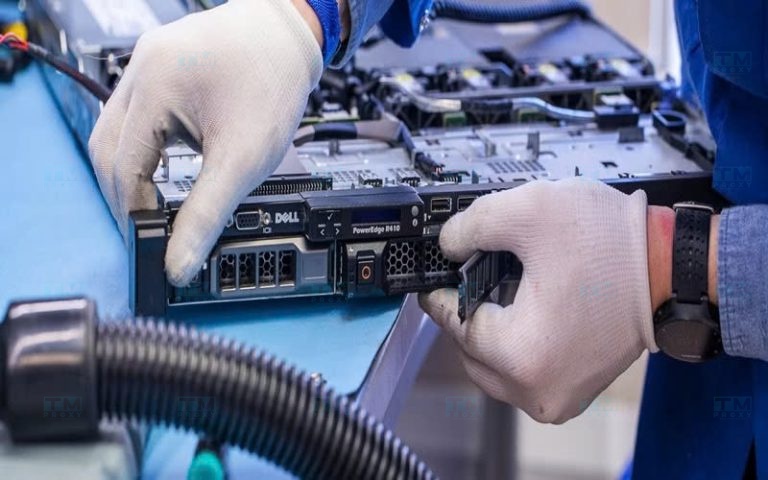
Conclusion: A Dedicated Server is the most powerful hosting solution, providing high performance, optimal security, and maximum customization. It is suitable for large enterprises, high-traffic e-commerce websites, game servers, and organizations that need to comply with strict security regulations. Carefully consider the choice between Managed and Unmanaged, compare multiple providers, and ensure a backup plan before investing.