






Cloud VPS is a virtual server running on a cloud computing platform, combining the flexibility of VPS with the scalability of cloud computing. This article helps you understand Cloud VPS, its pros and cons, and important considerations when renting the service.
High-Speed Proxy - Ready to Try?
ALGO Proxy offers residential, datacenter & 4G proxies in 195+ countries
What is Cloud VPS?
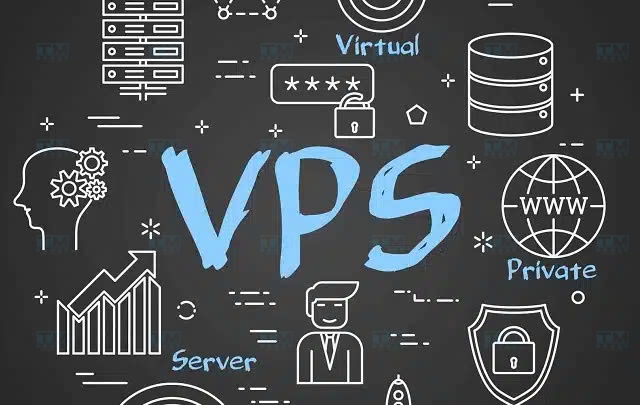
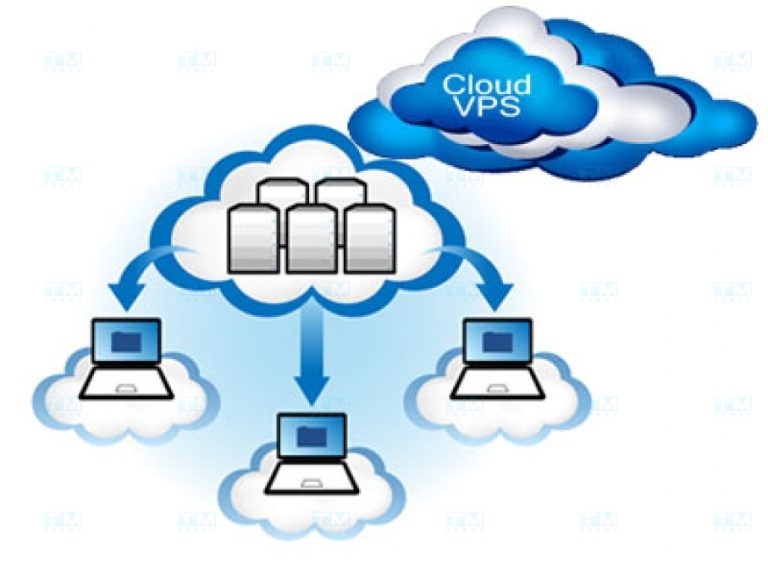
Cloud VPS, short for "Cloud Virtual Private Server," is a virtual server running on a cloud computing platform. Simply put, a VPS is a type of virtual server created and operated on a cloud system, allowing users to access it as an individual.
With Cloud VPS, you can access data on servers quickly, saving time compared to using physical servers or traditional methods.
Benefits of Cloud VPS
When using Cloud VPS, you enjoy many advantages over conventional hosting solutions:
- High flexibility and scalability: Cloud VPS resources such as CPU, RAM, and storage can be easily adjusted according to actual usage needs. When you need to scale up, simply request your provider to upgrade the configuration without changing any hardware.
- Reasonable cost: You only pay for the resources you actually use, resulting in significant savings compared to investing in physical servers. This is especially suitable for projects with fluctuating traffic over time.
- High availability: Cloud VPS typically offers high stability and uptime thanks to virtualization technology and data backup. Even in the event of an incident, your data remains safe and can be recovered quickly.
- Strong security: Each Cloud VPS operates independently from other systems. This ensures the safety of your data, avoiding risks such as being affected by viruses or attacks from other VPS instances on the same server.
- Easy customization: With root access, you have full authority to install software and fine-tune configurations to suit your application. The high degree of customization helps optimize performance and user experience.
Pros and Cons of VPS
Besides its outstanding advantages, Cloud VPS also has certain limitations. Below is a detailed analysis of the pros and cons of Cloud VPS:
Pros
Cloud VPS brings many benefits to users. Let's explore the notable advantages of this service:
Convenient management VPS provides root access, allowing you to freely install software and customize configurations as desired. You have full control over your VPS, from the operating system to the applications running on it.
Most VPS providers offer user-friendly management interfaces such as cPanel, DirectAdmin, Plesk, and more. These tools make managing servers, user accounts, and databases extremely simple, even for beginners.
Cost savings Compared to renting an entire physical server (dedicated server), using a VPS is far more economical. You only pay for the resources you use while still getting equivalent performance.
Moreover, VPS offers high flexibility. When you need to scale up, you simply upgrade your service plan instead of investing in new hardware. This significantly reduces operational costs, especially for medium-sized projects.
High safety and security Each VPS operates independently, so your data is not affected by other VPS instances on the same system. Even if one VPS is attacked, the remaining ones stay safe.
VPS providers typically use advanced virtualization technology and implement multiple protection measures at the network and application layers. This enhances security and prevents information leaks.
Additionally, with high-level administrative privileges, you can proactively install security software and firewalls according to your specific needs. This proactive approach helps protect your data and applications comprehensively.
Cons
Although it has many advantages, Cloud VPS still has some drawbacks. Consider these limitations carefully before deciding to use it:
Resource limitations While more flexible than shared hosting, VPS is still limited by the resources of the physical server. Each physical server can only run a certain number of VPS instances to ensure performance.
If your usage needs exceed what the VPS can provide, you will have to switch to a dedicated server or cloud server. This can cause some inconvenience in terms of both technical aspects and costs.
To avoid this situation, carefully assess your needs and choose a VPS configuration that fits from the start. Also, consider future scalability when selecting a provider.
Incident handling capability The stability of a VPS depends heavily on the hardware of the physical server. If the physical server encounters an issue, your VPS will also be affected, leading to downtime or data loss.
The time to resolve incidents depends on the provider's technical team. If they lack proper procedures, you may have to wait a long time before the service is restored.
Therefore, before making a decision, thoroughly research the service quality and incident-handling capabilities of the provider. Choose reputable companies with 24/7 monitoring systems and a commitment to rapid support to minimize risks.

Types of VPS on the Market Today
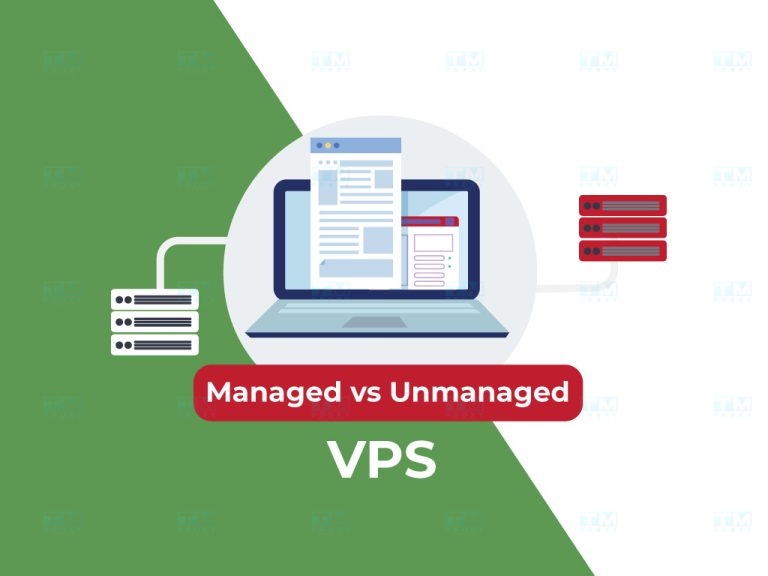
Similar to other information technology services, Cloud VPS is divided into two main types with distinct characteristics.
Managed VPS
Managed VPS is a virtual server fully managed by the provider. In other words, the provider is responsible for installing the operating system, necessary software, security updates, and handling technical issues.
With Managed VPS, you hardly need to worry about server administration. All tasks from the ground up are handled by the provider. You only need to focus on developing your application.
This type of VPS is suitable for users with limited system administration experience or who do not have much time to manage a server. Of course, the cost of Managed VPS is higher compared to other types.
Unmanaged VPS
In contrast to Managed VPS, Unmanaged VPS requires users to manage everything themselves, from installing the operating system and software to configuring security. The provider is only responsible for ensuring the hardware runs smoothly.
With Unmanaged VPS, you have full control over your server. You can customize everything as desired, from the operating system and programming environment to libraries and frameworks.
However, this means you need in-depth knowledge of system administration. Any incidents that occur must be handled by yourself, from software errors to security issues.
Unmanaged VPS is suitable for developers and administrators with extensive experience working with servers. The advantages of this type of VPS are lower cost and high customizability.
Can Cloud VPS Be Scaled?
One of the standout advantages of Cloud VPS is its flexible scalability. When your usage needs increase, you can request the provider to upgrade resources without changing hardware or the system architecture.
Depending on the provider, you can scale your Cloud VPS in two ways:
Quick Resize
Quick Resize allows you to change CPU and RAM resources quickly without needing to restart the VPS. This process usually takes only a few minutes to complete.
With Quick Resize, you can flexibly increase or decrease VPS configuration based on actual needs. For example, during promotional periods, you can increase RAM to handle high traffic. Afterward, you can reduce it back to normal levels to save costs.
Note that Quick Resize only applies to CPU and RAM. If you want to increase storage capacity, you will need to use the Full Resize method.
Full Resize
Full Resize allows you to change all resources of the Cloud VPS, including CPU, RAM, and storage. However, this process requires restarting the VPS.
With Full Resize, you can increase storage capacity for large data or install more applications. At the same time, you can also upgrade CPU and RAM to improve the overall system performance.
However, due to the restart requirement, Full Resize will cause a period of service downtime. The downtime duration depends on the VPS configuration and data volume.
What is an Alias? A Guide to Using Alias Domains Effectively
To minimize the impact of restarting, plan ahead and perform Full Resize during off-peak hours when the fewest users are accessing the service. Also, remember to notify users about maintenance windows so they can plan accordingly.
Cloud VPS Hardware Self-Recovery
Another notable feature of Cloud VPS is its hardware self-recovery capability. Most Cloud VPS providers have systems that continuously monitor the operational status of physical servers.
When hardware faults are detected, such as a failed hard drive, faulty RAM, or overheating CPU, the system automatically migrates your VPS to another node. This process is transparent and does not cause service interruption.
With self-recovery capability, Cloud VPS helps ensure high availability for your service. Even when hardware issues occur, your website or application can continue to operate normally.
However, to take advantage of this feature, you need to choose providers with stable cloud computing infrastructure and advanced virtualization technology. Carefully read the service information and customer reviews before making a decision.

Things to Remember When Renting Cloud VPS
To use Cloud VPS effectively and safely, you need to pay attention to several important points.
Uptime
Uptime is the continuous operating time of a VPS, measured as a percentage. The higher the uptime, the more stable and reliable your service is.
Most Cloud VPS providers guarantee uptime of 99.9% or higher. However, this figure is only a reference. Actual uptime depends on many factors such as hardware quality, network connectivity, virtualization technology, and more.
To ensure your service is always available, choose a provider with robust infrastructure equipped with multiple redundancy measures such as power supplies and redundant internet connections. Additionally, you should monitor actual uptime figures through third-party monitoring tools.
Security
Data security is the most important factor when using any cloud computing service. With Cloud VPS, you need to pay special attention to the provider's security policies.
Key criteria to consider include:
- Physical layer protection measures such as access control, surveillance cameras, and fire suppression systems.
- Network layer protection measures such as firewalls, intrusion detection systems, and data encryption.
- Backup and disaster recovery policies.
- Security certifications such as ISO 27001 and PCI DSS.
- Additionally, you should proactively implement security measures on your end, such as using strong passwords, regularly updating software, and using SSL/TLS encryption.
A good provider will offer multiple security options for easy deployment. They should also have strict policies regarding employee access to customer data.
Scalability
Your VPS usage needs will certainly change over time. Therefore, scalability is an important criterion when choosing Cloud VPS.
Prioritize providers with multiple configuration options that allow you to easily upgrade resources when needed. At the same time, upgrade costs should be reasonable and transparent.
Besides upgrading, you should also consider the provider's downgrading capabilities. This helps you flexibly adjust resources to match actual needs and avoid waste.
Customer Support
Regardless of which type of VPS you choose, sooner or later you will need assistance from the provider. A good customer support team will help you quickly resolve any issues that arise, from service usage questions to technical errors.
When choosing a provider, pay attention to the following factors:
- Support hours: Ideally 24/7, especially if your service operates continuously.
- Multiple contact methods: Email, phone, live chat, and more.
- Fast response times and thorough resolution of customer issues.
- A technically proficient team with experience handling complex situations.
Additionally, you should look into the provider's user guides and user community. These resources will be very helpful when you want to learn more about the service or encounter common issues.

Choosing an Operating System for VPS
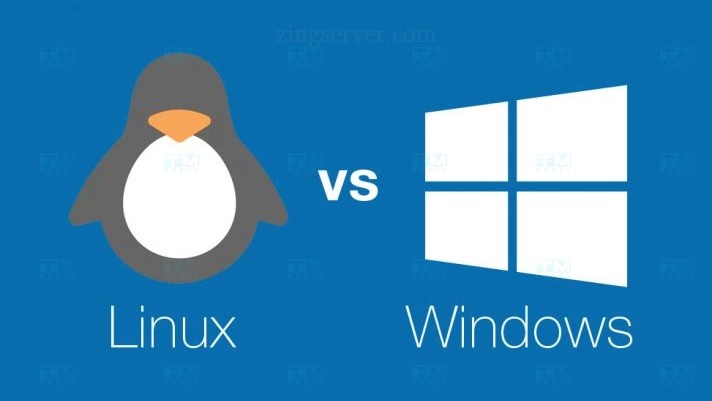
When renting a Cloud VPS, you need to choose an operating system that suits your intended purpose. Most providers offer multiple popular operating system choices such as Windows Server, CentOS, Ubuntu, and more.
Windows Server Operating System
Windows Server is a Microsoft operating system optimized for server environments. It provides many advanced features such as Active Directory, DHCP, DNS, Remote Desktop, and more.
A VPS running Windows Server is suitable for applications and websites built on the .NET platform. Additionally, it supports many enterprise applications such as Microsoft Exchange, Microsoft SQL Server, and more.
The advantage of Windows Server is its high compatibility with other Microsoft products, a friendly interface, and easy management for users familiar with the Microsoft ecosystem.
The disadvantage is the high licensing cost and the requirement for more powerful hardware configurations compared to Linux operating systems.
CentOS 7 Operating System (Linux)
CentOS (Community ENTerprise Operating System) is a free Linux distribution built from the source code of Red Hat Enterprise Linux (RHEL).
CentOS 7 is renowned for its stability, reliability, long support lifecycle, and high security. It is ideal for deploying web servers, email servers, database servers, and more.
CentOS 7 also provides powerful management tools such as SELinux, firewalld, systemd, and more, helping users easily operate and monitor systems.
The downside of CentOS 7 is that its command-line interface can be difficult for beginners. Additionally, some of the latest software may not be supported due to CentOS's slower release cycle.
Ubuntu Operating System (Linux)
Ubuntu is one of the most popular Linux distributions today. It is developed based on Debian with the goal of providing a stable, easy-to-use operating system for both individual users and businesses.
Ubuntu has multiple versions with long-term support (Long Term Support -- LTS) and short-term support (Short Term Support -- STS) cycles. LTS versions are suitable for server deployment due to their stability and long support periods.
Ubuntu provides a rich software repository with thousands of free applications. You can easily install and configure services such as Apache, Nginx, MySQL, PHP, and more.
Compared to CentOS, Ubuntu has a larger community and more documentation. It also has a user-friendly graphical interface, making it easy to get started even for newcomers.
However, Ubuntu falls short of CentOS in terms of stability and support duration. Therefore, if you prioritize stability and long-term support, CentOS would be a better choice.
Key Specifications to Know When Renting a VPS
Before deciding to rent a VPS, you need to consider several important specifications:
- CPU: Ensure the VPS has enough cores and CPU speed to handle your workloads. If running resource-intensive applications such as encryption or video processing, choose a CPU with high clock speeds.
- RAM: RAM capacity must be appropriate for your operating system and applications. For example, a VPS running WordPress needs at least 1 GB of RAM, while Java applications typically require 4 GB or more.
- Storage: Choose sufficient storage capacity for your source code, data, and media files. Also, pay attention to the type of storage the VPS uses. SSDs offer much faster access speeds compared to traditional HDDs.
- Bandwidth: The larger your traffic volume, the more bandwidth you need. Most providers charge based on data transfer volume. Therefore, estimate the necessary bandwidth in advance to avoid unexpected costs.
- Server location: Choose a server location close to your users. This reduces latency, improves access speed, and enhances user experience. If most of your customers are from Vietnam, prioritize VPS servers located in Vietnam or neighboring countries.
Conclusion: Cloud VPS is a flexible and powerful hosting solution that combines the advantages of traditional VPS with the scalability of cloud computing. With high availability, hardware self-recovery, and reasonable costs, Cloud VPS is suitable for projects of all sizes, from small to large.