





TCP (Transmission Control Protocol) is a reliable data transmission protocol that forms the foundation of modern Internet networking. This article explains the concept, how it works, pros and cons, and compares TCP with IP.
High-Speed Proxy - Ready to Try?
ALGO Proxy offers residential, datacenter & 4G proxies in 195+ countries
What is TCP?
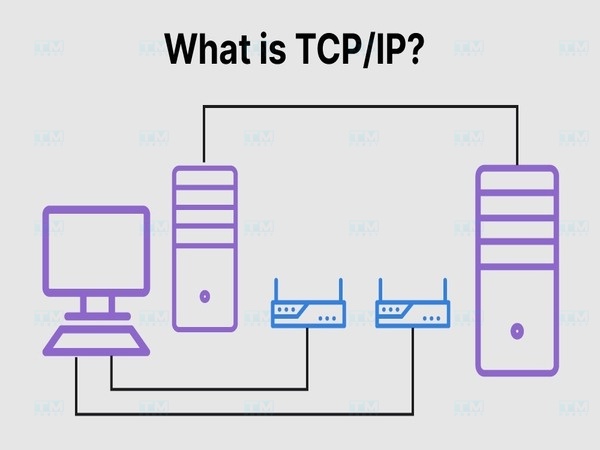
TCP (Transmission Control Protocol) is one of the core protocols of the Internet protocol suite, used to transmit data between devices on a network. Developed to ensure reliable data transmission, TCP is a connection-oriented protocol capable of managing large data streams by segmenting and reassembling them at the destination.
This protocol ensures that data is transmitted accurately and without loss during transmission.
Key Functions of TCP
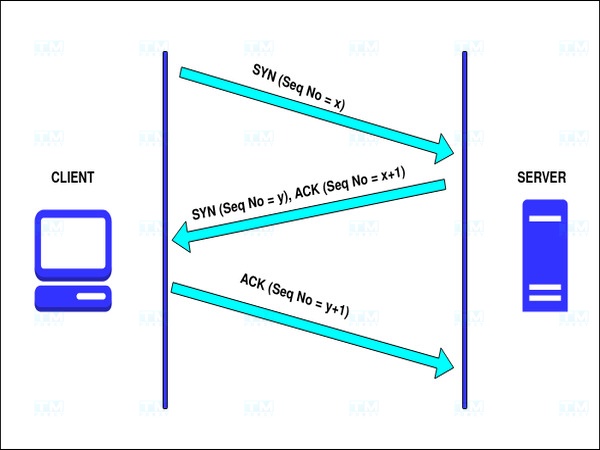
- Connection establishment and termination: TCP uses the Three-Way Handshake to establish connections and closes them when complete.
- Reliable data transmission: TCP ensures data arrives complete and error-free through error checking and retransmission of lost packets.
- Sequencing and reassembly: TCP assigns sequence numbers to each data packet and reorders them at the destination.
- Flow Control: Ensures transmission speed matches the receiving device's capacity.
- Congestion Control: Adjusts data transmission speed to avoid network congestion.
- Multiplexing: TCP uses ports to distinguish different applications on the same device.
- Data protection: Verifies integrity through checksum mechanism.
Benefits and Limitations of TCP
Benefits
- Reliability: All data packets arrive in correct order, with automatic retransmission of lost packets.
- Flow control: Controls transmission speed to match the receiver's processing capability.
- Congestion control: Detects and adjusts data volume based on network conditions.
- Secure connection: Three-Way Handshake ensures both parties are ready to exchange information.
- Data integrity: Uses checksum to ensure data isn't corrupted during transmission.
What is DHCP? Overview of the IP Address Allocation Protocol
Limitations
- Slower than UDP: Time spent on congestion control, flow control and retransmission.
- Complex connection setup/teardown: Three-way and four-way handshakes require multiple interactions.
- High resource cost: Checking each packet demands more server resources and bandwidth.
- Not suitable for real-time applications: VoIP, live video and online gaming need low latency that TCP doesn't provide well.
How TCP Works
Connection Establishment
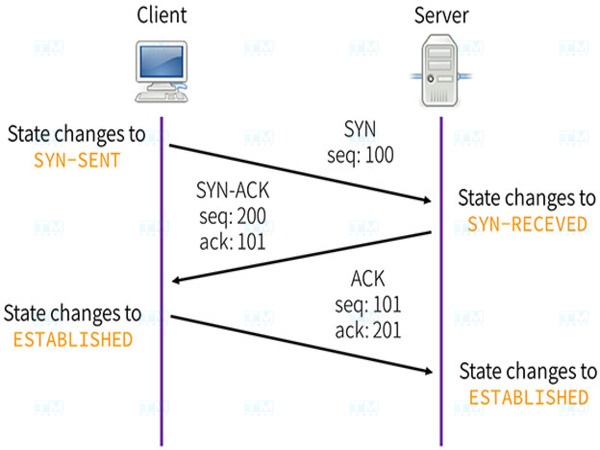
TCP establishes connections through the "Three-Way Handshake" in three steps:
- SYN: Device A sends a SYN packet to Device B requesting a connection.
- SYN-ACK: Device B receives the SYN packet and responds with a SYN-ACK packet.
- ACK: Device A sends an ACK packet, and the connection is established.
Data Transmission
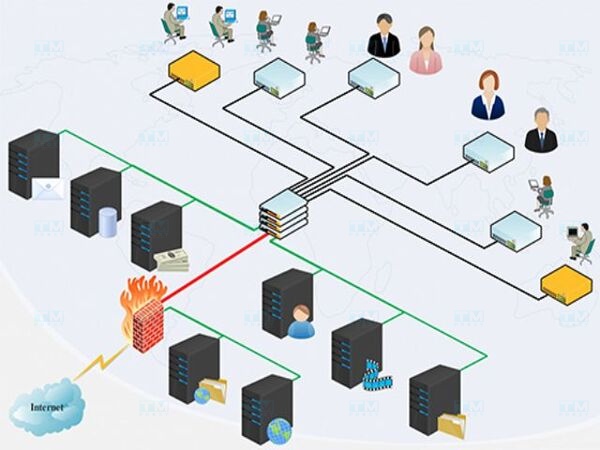
After connection establishment, TCP divides data into small packets, each with a sequence number:
- Sequencing: Each packet has a unique sequence number ensuring correct order at destination.
- Error checking: Each packet contains a checksum to detect corruption.
- Flow adjustment: TCP controls sending speed so the receiver isn't overwhelmed.
Acknowledgment and Adjustment
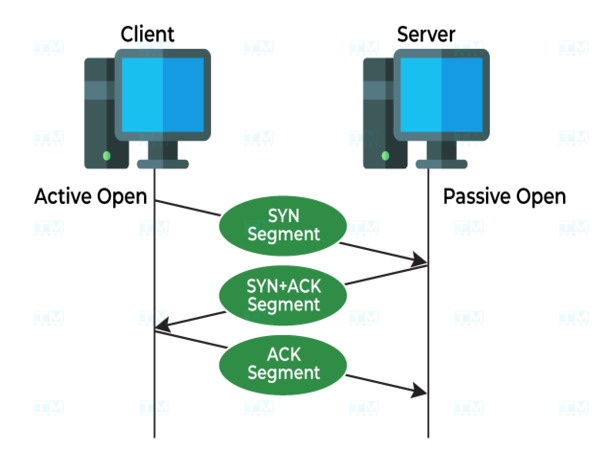
Device B sends back an ACK packet confirming receipt. If Device A doesn't receive an ACK within a specified time, it automatically retransmits the packet, ensuring no data loss.
Connection Termination
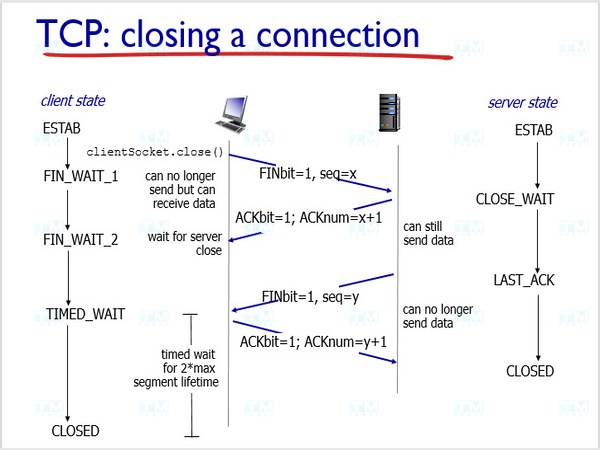
When transmission is complete, TCP closes the connection via Four-Way Handshake:
- FIN packet: Sender sends a FIN packet to begin closing.
- ACK response: Receiver responds with an ACK packet.
- FIN packet: Receiver sends a FIN packet indicating readiness to close.
- Final ACK: Sender sends an ACK packet confirming the connection is closed.
Identifying TCP Addresses
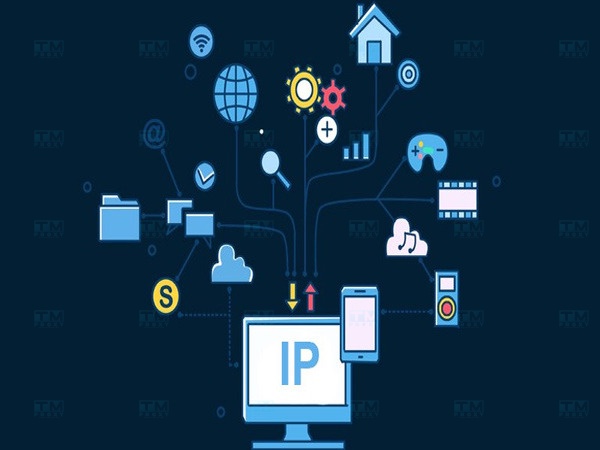
TCP addresses are identified through the combination of IP address and port:
- IP Address: A dot-separated number string (e.g., 192.168.1.1), identifying a device on the network.
- Port: A number distinguishing services on a device. HTTP uses port 80, HTTPS uses 443, FTP uses 21.
A complete TCP address has the form IP:Port (e.g., 192.168.1.1:80), allowing the system to route data to the correct service.
TCP Applications
File Transfer and Download
- FTP: Uses TCP with two ports (control and data) for reliable file transfer.
- HTTP/HTTPS: Web browsers use TCP to download files from servers securely.
- P2P (BitTorrent): Uses TCP for peer-to-peer file transfer.
WAN Communication Protocols
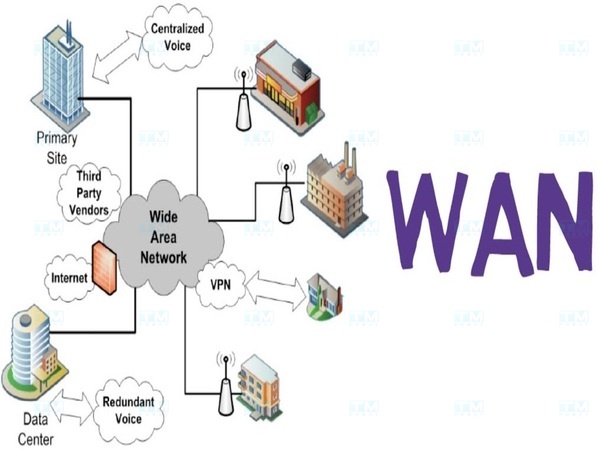
- PPP: Connects two points over wide area networks, typically for Internet via telephone lines.
- MPLS: Efficiently transmits data across multiple network types, ensuring QoS for high-bandwidth applications.
- SD-WAN: Modern technology using software to control WAN connections, increasing flexibility and security.
Client-Server Model
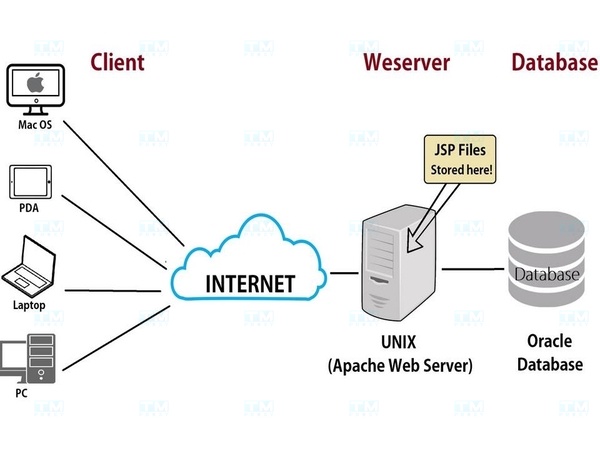
TCP ensures stability and reliability in client-server communication. Web applications, databases and cloud services all use TCP in the client-server model.
TCP vs IP Comparison
| Feature | TCP | IP |
|---|---|---|
| Primary function | Ensures data transmission in order without packet loss | Routes and forwards packets across networks |
| Protocol type | Connection-oriented | Connectionless |
| Reliability | Guarantees ordered, lossless delivery | No guarantee |
| Error control | Has error control, retransmits lost packets | No error control |
| Speed | Slower due to checking and acknowledgment | Faster without acknowledgment |
| Main application | File transfer, email, web access | IP addressing and routing |
TCP and IP work together: IP routes packets from source to destination, while TCP ensures data is transmitted accurately.
Conclusion: TCP is a reliable data transmission protocol that plays a key role in most online activities. Understanding TCP helps optimize network performance and is foundational for computer networking.