





SSL (Secure Sockets Layer) is a security protocol that encrypts information between the browser and the web server. This article explains what SSL is, how it works, the types of certificates, installation guides, and how to get a free SSL certificate.
High-Speed Proxy - Ready to Try?
ALGO Proxy offers residential, datacenter & 4G proxies in 195+ countries
What is SSL?
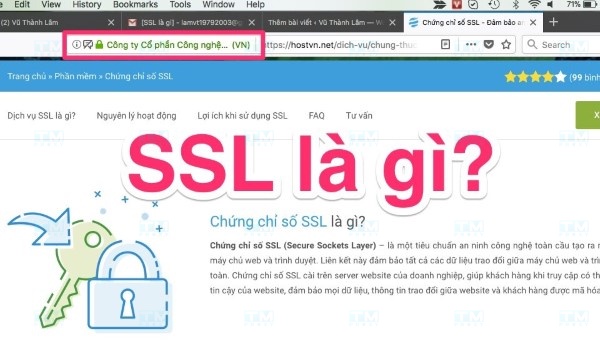
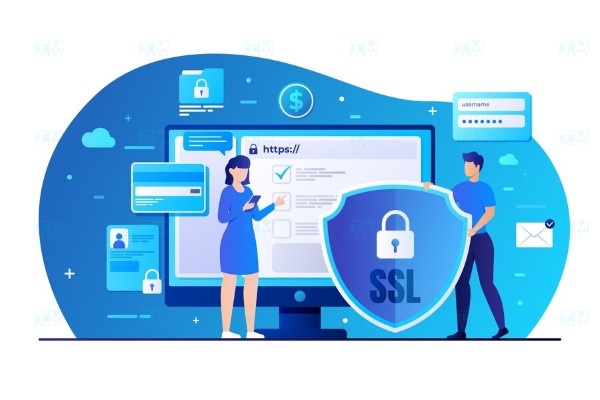
SSL (Secure Sockets Layer) is a security protocol designed to encrypt information between the user's browser and the web server. When an SSL connection is established, all data transmitted between the two parties is encrypted, helping prevent hackers and malicious actors from accessing sensitive information.
SSL certificates are typically issued by Certificate Authorities (CAs). These certificates verify the identity of a website and ensure that transmitted information is secure and has not been tampered with.
In summary, SSL can be understood as a security technology and standard that enables data to be transmitted safely over the Internet, protecting user information from external threats.
Why Does a Website Need an SSL Certificate?
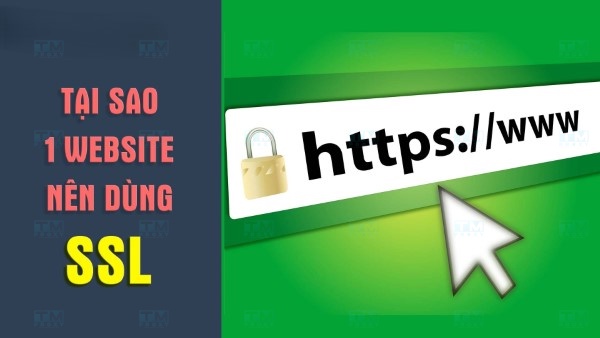
Using an SSL certificate is no longer optional — it has become an essential requirement for every website, especially those involving financial transactions or storing sensitive information. Here are the main reasons why a website needs an SSL certificate:
- Protecting user information: When users enter data on a website, such as credit card information or passwords, SSL encrypts this data, preventing information leaks.
- Building trust: A website with an SSL certificate earns trust from users, making them more confident when conducting transactions or providing information.
Risks of Not Using SSL
If a website does not use SSL, information transmitted between users and the server is unprotected. This means that anyone could potentially eavesdrop and steal sensitive information. As a result, not only users but also businesses may face serious financial and legal risks.
Market Trends
Additionally, more and more browsers such as Google Chrome and Firefox have begun warning users when they visit websites that do not use SSL. This is a powerful incentive for developers and website administrators to upgrade the security of their websites.
The Importance of SSL Certificates
SSL certificates are not just a security tool — they are also a key factor in enhancing the credibility and brand of a website. Let's explore the important benefits that SSL certificates bring to a website:
SSL Certificates Encrypt Sensitive Data
One of the primary functions of SSL is data encryption. All sensitive information such as passwords, banking information, or personal data is encrypted during transmission. This means that even if malicious actors attempt to steal data, they cannot read its contents because it has been encrypted.
Data encryption not only protects personal information but also shields businesses from legal risks related to personal data breaches. Demonstrating that appropriate security measures have been implemented can help businesses avoid hefty fines.
SSL Certificates Provide Authentication for Websites
SSL certificates also verify the identity of a website. When users visit a website with SSL, they can be assured that they are interacting with the correct organization. This is very important in the online environment, where impersonation and fraud are quite common.
A website authenticated by SSL will clearly display the business name and related information, giving users more confidence when engaging in online transactions.
SSL Certificates Build Trust for Visitors
The presence of an SSL certificate on a website is not merely a security measure — it also sends a strong message to users that the website values their safety. Studies show that consumers are more likely to complete transactions on a website with SSL compared to one without.
Users can easily identify the security status of a website through the padlock icon in the address bar. This creates a sense of security and encourages more positive interaction with the website.
SSL Certificates Help Websites Comply with PCI Security Standards
For businesses that process credit cards, compliance with PCI DSS (Payment Card Industry Data Security Standard) is very important. SSL certificates are an indispensable part of meeting these requirements. By encrypting credit card information and other sensitive data, SSL helps businesses reduce the risk of fraud and data breaches.
How SSL Certificates Work
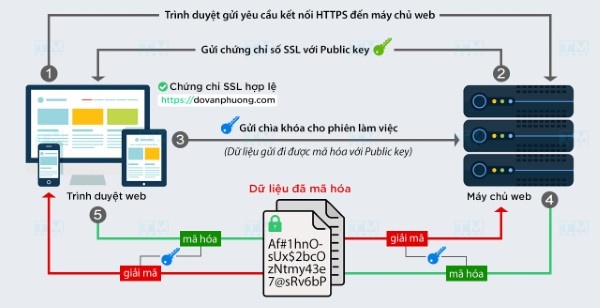
To better understand what SSL is, we need to understand how SSL certificates work. The process of establishing a secure connection between the browser and the server occurs through several steps.
Step 1: Performing the Handshake
The first step in this process is called the "handshake." When a user visits a website with SSL, their browser sends a request to the web server. The server responds with the SSL certificate and the necessary information to proceed with encryption.
Step 2: Certificate Verification
The browser then checks the validity of the SSL certificate. If the certificate has been authenticated by a trusted Certificate Authority and has not expired, the browser continues to establish a secure connection.
Step 3: Establishing the Session Key
After verification, the browser and server exchange information to create a session key. This key is used to encrypt all data throughout the session, ensuring that no third party can interfere with the information.
Step 4: Secure Data Transmission
Finally, once the connection has been successfully established, data is encrypted and transmitted back and forth between the browser and the server. This phase occurs quickly and does not hinder the user experience.
Types of Common SSL Certificates
SSL certificates come in various types, each serving different purposes for users and businesses. Here are the most common types of SSL certificates:
Domain Validation SSL Certificate (DV SSL)
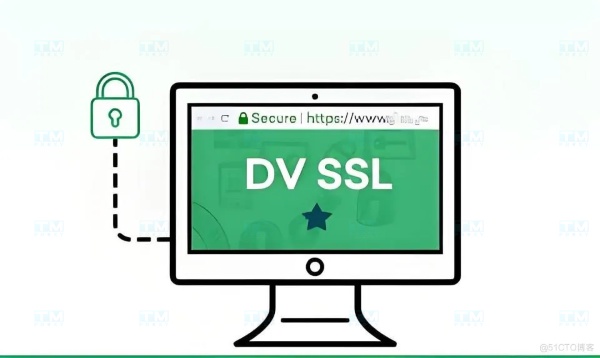
DV (Domain Validation) certificates are the simplest and quickest type to obtain. They only require the certificate owner to prove domain ownership through an email or another simple verification method. DV SSL is typically used by personal websites or sites that do not require a high level of security.
Organization Validation SSL Certificate (OV SSL)
OV (Organization Validation) certificates require the organization to undergo a more rigorous verification process. In addition to verifying domain ownership, organizations also need to provide detailed information about their business. Therefore, OV SSL is often preferred by small and medium businesses or non-profit organizations.
Extended Validation SSL Certificate (EV SSL)
EV (Extended Validation) certificates provide the highest level of security. The EV SSL verification process is very strict and requires thorough examination of business information. When using an EV certificate, the organization's name is clearly displayed in the browser's address bar, creating maximum trust for customers. This type of certificate is typically used by banks and large financial institutions.
Multi-Domain SSL Certificate (SANs SSL)
SANs (Subject Alternative Names) certificates allow you to secure multiple different domains under a single certificate. This is very useful for businesses with multiple websites or different subpages, helping to save costs and simplify management.
Wildcard SSL Certificate
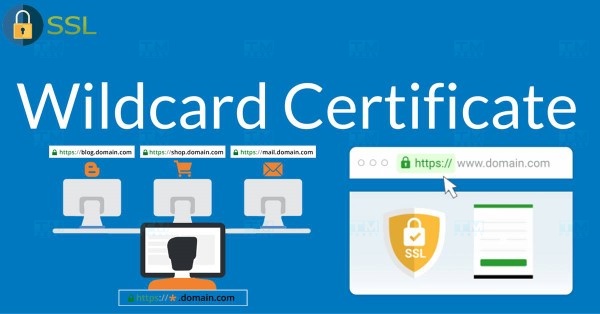
Wildcard certificates allow you to secure all subdomains of a domain. For example, if you have a Wildcard certificate for "example.com," you can secure "www.example.com," "shop.example.com," and "blog.example.com" without needing to purchase a separate certificate for each subdomain.
Components of an SSL Certificate
An SSL certificate typically includes the following main components:
Organization Information
This includes the name, address, and contact information of the organization or individual that owns the certificate. For OV and EV certificates, this information must be accurate and verified.
Public Key
The public key is a crucial part of data encryption. It is used to encrypt data before sending it to the server. Conversely, the server uses the private key to decrypt this data.
Expiration Date
Every SSL certificate has a specific validity period. This period typically ranges from one year to three years. After expiration, the certificate needs to be renewed to continue maintaining website security.
Certificate Authority Signature
SSL certificates are issued by trusted Certificate Authorities, and their signature proves that the certificate is valid and has been verified.
Advantages and Disadvantages of SSL Certificates
Like any other technology, SSL certificates have their own advantages and disadvantages. Let's analyze this in more detail.
Benefits of Using SSL
- Information security: SSL certificates encrypt sensitive data, preventing attacks from external sources.
- Building trust: The presence of SSL on a website creates trust among consumers, especially in financial transactions.
- Improved SEO: Google has announced that they prioritize websites using HTTPS in search results. Therefore, having an SSL certificate can improve a website's visibility on search engines.
- Compliance with security standards: Many industries require businesses to comply with certain security standards, and using SSL is an important part of this process.
Limitations of SSL Certificates
- Cost: Although many services offer free SSL certificates, there are paid options with relatively high prices for international and higher-quality certificates.
- Complex installation process: For those without technical experience, installing an SSL certificate can be quite complex and cause difficulties during the process.
- Periodic renewal required: SSL certificates typically have a specific validity period and need to be renewed to maintain website security. This can sometimes be challenging for administrators.
Detailed Guide to Installing an SSL Certificate for Your Website
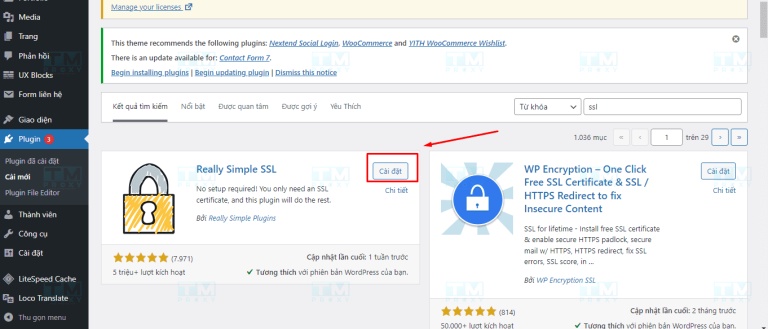
Installing an SSL certificate may seem complex, but if you follow the steps below, the process will become much easier.
Step 1: Purchase or Obtain an SSL Certificate
First, you need an SSL certificate. You can choose to purchase one from a trusted provider or use a free SSL service like Let's Encrypt.
Step 2: Install the Certificate on the Server
After obtaining the certificate, you need to install it on your web server. The installation process may vary depending on the server platform you are using (such as Apache, Nginx, or IIS). Most hosting providers offer detailed installation guides.
Step 3: Configure the Redirect from HTTP to HTTPS
After successfully installing the SSL certificate, you need to configure all traffic to redirect from HTTP to HTTPS. This can be done by editing the .htaccess file if you use Apache, or through settings in the hosting control panel.
What is an Alias? A Guide to Using Domain Aliases Effectively
Step 4: Test the Connection
Finally, you need to test the SSL connection to ensure everything is working properly. You can use online SSL testing tools to verify that the certificate has been installed correctly and that no errors have occurred.
How to Verify SSL Authenticity on Browsers
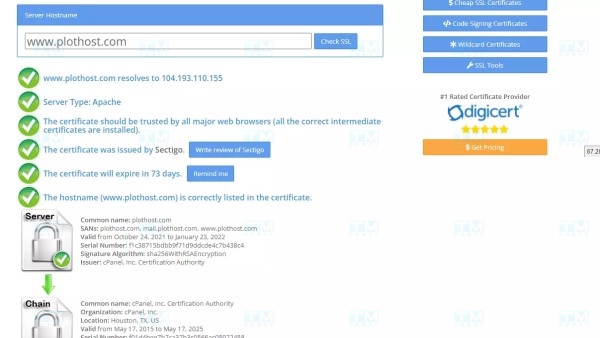
Verifying the authenticity of an SSL certificate is very important to ensure that your information is protected. Here is how to check SSL certificates on popular browsers:
Google Chrome
On Chrome, simply click the padlock icon to the left of the address bar. A menu will appear displaying information about the SSL certificate, including the organization name, expiration date, and Certificate Authority. If there are any issues, Chrome will warn the user.
Firefox
On Firefox, also click the padlock icon in the address bar. Similar to Chrome, you will see information about the SSL certificate, and if there are any issues, Firefox will display a clear notification.
Safari
For Safari, you can also click the padlock icon to view detailed information about the SSL certificate. Additionally, Safari will warn users if the website is not secure.
Tools to Check if an SSL Certificate Has Been Installed Correctly
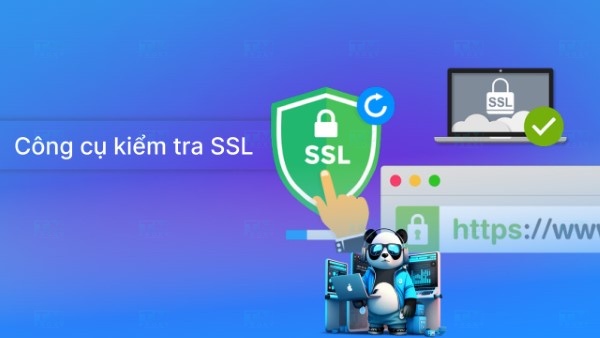
There are many online tools to help you check whether an SSL certificate has been installed correctly. Here are some popular tools you can use:
SSL Labs
SSL Labs is one of the most reliable SSL testing tools available today. It provides a detailed report about your SSL certificate, including security issues, the certificate chain, and the safety of your SSL configuration.
Why No Padlock?
This tool helps identify why a website does not display the padlock icon. It points out the factors causing the issue and provides solutions to fix them.
SSL Checker
SSL Checker is a simple but effective tool that helps you verify the validity of an SSL certificate, its expiration date, and other important information.
Important Notes When Installing SSL Certificates
Installing an SSL certificate is not just a technical process — it also requires you to consider many different factors. Here are some important notes:
Steps to Set Up an Encrypted SSL Connection
Make sure you have completed all the necessary steps to establish an encrypted connection. This includes not only installing the certificate but also configuring the server to handle SSL connections.
When Does a Website Need an SSL Certificate?
A website needs an SSL certificate when it involves sensitive elements such as payment information, account login, or when you want to build consumer trust. If you only own a personal blog that does not require high security, it may not be necessary.
How to Activate SSL for Your Website
Different hosting platforms may have different steps to activate SSL. Check the documentation from your hosting provider to learn how to activate SSL for your website.
Information Required to Register and Use SSL
When registering for an SSL certificate, you will need to provide detailed information about your organization, domain ownership, and other related information. Ensure that the information you provide is accurate to avoid verification issues later on.
{{< test-result title="Comparison of SSL Certificate Types" headers="Criteria|DV SSL|OV SSL|EV SSL|Wildcard SSL|SANs SSL" row1="Validation|Domain|Organization|Extended|Domain|Multiple domains" row2="Issuance time|Minutes|1-3 days|3-7 days|Minutes - 3 days|Varies" row3="Address bar|Gray padlock|Gray padlock|Green bar|Gray padlock|Gray padlock" row4="Suitable for|Personal blogs|Businesses|Finance, e-commerce|Multiple subdomains|Multiple domains" row5="Cost|Free - low|Medium|High|Medium|Medium - high" />}}
Conclusion: SSL certificates play a vital role in encrypting data between the browser and server, protecting sensitive user information. Depending on the scale and needs, you can choose free DV SSL for personal blogs, OV SSL for businesses, or EV SSL for e-commerce and financial websites. Installing SSL not only enhances security but also improves Google rankings and builds customer trust.