






UDP (User Datagram Protocol) is a fast, connectionless communication protocol at the Transport layer in the TCP/IP model. This article explains in detail how it works, its 8-byte header structure, advantages and disadvantages, and popular applications in streaming, gaming, VoIP, and DNS.
High-Speed Proxy - Ready to Try?
ALGO Proxy offers residential, datacenter & 4G proxies in 195+ countries
What is UDP?
What is UDP? UDP (User Datagram Protocol) is a communication protocol at the Transport layer in the TCP/IP model, used to send data over a network without establishing a connection beforehand. It is a connectionless and unreliable protocol, meaning data is sent as packets (datagrams) without acknowledgment from the receiver, and there is no mechanism to guarantee that packets will arrive, arrive in the correct order, or be retransmitted if lost.
However, because it does not require the verification and connection maintenance steps that TCP does, UDP has faster transmission speeds. UDP is commonly used in applications that require high speed and can tolerate some packet loss, such as video streaming, live audio, online gaming, or the DNS protocol.
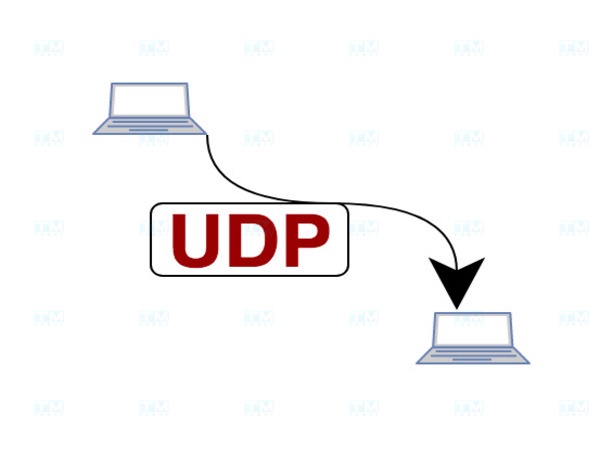
How the UDP Protocol Works
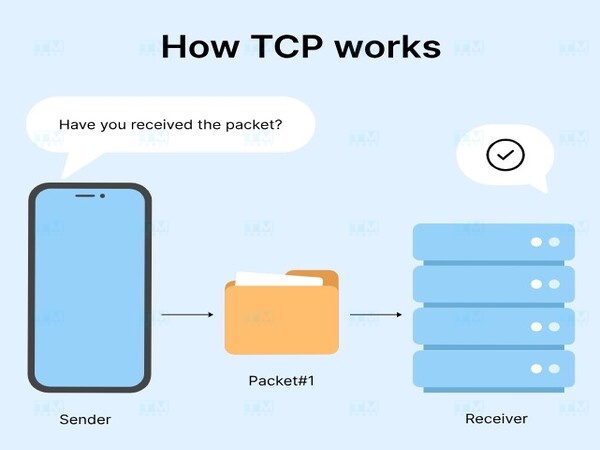
How does UDP work? UDP (User Datagram Protocol) is a protocol at the transport layer of the OSI model, responsible for transmitting data between applications without establishing a connection beforehand. This protocol is called "connectionless" because it does not require a three-way handshake like TCP before sending data. Below are the details of how the UDP protocol works:
- Connectionless data transmission: UDP does not need to establish a connection before transmitting data. When an application wants to send data, it simply places the data into a packet and sends it immediately. This helps reduce latency and increase transmission speed.
- Datagrams: UDP uses data units called datagrams. Each datagram contains the application's data and destination information (IP address and port). There is no guarantee that datagrams will arrive at the destination in the correct order or even arrive at all, so the application needs to handle errors or data loss.
- No guaranteed data delivery: Unlike TCP, UDP does not provide mechanisms to ensure data arrives at the correct destination, is not lost, and is in the correct order. It lacks complex error-checking and error-recovery mechanisms. Therefore, UDP is suitable for applications requiring fast transmission speeds such as video streaming, audio, or online gaming.
- No flow control mechanism: UDP does not manage the data flow, which means the transmission speed is not affected by the receiver's processing capability. This can lead to packet loss if the receiver cannot process the data in time.
- Ability to handle multiple requests simultaneously: UDP supports applications that need to handle multiple requests simultaneously well, since there is no connection establishment and termination phase like TCP. Each UDP packet can be processed independently.
The UDP protocol operates using a connectionless transmission method, allowing data to be sent quickly without establishing a session. This makes UDP an ideal choice for applications requiring high speed and low latency, although it does not guarantee reliability in transmission.
UDP Header Structure
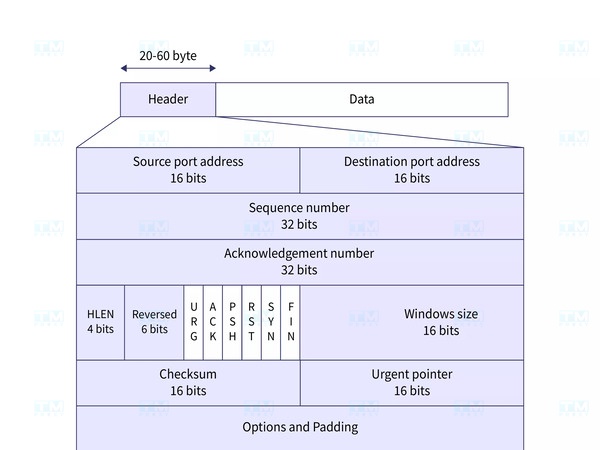
The UDP protocol header has a much simpler structure than TCP, with only 8 bytes of data. This structure includes basic information fields for data transmission without complex features such as error control or packet ordering. Below are the details of the components in the UDP header:
- Source Port – 16 bits: This field contains the port number of the sending application, helping to identify the origin of the packet. It may not be used if the sender does not require a response.
- Destination Port – 16 bits: This field identifies the port number of the destination application to which the UDP packet will be sent. It helps route the packet to the correct application on the receiving machine.
- Length – 16 bits: This field contains the total length of the entire UDP packet, including both the header and data portions. The minimum value is 8 bytes (header only) and the maximum is 65,535 bytes.
- Checksum – 16 bits: The checksum field is used to verify the integrity of the UDP packet during transmission. If the checksum does not match the value calculated from the received data, the packet is discarded. This field is optional and may not be used in some cases.
The UDP protocol header structure is very simple and efficient, consisting of essential fields such as Source Port, Destination Port, Length, and Checksum. This simplicity helps minimize overhead during data transmission, enabling fast processing and making it suitable for applications requiring high speed.
Features of the UDP Protocol
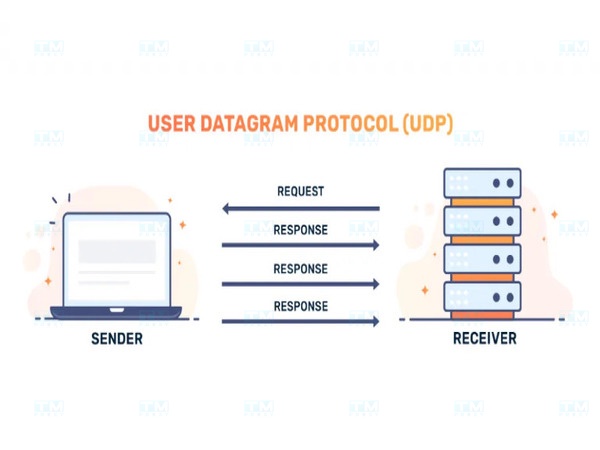
What are the features of the UDP protocol? UDP is a simple yet powerful protocol, providing distinctive features suitable for applications requiring high transmission speed and low latency. Below are the main features of the UDP protocol:
- Connectionless transmission: UDP operates without establishing a connection first. This helps reduce latency when transmitting data and increases performance for high-speed applications.
- Asynchronous transmission: UDP supports asynchronous transmission, allowing data to be sent and received without waiting for a response. This is very useful for real-time communication applications such as Voice over IP (VoIP), online gaming, and streaming.
- Low overhead and high performance: With a simple header structure and no complex management mechanisms, UDP consumes fewer system resources than TCP. This helps increase processing speed and reduce system load.
- Suitable for high-speed applications: UDP is particularly effective for applications requiring high speed and low latency such as video streaming, gaming, and real-time communication protocols.
- No guarantee of data integrity: Although it has a checksum field for error checking, UDP does not provide error correction mechanisms or guarantee that data arrives at the destination in the correct order. This helps reduce latency but requires the application to handle data loss or error issues on its own.
- Multicast and Broadcast: UDP provides good support for sending packets to multiple addresses simultaneously (multicast) or to all devices on the network (broadcast), which is very useful in applications such as data updates or broadcast communications.
Thanks to these features, UDP has become a popular choice for applications that need to transmit data quickly and do not require high reliability.
Applications of the UDP Protocol
The UDP protocol (User Datagram Protocol) is widely used in many fields thanks to its fast and simple transmission capability. Although it does not guarantee data integrity like TCP, UDP is still very effective for applications requiring high speed and low latency. Below are some common areas where UDP is applied:
Real-time Communication

UDP is used in voice and video applications such as VoIP (Voice over IP) and video conferencing. Its connectionless nature and fast transmission speed help reduce latency in communication, providing a seamless experience for users. Lost or delayed data may not be recovered, but for these applications, fluidity and immediacy are more important than ensuring no data is lost.
Online Gaming

UDP is preferred in online games that require fast reactions, where speed and latency are decisive factors. Packets containing player action information need to be transmitted quickly, and the loss of a few packets will not significantly affect the overall experience.
What is Windows VPS? Basic Introduction to Windows Virtual Server Services
Media Streaming

Live streaming services and multimedia streaming (audio/video streaming) often use UDP to reduce latency when delivering content. Lost packets may not be critical since viewers can still follow the content without major interruptions.
DNS Protocol (Domain Name System)
UDP is used in DNS queries to resolve domain names into IP addresses. This protocol helps send and receive queries quickly without establishing a connection first. If a query fails, the system can retry without causing congestion or overload.
Sensor Data and IoT Transmission

In IoT (Internet of Things) systems and sensor networks, UDP is used to transmit sensor data to servers without establishing a connection. This helps minimize resource costs and maintain fast response times.
Advantages of the UDP Protocol
What are the advantages of the UDP protocol? The UDP protocol has many advantages that make it the optimal choice for applications requiring fast transmission and low latency. Below are the notable advantages of UDP:
- Fast transmission speed: UDP can transmit data quickly because it does not need to establish a connection first like TCP. Packets can be sent immediately without waiting, helping minimize latency during transmission.
- Low resource overhead: The UDP protocol uses a simple header of only 8 bytes, much less than TCP's header. This helps reduce resource costs for packet processing, especially in applications that need to transmit large amounts of data or handle many requests simultaneously.
- No connection management required: UDP does not require maintaining a connection between endpoints. This helps reduce the burden of connection management and is suitable for applications that need to quickly handle many short data transmission sessions.
- Ability to handle many connections simultaneously: Since there is no connection management needed, UDP can handle a large number of requests from multiple devices or users simultaneously without experiencing overload.
- Good support for Multicast and Broadcast: UDP effectively supports multicast and broadcast operations, allowing packets to be sent to multiple devices on the network simultaneously. This is very useful for applications such as live streaming, system notifications, or sensor data transmission.
- Suitable for real-time applications: Without complex error-checking mechanisms and packet ordering guarantees, UDP minimizes latency and is suitable for real-time applications such as online gaming, multimedia communication, and online conferencing.
These advantages make UDP an ideal choice for applications such as video streaming, online gaming, and VoIP, where real-time performance is more important than reliability.
Disadvantages of the UDP Protocol
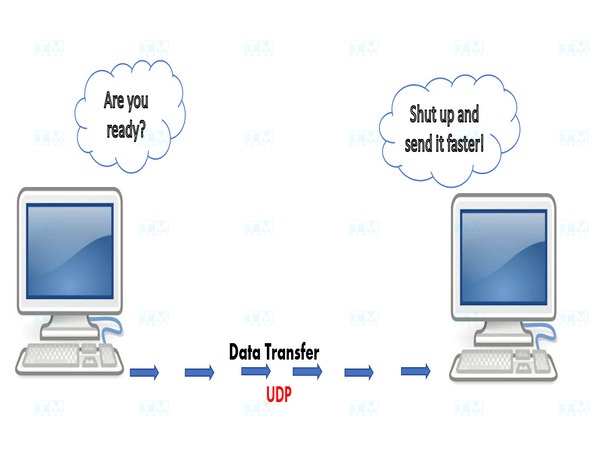
What are the disadvantages of the UDP protocol? Despite its many advantages, UDP also has disadvantages that users should be aware of before choosing it for their applications. These limitations are mainly related to the lack of data integrity and safety guarantees:
- No guarantee of data integrity: UDP has no error-checking and correction mechanisms. Data can be lost, corrupted, or arrive out of order. The lack of these mechanisms makes UDP unsuitable for applications requiring high reliability, such as file transfers or financial transactions.
- No flow control mechanism: UDP does not adjust the data transmission speed based on the receiver's processing capability. This can lead to buffer overflow or packet loss if the receiver cannot process data in time.
- No guarantee of packet order: UDP packets can arrive at the destination in any order. This can create difficulties for applications requiring exact data ordering, forcing the application to handle reordering on its own.
- No connection establishment and termination mechanism: The lack of a connection establishment and termination mechanism makes UDP vulnerable to denial-of-service (DoS) attacks or unwanted data transmission. This affects the security and stability of systems using UDP.
- Poor error handling: Without efficient error-checking and recovery mechanisms like TCP, UDP is poor at ensuring error-free data transmission. This creates difficulties when applications require high data integrity.
What is Zabbix? Advantages, Disadvantages, and Components of Zabbix
Despite its many advantages, the UDP protocol also has disadvantages such as the lack of error-checking features and no guarantee of data packet ordering. This can lead to data loss or receiving data out of order, so users need to carefully consider when choosing UDP for applications requiring high reliability.
Important Considerations When Using the UDP Protocol

Although the UDP protocol offers many benefits, its use requires careful consideration. To use the UDP protocol effectively in applications, keep the following important points in mind:
- Clearly define application requirements: Before using UDP, assess whether the application requires data reliability and integrity. UDP is suitable for real-time applications where low latency and high transmission speed are more important than ensuring no data loss.
- Manage packet size appropriately: Pay attention to UDP packet size (MTU — Maximum Transmission Unit) to avoid fragmentation, which can cause packet loss or reduce transmission performance. Set packet sizes smaller than the network's MTU to ensure data is transmitted intact.
- Handle errors and packet loss at the application level: Since UDP does not provide error recovery mechanisms, applications need to be designed to detect and handle packet loss or data errors on their own. This can be accomplished using error-checking algorithms, packet acknowledgments, or data retransmission.
- Pay attention to security: UDP is vulnerable to denial-of-service (DoS) attacks due to the lack of sender authentication mechanisms. Apply security measures such as packet inspection and filtering, using firewalls, and limiting the number of connections to prevent harmful attacks.
- Monitor and test network performance: Regularly monitor and test network performance when using UDP, especially in real-time applications. This helps detect early issues with packet loss and network latency and optimize the transmission system.
- Use in appropriate environments: UDP is suitable for local area networks (LAN) or networks with high reliability. For networks with high latency or prone to packet loss such as the Internet, consider using additional mechanisms to ensure stability and reliability for the application.
When using the UDP protocol, users need to pay attention to factors such as reliability, packet ordering, and error handling. Understanding the limitations of UDP will help you configure and optimize your application effectively, ensuring that performance and quality requirements are met as best as possible.
{{< test-result title="Comparison of UDP with Transport Layer Protocols" headers="Criteria|UDP|TCP|SCTP|QUIC" row1="Connection|Connectionless|Connection-oriented|Connection-oriented|Connection-oriented (over UDP)" row2="Reliability|No guarantee|Guaranteed delivery|Guaranteed delivery|Guaranteed delivery" row3="Packet ordering|No guarantee|In order|In order (multi-stream)|In order (multi-stream)" row4="Header|8 bytes|20+ bytes|12+ bytes|Variable" row5="Latency|Very low|High (3-way handshake)|Medium|Low (0-RTT)" row6="Applications|Streaming, DNS, Gaming|Web, Email, FTP|Telecom, Signaling|HTTP/3, Modern Web" />}}
Conclusion: The UDP protocol is a fast, lightweight transmission solution, suitable for applications requiring high speed and low latency. Although it does not guarantee reliability like TCP, UDP remains an indispensable foundation for streaming, gaming, VoIP, and DNS. Understanding the advantages and disadvantages of UDP helps you choose the appropriate protocol for each system.